




MFC-L2807DW
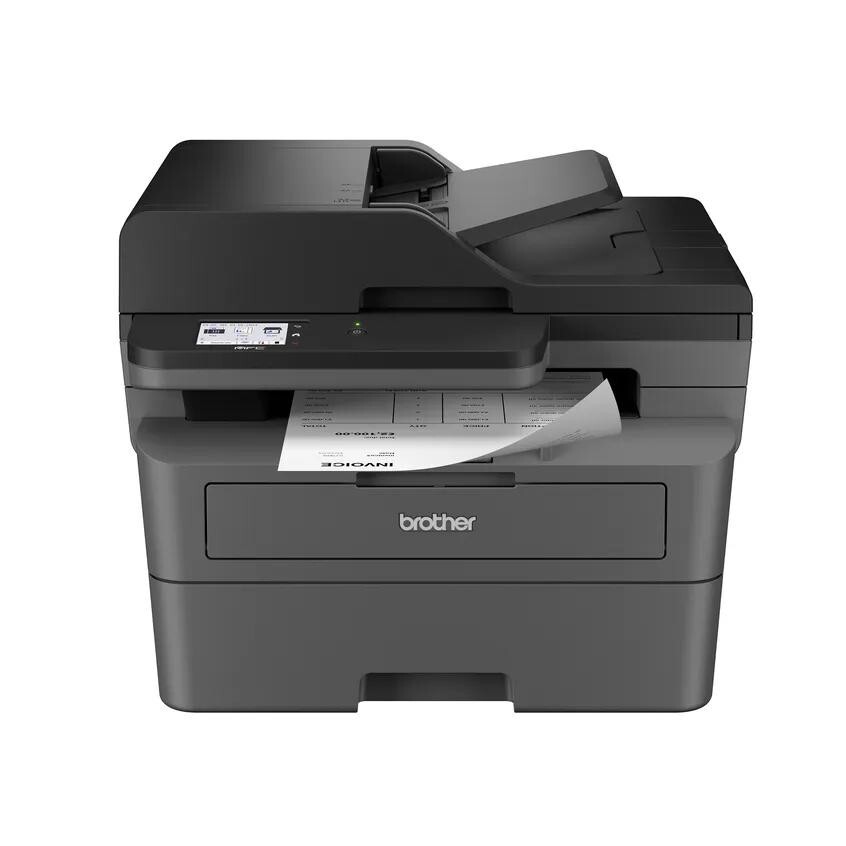
For the Brother MFC-L2807DW, the supply list is short and shared with its whole family: the TN830 toner cartridge at about 1,200 pages for light use, the TN830XL at about 3,000 pages for regular use, and the DR830 drum unit, rated at about 12,000 pages and replaced separately from the toner. This monochrome laser all-in-one prints, copies and scans through that one cartridge-and-drum pairing, and this page carries every version of it — singles, multi-packs, drums and bundles, compatible and genuine.
A useful way to run an all-in-one like this is the two-cartridge rhythm: one cartridge working in the machine and one waiting in the cupboard. The MFC-L2807DW's workload tends to arrive in waves — a quiet week, then a day of printing and copying that empties whatever is installed — and the rhythm means a wave never has to wait for a delivery. The 2-pack format of the high-yield cartridge exists precisely for that pattern.
Toner Cartridges for MFC-L2807DW
| Page Yield | Cartridge | Color |
|---|---|---|
| ~3,000 pages | TN830XL — Compatible Black Toner, Single | Black |
| ~3,000 pages each | TN830XL — Compatible Black Toner, 2 Pack | Black |
| ~3,000 pages each | TN830XL — Compatible Black Toner, 4 Pack | Black |
| ~1,200 pages | TN830 — Compatible Black Toner, Single | Black |
| ~1,200 pages each | TN830 — Compatible Black Toner, 2 Pack | Black |
| ~1,200 pages each | TN830 — Compatible Black Toner, 4 Pack | Black |
| 3,000 pages | TN830XL — Genuine Brother Black Toner, Single | Black |
| 3,000 pages each | TN830XL — Genuine Brother Black Toner, 2 Pack | Black |
| 1,200 pages | TN830 — Genuine Brother Black Toner, Single | Black |
The drum is separate: the compatible DR830 drum unit (about 12,000 pages) is stocked as a 2-pack and 4-pack as well, and the genuine Brother DR830 is rated at 15,000 pages.
Toner-and-drum bundles:
Alternate listings for the same XL cartridges and bundles:
- TN830XL Toner 2 Pack — alternate listing
- TN830XL (TN830XL) 4 Pack — alternate listing
- TN830XL Toner 4 Pack — alternate listing
- TN830XL (TN830XL) Single — alternate listing
- TN830XL Toner Single — alternate listing
- TN830XL/DR830 Set 2+1 — alternate listing
- TN830XL/DR830 Set 3+1 — alternate listing
- TN830XL/DR830 Set 3+1 — second alternate listing
- TN830XL/DR830 Set 2+2 — alternate listing
- TN830XL/DR830 Set 1+1 — alternate listing
- TN830XL/DR830 Set 2+1 — second alternate listing
- TN830XL/DR830 Set 2+2 — second alternate listing
- TN830XL/DR830 Set 1+1 — second alternate listing
Which cartridge should you buy?
Build the rhythm around the TN830XL. Two cartridges give you roughly 6,000 pages of cover, and reordering when the spare goes into the machine keeps the cycle unbroken. At about 3,000 pages each, the XL also beats the standard TN830 on cost per page by a wide margin, so the standard cartridge is best reserved for a machine that prints a handful of pages a week. The drum keeps a slower rhythm of its own — about 12,000 pages, or four XL cartridges — and when its replacement coincides with a toner order, the bundles above combine the two at a better price than separate orders. Genuine Brother supplies are listed alongside the compatible range, which is covered by a 1-year warranty and 1-year returns.
Chip, toner and everyday use
The MFC-L2807DW tracks toner through the cartridge's chip and warns before the cartridge is empty — treat that warning as your reorder signal. Yields assume 5% coverage; a copied page of a dense form or a dark photograph uses far more toner than a letter, so mixed all-in-one workloads often land below the rated count. When you change the cartridge, it clicks into the drum unit that is already in the machine; the drum itself only comes out at its own milestone or when defects repeat down every page. Reset the drum counter from the menu after any drum change, and store the spare cartridge sealed and flat so it is ready the moment the rhythm calls for it.
Frequently Asked Questions
How does the two-cartridge rhythm work on the MFC-L2807DW?
Keep one TN830XL installed and one spare on hand. When the installed cartridge runs out, fit the spare and order the next 2-pack the same day — the machine never waits on shipping.
What does 5% coverage mean for my real page count?
Ratings count pages with about 5% of the sheet covered in toner — a typical text letter. Dense forms, graphics and copied photographs cover much more, so real yields on a mixed-use all-in-one run lower than the rated 1,200 or 3,000 pages.
When should I buy a bundle instead of separate parts for this machine?
When the drum is due at the same time as a toner change — roughly every 12,000 pages. The bundle pairs a fresh DR830 with toner in one box for less than the two separate orders.
Does scanning on the MFC-L2807DW use toner?
No. Scanning uses no toner at all. Only pages that come out of the printer — prints, copies and received faxes — draw on the cartridge.
More printers that use the same cartridges
All of the following Brother models run on this same cartridge and drum system:
MFC-L2980DW, MFC-L2900DWXL, MFC-L2900DW., MFC-L2900DW, MFC-L2820DWXL, MFC-L2820DW, MFC-L2760DW, MFC-2900DWXL, HL-L2865DW, HL-L2480DW, HL-L2467DW, HL-L2465DW, HL-L2460DWXL, HL-L2460DW, HL-L2420DW, HL-L2405W, HL-L2400D, DCP-L2647DW, DCP-L2640DW