




What Toner Does the Brother HL-L2405W Use?
Nov 2nd 2026
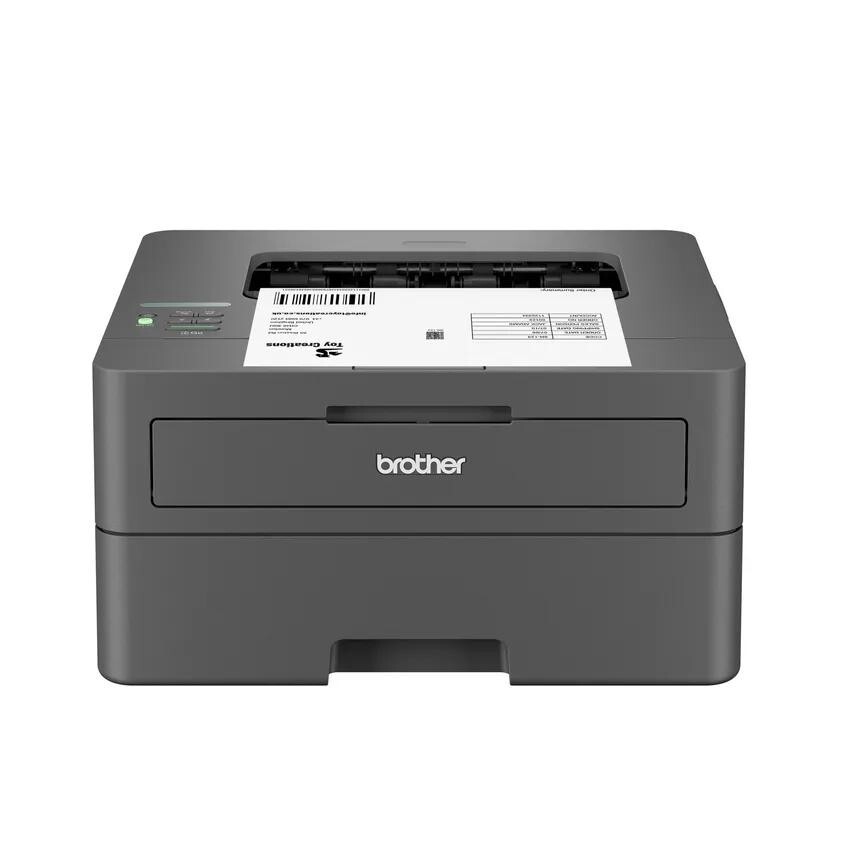
Short version first: the Brother HL-L2405W runs on TN830 black toner if you want the standard size (roughly 1,200 pages) or TN830XL black toner for the high-yield size (roughly 3,000 pages). Both sit inside a DR830 drum unit that is replaced separately, at around 15,000 pages. Nothing else fits, and because this is a black-only laser, you will never shop for a color cartridge for it.
A note on regional names: this cartridge family is sold in Latin America under the TN860 name — TN860, TN860XL and TN860XXL. It is the same cartridge line under a regional name: if the cartridge in your printer is labeled TN860, the TN830 cartridges on this page are its US equivalents.
Built for Phones, Tablets and the Kitchen-Table Office
The HL-L2405W is the point where this printer family goes wireless. It carries dual-band Wi-Fi (both 2.4GHz and 5GHz), Wi-Fi Direct for guests and visitors, and a USB socket for anyone who still prefers a cable. Brother's Mobile Connect app, AirPrint and Mopria support mean a phone or tablet can send a document without a computer in the middle — the use case this model was clearly designed around is the home that prints from whatever device happens to be in hand.
Output speed is up to 30 pages per minute, paper lives in a 250-sheet tray, and a manual feed slot handles the odd envelope or label sheet. One honest limitation belongs in any description of this model: two-sided printing is manual. The driver helps you flip the stack, but the printer does not turn pages over on its own. For mostly one-sided home printing that barely matters; for anyone who prints long double-sided documents every day, it is the single feature that separates this model from its duplex-equipped siblings below.
What Each Supply Costs You per Page
| Part | What it does | Pages you get | Price (our compatible) | Cost per page |
|---|---|---|---|---|
| TN830XL | High-yield black toner | ~3,000 | $28.98 | ~1.0¢ |
| DR830 | Drum unit | ~15,000 | $25.60 | ~0.2¢ |
| TN830 | Standard-yield black toner | ~1,200 | $23.60 | ~2.0¢ |
Figures use the rated yields at 5% coverage and prices recorded on November 2, 2026. Two things stand out. First, the high-yield cartridge halves your toner cost per page for only about $5 more at the till. Second, the drum is nearly invisible in the budget — a fifth of a cent per page — yet owners often mistake its replacement warning for a toner problem and buy the wrong part. Toner makes the image dark; the drum transfers it to the page. They wear out on completely different schedules.
Changing Toner on the HL-L2405W, in Brief
Open the front panel with the power on and pull the drum assembly toward you. Squeeze the green release lever, take the old cartridge out of its cradle, and shake its replacement sideways a few times before removing the protective cover. Click the new cartridge in until the lever locks, slide the green corona-wire cleaner across the drum and back to its home position, then return the assembly and close up. Should the printer refuse to acknowledge the new cartridge, do not keep reseating it — follow the counter-reset steps in our TN830 troubleshooting guide instead.
A Wireless Printer Still Eats the Same Toner
It is worth pausing on a point that confuses shoppers: the radio in the printer has nothing to do with the cartridge in the printer. The HL-L2405W shares its TN830, TN830XL and DR830 supplies with seventeen other Brother models, including print-only machines with no wireless at all and large multifunction models with fax. A household that later upgrades — or a small office running two different models from this generation side by side — keeps one spare cartridge on the shelf that fits everything. That shared-supply design is also why the compatible market for this family is so competitive, and why the per-page prices in the table above are as low as they are.
For a home printer, our buying advice is simple. If the machine prints schoolwork and the occasional form, the standard TN830 keeps cash in your pocket today. If it has quietly become the family workhorse — remote-work documents, returns labels, study packs — go straight to the TN830XL and enjoy changing it about once a year.
The Case for Keeping a Drum on the Shelf
Household printers always seem to fail at the worst moment — the night before a trip, in the middle of a school project. Toner gets the blame, but sometimes the part that gives out is the drum. That is the practical argument for the combined sets we stock: a TN830 toner with a DR830 drum in one box, or the TN830XL high-yield version of the same set for homes that print heavily. One order, one delivery, and both wear parts are sitting in the cupboard matched to each other. When a drum warning lands mid-job, you swap the pair and carry on instead of starting a delivery countdown. There are bigger stock-up variants too — a drum with two toners, and a two-drum, two-toner pack.
The honest counterpoint: a drum is a 15,000-page part. If your HL-L2405W is young and its drum has barely turned, buy toner alone and let the drum live out its life. The set is the smart buy once the drum is well into its mileage, or in any home where the printer simply cannot be down for two days.
HL-L2405W Toner Questions, Answered
Will a TN830XL physically fit, or is it bigger than the standard cartridge? It fits the same opening and the same drum. The extra capacity is inside the cartridge; the outside dimensions the printer sees are unchanged.
The printer keeps dropping off my Wi-Fi after a toner change. Related? Almost certainly not. Cartridge swaps do not touch network settings. A machine that vanishes from the network usually has a weak signal where it sits, or has fallen asleep — check signal strength at the printer's location before suspecting the new cartridge.
Can two computers and a phone all print to it? Yes, that is this model's home turf. Once it is on your dual-band network, any device on the same network can send jobs, and Wi-Fi Direct covers a visitor whose device is not on your network at all.
How do I print an envelope? Use the manual feed slot at the front, one envelope at a time, and choose the envelope size in the print dialog so the driver sets the right paper path and pressure.
Why did my first cartridge run out faster than 1,200 pages? Printers in this family commonly ship with a reduced-capacity starter cartridge, and yield ratings assume light 5% coverage — a page of dense text or a form with heavy graphics uses far more toner. Both effects make a first cartridge feel short-lived.
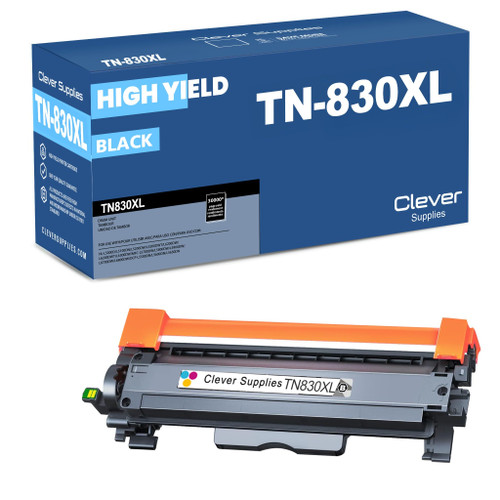 brother tn830xl laser toner cartridge black
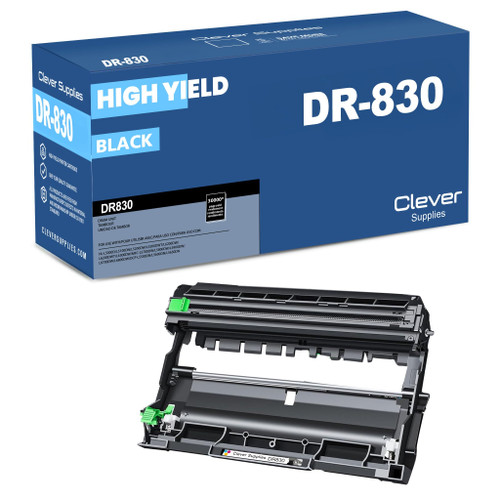 brother dr830 dr830 toner cartridge black
 brother tn830 laser toner cartridge black
 brother tn830 dr830 black drum and toner set
Key takeaways
- The top cartridge here is rated at 3,000 pages — fewer swaps, lower cost per page.
- Lowest cost per page in this family: ~1¢ with the highest-yield cartridge.
- Toner and drum are separate parts on this printer — replace only the one the printer asks for.
Other Printers That Use TN830, TN830XL and DR830
Seventeen sibling machines drink from the same toner shelf. In the HL series: the HL-L2400D, HL-L2420DW, HL-L2460DW, HL-L2460DWXL, HL-L2465DW, HL-L2467DW, HL-L2480DW and HL-L2865DW. The DCP models are the DCP-L2640DW and the DCP-L2647DW. The MFC all-in-one range covers the MFC-L2760DW, MFC-L2807DW, MFC-L2820DW, MFC-L2820DWXL, MFC-L2900DW, MFC-L2900DWXL and MFC-L2980DW.