




What Toner Does the Brother HL-L2400D Use?
Nov 2nd 2026
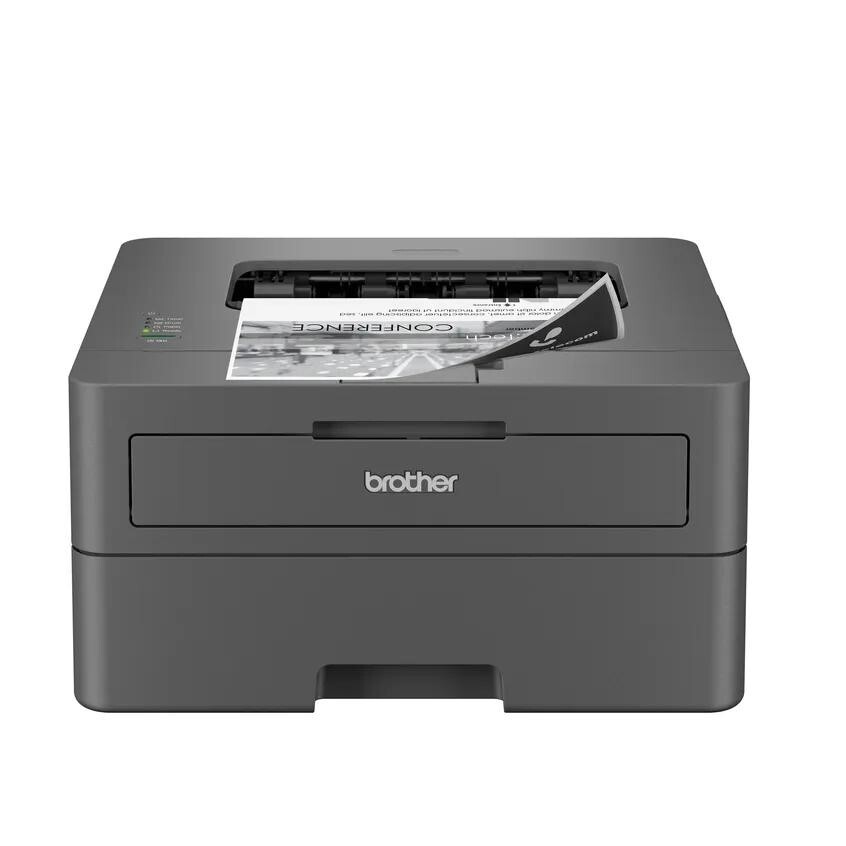
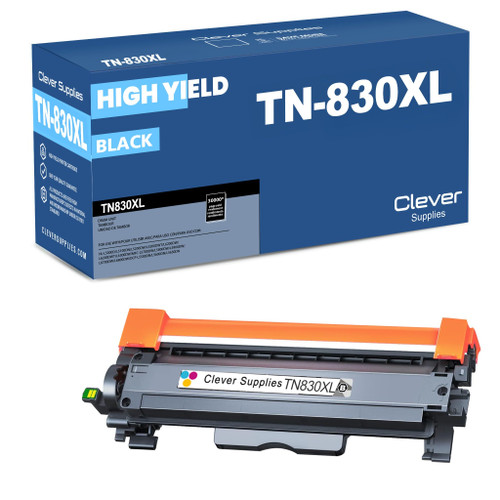
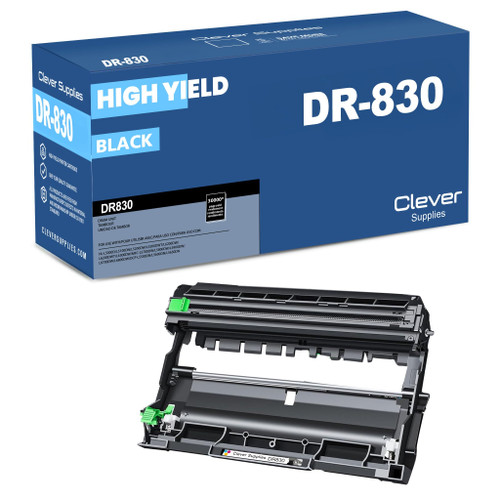
Quick answer: The Brother HL-L2400D uses TN830 standard-yield black toner (about 1,200 pages) or TN830XL high-yield black toner (about 3,000 pages), working with a separate DR830 drum unit rated for roughly 15,000 pages. There is no color toner for this machine — it is a monochrome printer, so one black cartridge is the whole story.
A note on regional names: this cartridge family is sold in Latin America under the TN860 name — TN860, TN860XL and TN860XXL. It is the same cartridge line under a regional name: if the cartridge in your printer is labeled TN860, the TN830 cartridges on this page are its US equivalents.
The Wired-Only Member of the Family
Most printers in this range lead with their wireless radios. The HL-L2400D does the opposite, and that is exactly why people buy it. This is a compact monochrome laser that connects to a single computer through a Hi-Speed USB 2.0 cable — no Wi-Fi, no Ethernet, no app setup, no network password typed into a tiny panel. It prints at up to 32 pages per minute, turns pages over by itself with automatic duplex printing, and holds a full ream's worth of paper in a 250-sheet tray, with a manual feed slot for envelopes and heavier stock.
That stripped-down design shapes how you should think about its supplies. A printer serving one desk prints in predictable patterns — homework, invoices, contracts — and Brother rates it for up to 2,500 pages a month (maximum duty cycle 35,000). Most owners will empty a cartridge every few months rather than every few weeks, which makes the standard-versus-high-yield decision a real one, covered below.
TN830 vs. TN830XL vs. DR830: The Running Costs
| Supply | Role in the printer | Rated yield | Our compatible price | Approx. cost per page |
|---|---|---|---|---|
| TN830 | Black toner, standard yield | ~1,200 pages | $23.60 | ~2.0 cents |
| TN830XL | Black toner, high yield | ~3,000 pages | $28.98 | ~1.0 cent |
| DR830 | Drum unit (separate part) | ~15,000 pages | $25.60 | ~0.2 cents |
Yields follow the standard 5% page-coverage rating. Read the table the way an accountant would: the TN830XL costs about five dollars more than the TN830 yet delivers two and a half times the pages, which cuts your toner cost per page roughly in half. The drum is a different kind of purchase altogether — one DR830 should outlast about five TN830XL cartridges, so its per-page cost is close to a rounding error.
One detail catches new owners out: the toner cartridge and the drum are two separate parts that slide into the printer as one assembly. When the printer asks for toner, you swap only the cartridge and click it back into the drum you already own. The drum stays put until the machine reports it near the end of its life.
Swapping the Cartridge on an HL-L2400D
1. Leave the printer switched on and pull the front cover open. The combined drum-and-toner assembly slides straight out toward you. 2. Find the green locking lever on the assembly, press it down, and lift the spent cartridge free. 3. Unpack the fresh cartridge and rock it gently from side to side five or six times — this loosens the toner powder so the first pages print evenly. 4. Peel off the protective strip and cover, then push the new cartridge into the drum cradle until the lever clicks. 5. Before sliding everything back, run the green tab on the drum back and forth across the corona wire to clean it, remembering to park the tab back at its arrow mark. 6. Refit the assembly, shut the cover, and give the Ready light a few seconds to settle.
If the machine still insists the toner is empty after a correct swap, the counter probably needs a reset — our step-by-step TN830 reset guide walks through that procedure.
Which Cartridge Suits a Single-Desk Printer?
Because the HL-L2400D is tied to one computer, its workload is usually one person's. A handful of pages most days, and a TN830 lasts for months while tying up less cash up front. Once the desk becomes a paperwork station — daily invoices, shipping labels, multi-page reports — the XL's half-price cost per page wins quickly. Toner powder does not spoil the way ink dries out, so there is no penalty for keeping the bigger cartridge in the machine for a long stretch.
Buying Toner and Drum Together: When the Set Makes Sense
Because this printer answers to one desk, its drum tends to age quietly in the background while you think only about toner. Brother sells the two parts separately, and so do we — but there is also a combined option: a TN830 + DR830 toner-and-drum set, or the same pairing built around the high-yield cartridge as a TN830XL + DR830 set. At the prices we checked on November 2, 2026, the standard set was $33.12 against $49.20 for the two parts bought one at a time, and the XL set showed the same pattern ($38.50 versus $54.58) — plus everything arrives in a single shipment, as a matched pair from the same production run.
Be clear about when not to buy it, though. If your drum is nearly new, a toner cartridge on its own is all you need, and the drum half of a set would sit in a cupboard for a year. The set earns its place when your drum is part-way through its 15,000-page life, or when you simply prefer keeping a spare drum on the shelf so a mid-job "replace drum" message costs you five minutes instead of a delivery wait. Larger combinations exist as well, including drum-plus-two-toner and two-drum-two-toner packs, for owners who would rather stock up once.
Questions HL-L2400D Owners Ask
Can I use the TN830XL even though the printer came with a TN830? Yes. Both cartridges were designed for this model and fit the same DR830 drum. Many owners run the standard cartridge the printer shipped with, then switch to the XL at the first replacement.
Why does the display mention a drum when I only changed the toner? The two parts report their lives independently. A drum message means the DR830 is approaching its roughly 15,000-page rating; it is not a comment on the cartridge you just installed.
Does the HL-L2400D print double-sided automatically? It does. Automatic duplex is built in, which is unusual at this price point for a USB-only machine — set it once in the driver and two-sided documents need no manual flipping.
Can I print from my phone to this printer? Not directly. With no wireless or network connection, the HL-L2400D prints from the computer attached to its USB cable. If phone printing matters, the wireless models in the list below share the same cartridges.
My pages have a repeating smudge down one side. Is the toner faulty? A mark that repeats at regular intervals usually points at the drum's surface rather than the toner supply. Try the corona-wire cleaning described above; if the mark survives a cleaning and a test page, the drum is the part to replace.
 brother tn830 laser toner cartridge black
 brother tn830xl laser toner cartridge black
 brother dr830 dr830 toner cartridge black
 brother tn830 dr830 black drum and toner set
Key takeaways
- The top cartridge here is rated at 3,000 pages — fewer swaps, lower cost per page.
- Lowest cost per page in this family: ~1¢ with the highest-yield cartridge.
- Toner and drum are separate parts on this printer — replace only the one the printer asks for.
Other Printers That Use TN830, TN830XL and DR830
Your cartridge shelf does not change if you later move to a different machine in this generation. The same two toners and the same drum also serve the HL-L2405W, HL-L2420DW, HL-L2460DW, HL-L2460DWXL, HL-L2465DW, HL-L2467DW, HL-L2480DW and HL-L2865DW in Brother's HL line; the DCP-L2640DW and DCP-L2647DW in the DCP range; and the multifunction MFC-L2760DW, MFC-L2807DW, MFC-L2820DW, MFC-L2820DWXL, MFC-L2900DW, MFC-L2900DWXL and MFC-L2980DW.