




What Toner Does the Brother HL-L2300D Use?
Nov 4th 2026
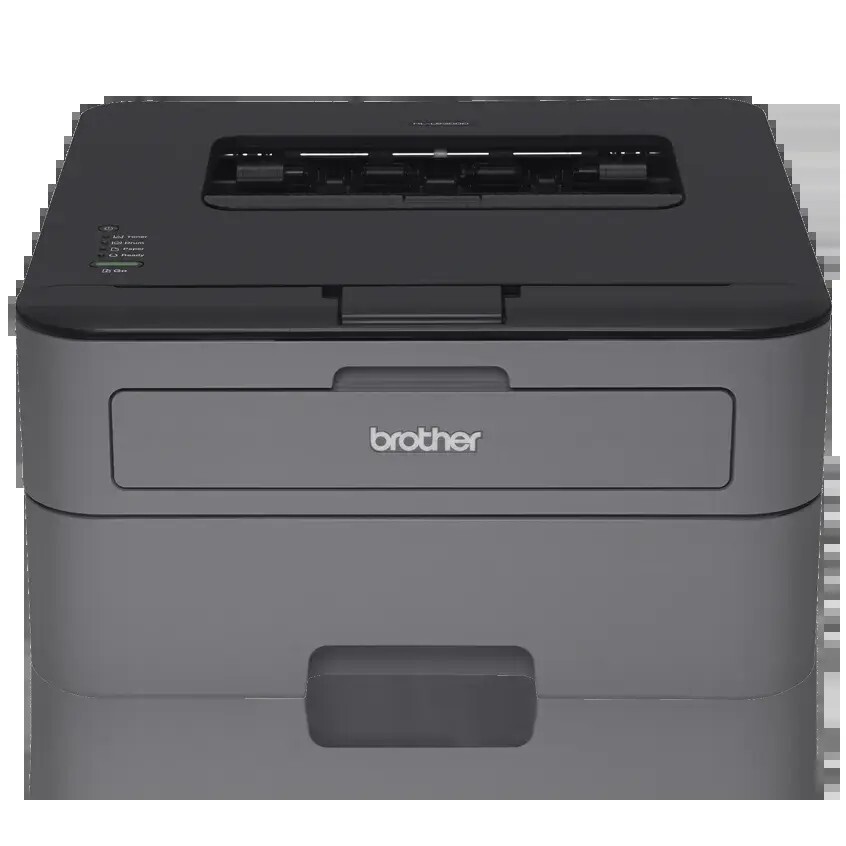
Quick answer: The Brother HL-L2300D takes TN630 standard-yield toner (about 1,200 pages) or TN660 high-yield toner (about 2,600 pages), seated in a separate DR630 drum unit rated for roughly 12,000 pages. It prints black only, one cartridge at a time.
The Printer With Exactly One Cable
Most printers in this family offer three or four ways to connect. The HL-L2300D offers one: a Hi-Speed USB 2.0 port. There is no Wi-Fi radio and no Ethernet socket hiding at the back — Brother designed this machine to sit beside a single computer and serve it, and the spec sheet makes no apology for that.
Everything else about the hardware is sensibly complete. It prints at up to 27 pages per minute, turns pages over automatically for two-sided output, and feeds from a 250-sheet tray, with a manual feed slot and a rear exit that give card stock, envelopes and letterhead a straight path through the machine instead of a curling bend. Output quality runs to 2400 x 600 dpi, and a Toner Save mode stretches a cartridge further on drafts you do not need to keep.
Because it serves one desk, its toner story is a slow one. Brother rates the printer for 250 to 2,000 pages a month, and a single-computer user near the bottom of that range will measure cartridge life in seasons rather than weeks. That makes the per-page arithmetic below the whole decision — the calendar will not rescue a poor-value cartridge choice, it will only prolong it.
What Each Supply Delivers
| Supply | Rated yield | Our compatible price | Cost per page |
|---|---|---|---|
| TN660 high-yield toner | ~2,600 pages | $22.95 | ~0.9¢ |
| TN630 standard toner | ~1,200 pages | see note in Sources | — |
| DR630 drum unit | ~12,000 pages | $27.67 | ~0.2¢ |
Yields are Brother's ratings under ISO/IEC 19752 at 5% coverage. One warning that saves many owners a moment of suspicion: the cartridge in the shipping carton is a starter rated at only about 700 pages. When it empties sooner than expected, nothing has gone wrong — every full-size replacement, standard or high-yield, comfortably outlasts it. Between the two sizes, the high-yield TN660 prints well over twice the pages of the standard cartridge, and since our store sells a single cartridge that covers both part numbers at one price, the TN660 rating is the one to plan around.
Changing the Cartridge
Leave the power on, open the front cover, and draw the drum-and-toner assembly out toward you. Press the green lock lever to free the empty cartridge from the drum, rock the new cartridge slowly side to side so the toner inside distributes evenly, remove its protective cover, and press it into the drum until it clicks. Slide the drum's green corona-wire tab across and back, returning it to its home mark, then refit the assembly and close the cover. If the low-toner warning survives a genuine cartridge change, the page counter simply needs resetting through the cover-open reset routine for this model — reseating the cartridge repeatedly will not clear it.
The Drum Keeps Its Own Schedule
Toner and drum age independently on this printer. The DR630 underneath your cartridge is rated near 12,000 pages — roughly four to five high-yield cartridges — and it announces the end of its life with a "Replace Drum" message or with a mark that repeats at the same interval down successive pages. Pale, faded output is almost never the drum's doing; rock the toner cartridge first, and only suspect the drum when a fresh cartridge leaves the same repeating defect behind.
Toner and Drum in a Single Box
Our TN660 toner and DR630 drum set puts one of each in a single shipment. Checked on November 2, 2026, the set cost $34.54, against $50.62 for the cartridge and drum bought one at a time — about $16 saved, and one delivery to wait for instead of two. Drum-and-two-toner and larger combinations exist for heavier users.
The honest qualification: a drum installed today is probably young, and a spare drum bought with your first toner order may sit in a drawer for years. Order toner alone while the drum is in the early part of its life, and let the set become your habit once the drum counter has real mileage on it — then the replacement is already in the building on the day the message appears.
Questions From HL-L2300D Owners
Can I print from my phone or a second computer? Not directly. With USB as its only interface, the HL-L2300D belongs to the one machine it is cabled to. Sharing it means sharing through that computer's operating system, or stepping up to a wireless sibling from the list below.
Why did the first cartridge run out so fast? It was a starter cartridge of about 700 pages — roughly a quarter of a high-yield replacement. The printer is healthy; the cartridge was simply small.
An envelope keeps wrinkling. What am I doing wrong? Feed it through the manual feed slot and open the rear cover so it exits straight out the back. That straight-through path exists precisely for envelopes, labels and heavier stock.
Does Toner Save mode damage anything? No. It lays down slightly less toner on draft documents, which is invisible on internal paperwork and noticeably lighter on final copies. Switch it off for anything a client will see.
The same spot appears on every page. Toner or drum? A defect repeating at a fixed spacing points at the drum's surface. Toner faults tend to shade or fade rather than stamp the same mark again and again.
A Drum Life at One Desk: 12,000 Pages, Two Price Tags
Slow printing stretches every horizon. One DR630 drum life on this machine is 12,000 pages — at the family's recommended range of 250 to 2,000 pages a month, that is anywhere from six months to four years at a single desk. Across that span the printer consumes about four and a half high-yield cartridges and the drum itself. Priced both ways, with genuine figures at Brother USA list, checked November 3, 2026:
| Across one drum life (12,000 pages) | Genuine Brother | Our compatibles |
|---|---|---|
| Toner — about four and a half high-yield cartridges | $329.95 | $105.92 |
| One drum unit | $112.79 | $27.67 |
| Total supply spend | $442.74 | $133.59 |
| Blended cost per page | ~3.7¢ | ~1.1¢ |
The columns differ by $309.15 across a single drum life. On a machine bought precisely because it was inexpensive to own, the genuine column quietly hands back the purchase logic — the compatible column is the one that keeps this printer the bargain it was bought as.
Slow-Machine Symptoms, Simple Causes
"Replace Toner" survives a cartridge you know is new. On this model the page counter resets through a cover-open routine rather than automatically, and the warning is reporting arithmetic, not toner. Work through the reset steps for this family before reseating anything — repeated reseating is the most common wasted half-hour in this cartridge family's life.
Draft printing looks suspiciously light while final copies are fine. Toner Save mode is doing exactly what it was asked to do. It thins the toner layer on pages marked as drafts, which is invisible on internal paperwork and glaring on anything compared side by side with a full-density print. Check the driver setting before suspecting the cartridge.
The first replacement emptied far sooner than the second one is lasting. Nothing changed inside the printer — the shipping cartridge was a roughly 700-page starter, and its early exit is the family's most reported non-problem. Judge every replacement by the full ratings, 1,200 pages for the standard size and 2,600 for the high-yield.
TN630 or TN660 — the short version: on our shelf the question dissolves. A single dual-code listing — the TN660 / TN630 cartridge at $22.95 — covers both part numbers, so plan around the 2,600-page high-yield rating whichever code your printer names. The genuine shelf charges $71.49 for a cartridge of the same rated life. The decision that remains is timing the DR630 drum — alone while the installed drum is young, in a set once its counter has real miles on it.
 brother tn660 tn630 toner cartridge black TN 660 TN 630
 brother dr630 toner cartridge black
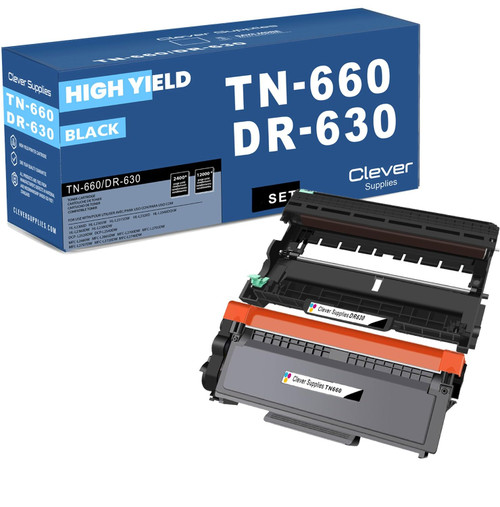 brother tn660 dr630 black drum and toner set
Key takeaways
- The top cartridge here is rated at 2,600 pages — fewer swaps, lower cost per page.
- Lowest cost per page in this family: ~0.9¢ with the highest-yield cartridge.
- Toner and drum are separate parts on this printer — replace only the one the printer asks for.
Other Printers That Use TN630, TN660 and DR630
Sixteen models share these supplies. Brother's other print-only machines are the HL-L2305W, HL-L2315DW, HL-L2320D, HL-L2340DW, HL-L2360DW and HL-L2380DW. The flatbed all-in-ones without fax are the DCP-L2520DW and DCP-L2540DW. Fax-equipped MFC models complete the family: MFC-L2680W, MFC-L2685DW, MFC-L2700DW, MFC-L2705DW, MFC-L2707DW, MFC-L2720DW and MFC-L2740DW. Every supply mentioned here is gathered on the HL-L2300D category page.