




What Toner Does the Brother DCP-L2640DW Use?
Nov 2nd 2026
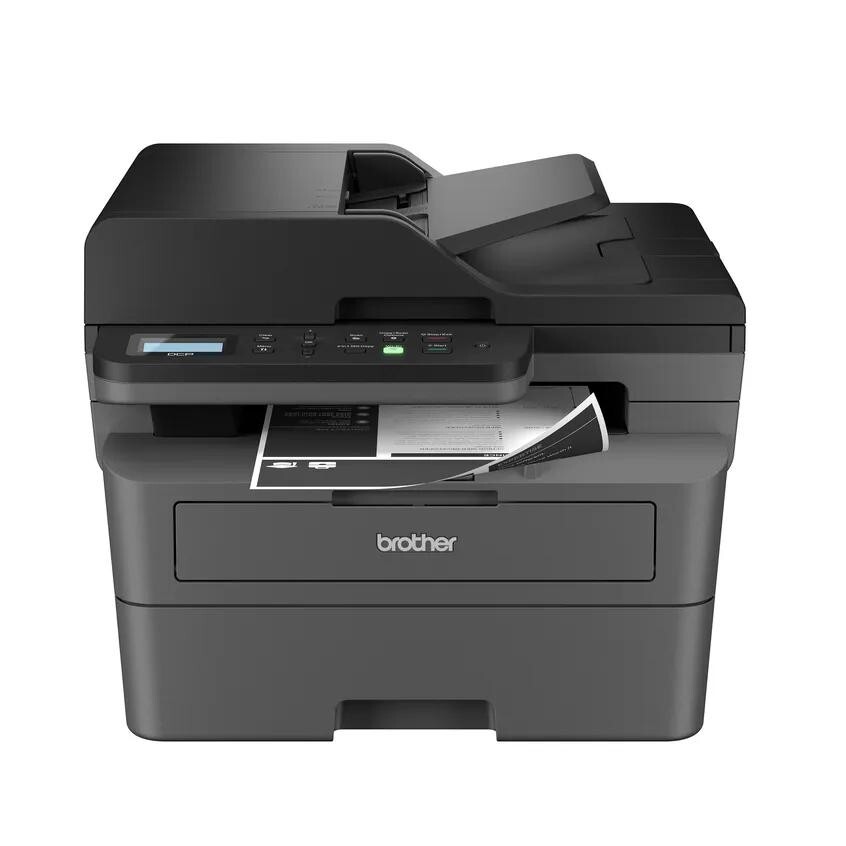
Quick Answer: The Brother DCP-L2640DW uses Brother TN830 black toner (standard yield, about 1,200 pages) or TN830XL black toner (high yield, about 3,000 pages). Both fit the same slot — the XL simply holds more toner. The printer also uses a separate DR830 drum unit rated at about 15,000 pages, which you replace far less often than the toner. It is a monochrome laser printer, so there are no color cartridges to buy.
A note on regional names: this cartridge family is sold in Latin America under the TN860 name — TN860, TN860XL and TN860XXL. It is the same cartridge line under a regional name: if the cartridge in your printer is labeled TN860, the TN830 cartridges on this page are its US equivalents.
That is the whole story in one line: TN830 if you print lightly, TN830XL if you print regularly, and a DR830 drum only when the printer asks for it. Below: how to choose, what each option costs per page, and how to swap the cartridge without the usual error messages.
TN830 vs. TN830XL vs. DR830 at a Glance
| Supply | Type | Approx. yield | Clever Supplies compatible price* | Cost per page |
|---|---|---|---|---|
| TN830 | Toner cartridge, standard yield | 1,200 pages | $23.60 | About 2.0 cents |
| TN830XL | Toner cartridge, high yield | 3,000 pages | $28.98 | About 1.0 cent |
| DR830 | Drum unit (not a toner) | 15,000 pages | $25.60 | About 0.2 cents, spread over its life |
*Prices checked on our product pages on November 2, 2026. Prices can change; the yield figures are the manufacturer ratings at 5% page coverage, the industry standard for these estimates.
Two things stand out. First, the TN830XL costs only a few dollars more than the standard TN830 but delivers two and a half times the pages — hence roughly half the cost per page. Second, the drum's per-page cost is tiny because it lasts so long: one DR830 typically covers about five TN830XL cartridges or a dozen standard TN830 cartridges.
You can see everything that fits this model in one place on our Brother DCP-L2640DW toner page.
Toner and Drum Are Two Different Parts
This is the point that trips up most first-time Brother owners. In many laser printers the drum is built into the cartridge, so replacing the cartridge replaces everything. Brother designs it differently: the toner cartridge (TN830 or TN830XL) is a small tank of toner powder, and it clicks into a separate drum unit (DR830) that transfers the image onto the page.
That split has a benefit and a trap. The benefit is cost — when the toner runs out you are not paying to replace a drum that still has life in it. The trap is the messages: "Replace Toner" means the small tank is empty, while "Drum End Soon" or "Replace Drum" means the DR830 underneath it is wearing out. Swapping the wrong part wastes money and does not clear the message, so read the screen before you order.
Our compatible options for this printer:
- Compatible Brother TN830 toner cartridge, black — the standard-yield cartridge.
- Compatible Brother TN830XL toner cartridge, black — the high-yield cartridge most owners end up preferring.
- Compatible Brother DR830 drum unit — replace only when the printer reports drum wear or print quality fades in a pattern a new toner does not fix.
How to Replace the Toner Cartridge
1. Leave the printer switched on and open the front cover. The drum-and-toner assembly slides toward you. 2. Pull the whole assembly out by its handle and set it on a clean sheet of paper — a little loose toner is normal. 3. Press the green lock lever and lift the old toner cartridge up and out of the drum unit. 4. Unpack the new cartridge and rock it gently side to side five or six times. This loosens the toner so the first pages print evenly. 5. Remove the protective cover, then slide the new cartridge into the drum until the lock lever clicks up on its own. If it does not click, it is not seated, and the printer will tell you so. 6. Wipe the drum's corona wire by sliding its green tab back and forth a few times, then return the tab to its home position, lined up with the arrow. 7. Slide the assembly back into the printer, close the cover, and let the machine warm up. It should return to Ready on its own.
Keep the old cartridge until you have printed a few clean pages — reseating it is a quick way to tell whether a problem follows the cartridge or stays with the printer.
Messages You Might See, and What They Actually Mean
"Replace Toner." The cartridge is at the end of its rated life. If this appears on a fresh cartridge, reseat it first — a partially latched cartridge is the most common cause. If a new cartridge is not recognized at all, our separate TN830 troubleshooting and reset guide walks through the reset sequence step by step.
"Toner Low." A warning, not a stop. You usually have a modest number of pages left. It is the right moment to order, not necessarily to swap — swapping early throws away toner you already paid for.
"Drum End Soon" / "Replace Drum." This is about the DR830, not the toner. Print quality may still look fine for a while. When pages start showing repeating marks, a gray background, or spots at regular intervals down the sheet, the drum is the likely cause — especially if a brand-new toner changes nothing.
Faded or light print right after a swap. Almost always toner that has not distributed. Take the cartridge out, rock it side to side again, and reinstall it.
Which One Should You Buy?
For occasional home paperwork — a few dozen pages a month — the standard TN830 keeps the upfront cost low. For a working home-office or small-business machine printing a few hundred pages a month, the TN830XL is the sensible default: fewer swaps, half the cost per page, less chance of running dry mid-job. Buy the DR830 only when the printer asks for it or defects point to the drum; it is not a consumable to stockpile.
Frequently Asked Questions
Can I use a TN830XL in a printer that came with a TN830? Yes. The DCP-L2640DW accepts both. The starter cartridge in the box and the standard TN830 are the same physical size class as the XL's slot fit — the XL simply contains more toner. There is no setting to change.
Is the DR830 included when I buy a TN830 or TN830XL? No. Toner and drum are sold separately for this model. A toner purchase replaces the toner only, and it clicks into the drum unit already in your printer.
How long will a TN830XL last in normal use? At the rated 3,000 pages, a household printing 100 pages a month would get well over two years from one cartridge; a small office printing 500 pages a month, about six months. Dense documents use more toner than the 5% test standard, so heavier coverage shortens those spans.
Why does my printer still say "Replace Toner" after I changed the cartridge? Usually the cartridge is not fully latched, or the printer needs its toner counter reset for that cartridge type. Reseat the cartridge firmly first; if the message stays, follow the family reset procedure rather than buying another cartridge.
Do compatible TN830 and TN830XL cartridges work in the DCP-L2640DW? Yes, provided they are built for the TN830 family and carry the correct chip. Our compatible cartridges are made for these models, and every product page lists the printers it fits so you can confirm before ordering.
Does this printer take color toner? No. The DCP-L2640DW is a black-and-white (monochrome) laser printer. It uses a single black toner and a single drum — there are no cyan, magenta, or yellow cartridges for it.
Buying Toner and Drum Together
Because the DCP-L2640DW keeps toner and drum separate, there is one buying habit worth knowing: when the drum is part-way through its life, a combined set can be the smarter purchase. Our TN830 + DR830 toner and drum set was $33.12 on November 2, 2026, against $49.20 for the same two parts bought separately — and the TN830XL + DR830 set was $38.50 against $54.58 separately, a saving of about $16 either way (prices checked on the product pages that day; they do change). Just as useful: the drum message always seems to arrive in the middle of a job, and a spare drum already on the shelf turns that into a two-minute swap instead of a two-day wait. Larger combinations (drum with two toners, two drums with two toners) are on the same product pages. One honest limit: if your drum is new, buy toner alone — the set makes sense once the drum has real mileage on it, or in an office that cannot afford the printer sitting idle.
 brother tn830 laser toner cartridge black
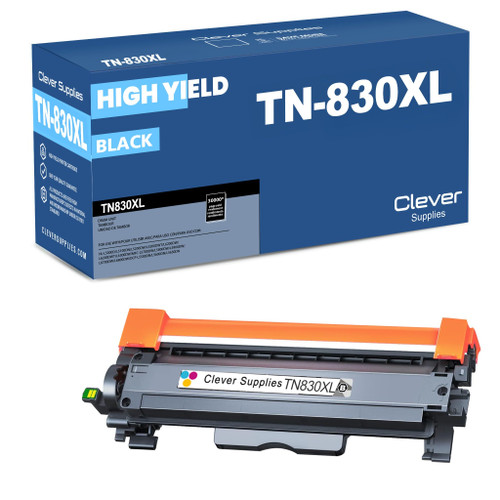 brother tn830xl laser toner cartridge black
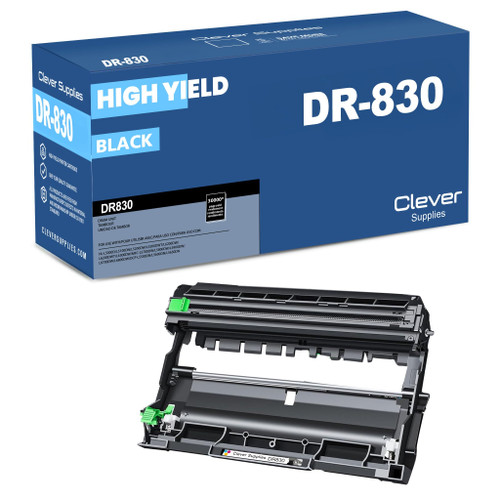 brother dr830 dr830 toner cartridge black
 brother tn830 dr830 black drum and toner set
Key takeaways
- The top cartridge here is rated at 3,000 pages — fewer swaps, lower cost per page.
- Lowest cost per page in this family: ~1¢ with the highest-yield cartridge.
- Buying the toner + drum set instead of the parts separately saves $16.
Other Printers That Use TN830, TN830XL and DR830
The DCP-L2640DW is not the only machine in this family. If your printer is one of the models below, it takes the same TN830 standard-yield toner, the same TN830XL high-yield toner and the same DR830 drum — so everything in this guide about yields, cost per page and cartridge changes applies to yours as well: