




What Toner Does the Brother MFC-L2900DW Use?
Posted by Clever Supplies on Nov 13th 2026
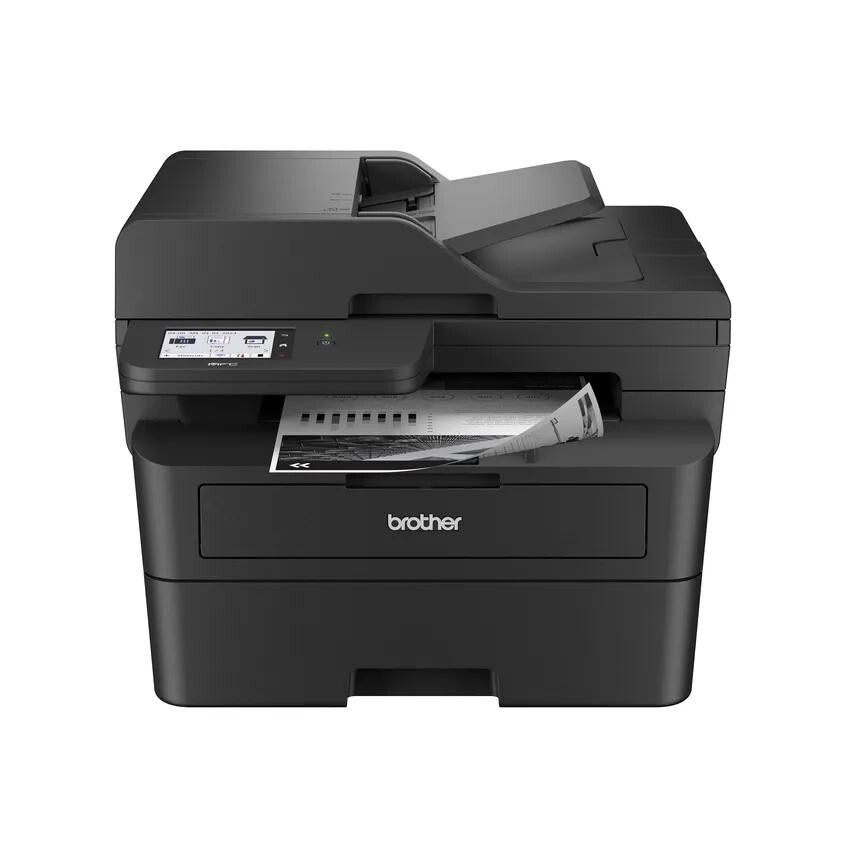
Quick Answer: The Brother MFC-L2900DW feeds on TN830 toner (about 1,200 pages) or TN830XL high-yield toner (about 3,000 pages), and images through a DR830 drum (about 15,000 pages). Those three part numbers — shared with its whole family — are all it will ever ask for.
A note on regional names: this cartridge family is sold in Latin America under the TN860 name — TN860, TN860XL and TN860XXL. It is the same cartridge line under a regional name: if the cartridge in your printer is labeled TN860, the TN830 cartridges on this page are its US equivalents.
Built for the Two-Sided Pile
Picture the stack this machine was designed for: a 40-page contract, printed on both sides, that needs scanning, copying and faxing before lunch. Lesser siblings flip each sheet mechanically to read its back. The MFC-L2900DW reads both sides in a single pass through its 50-page document feeder — duplex scanning, duplex copying, duplex faxing, matched by duplex printing. Layer on up to 36 ppm print speed, a first page in under 6.9 seconds, a 3.5-inch touchscreen with room for 18 customizable shortcuts, a 250-sheet tray and dual-band Wi-Fi with Ethernet and USB, and you have the family's throughput model: the one bought by offices that measure a printer in minutes saved.
Its supply economics, on our compatibles as priced November 2, 2026:
| Part | What it does | Yield | Price | Per page |
|---|---|---|---|---|
| TN830 | Standard toner | ~1,200 pp | $23.60 | ~2.0¢ |
| TN830XL | High-yield toner | ~3,000 pp | $28.98 | ~1.0¢ |
| DR830 | Drum unit | ~15,000 pp | $25.60 | ~0.2¢ |
A machine this quick burns toner at a professional pace; the XL at roughly a cent a page is not an upsell here, it is the operating point.
The Starter Cartridge Is the Only Small Thing About It
Brother ships the L2900DW with a starter cartridge of about 700 pages — modest against a 36 ppm engine, and the reason new owners sometimes land here within a month, wondering if something leaked. Nothing leaked. Plan the first replacement early, make it an XL, and the conversation ends. (A bundled variant of this printer sold with a TN830XL twin pack exists precisely because Brother knows how fast the starter goes.)
Toner Change, Start to Finish
1. With the machine on, open the front cover. 2. Draw out the drum assembly; the toner rides inside it. 3. Green lever down — lift the empty cartridge free. 4. Strip the cover from the replacement, rock it left-right to level the toner, and press it into the drum until it clicks. 5. Slide the assembly home and shut the cover; the panel should clear its message on its own.
When it doesn't clear — the known stubborn streak of this family — our TN830 reset and not-recognized guide covers the manual counter reset for these models.
Keeping a Throughput Machine Fed
Downtime math is different on a printer an office queues behind. The DR830 drum's 15,000-page horizon will arrive; when the warning coincides with a deadline, the difference between "swap it now" and "order and wait" is whether a drum was already in the building. The direct route is a matched set bought with a toner order: TN830XL + DR830 (or TN830 + DR830 if standard yield suits a satellite office), one shipment, both wear items covered. Stock managers can scale that to drum-and-2-toner or 2-drum-and-2-toner sets.
The counterweight, stated plainly: for a lightly used L2900DW, a shelf drum is an unnecessary purchase — its toner-only cost per page is already around a cent. Buy the bundle when the drum counter says so, or when your queue cannot tolerate a two-day pause.
Frequently Asked Questions
What makes this model different from the MFC-L2820DW? Three things: speed (36 vs 34 ppm), the larger 3.5" touchscreen, and single-pass duplex scanning and copying — the L2820DW's feeder reads one side at a time. Supplies are identical.
Can the MFC-L2900DW scan a two-sided document without re-feeding it? Yes. Its 50-page feeder captures both faces in one pass, for scan, copy and fax alike, and Brother rates duplex scan speeds up to 23.6 ipm black.
How many touchscreen shortcuts can I save? Up to 18, per Brother's specification — enough to give scanning-to-each-department its own one-touch button.
Why did the included cartridge only last a few weeks? It is a starter rated around 700 pages. At this machine's pace that can be a single busy month; full-size TN830 and TN830XL replacements last considerably longer.
Does it support PCL printing? Yes — Brother lists PCL6 and BR-Script3 emulations on this model, one reason it drops comfortably into small-business networks.
 brother tn830 laser toner cartridge black
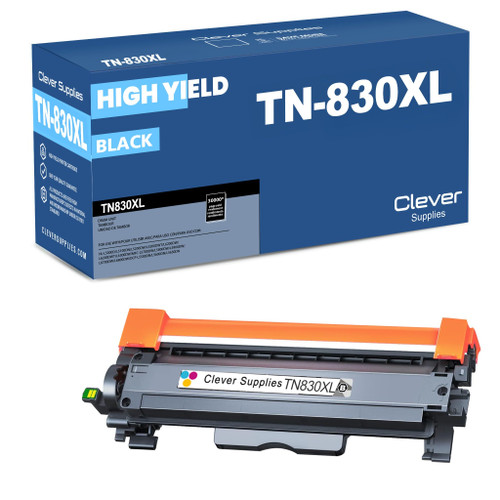 brother tn830xl laser toner cartridge black
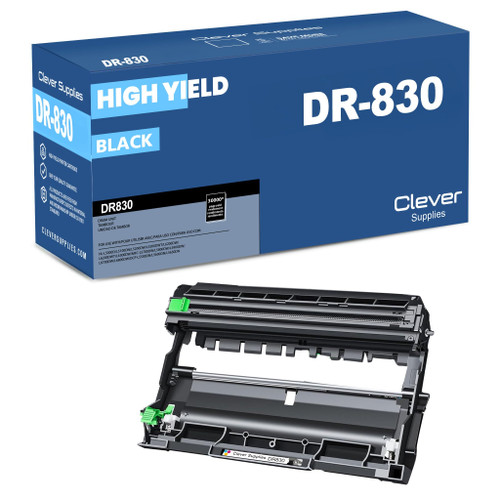 brother dr830 dr830 toner cartridge black
 brother tn830xl dr830 black drum and toner set
Key takeaways
- The top cartridge here is rated at 3,000 pages — fewer swaps, lower cost per page.
- Lowest cost per page in this family: ~1¢ with the highest-yield cartridge.
- Toner and drum are separate parts on this printer — replace only the one the printer asks for.
Other Printers That Use TN830, TN830XL and DR830
Top of the range or bottom, the family drinks from the same well. These seventeen relatives use identical supplies: