




What Toner Does the Brother MFC-L2820DWXL Use?
Posted by Clever Supplies on Nov 12th 2026
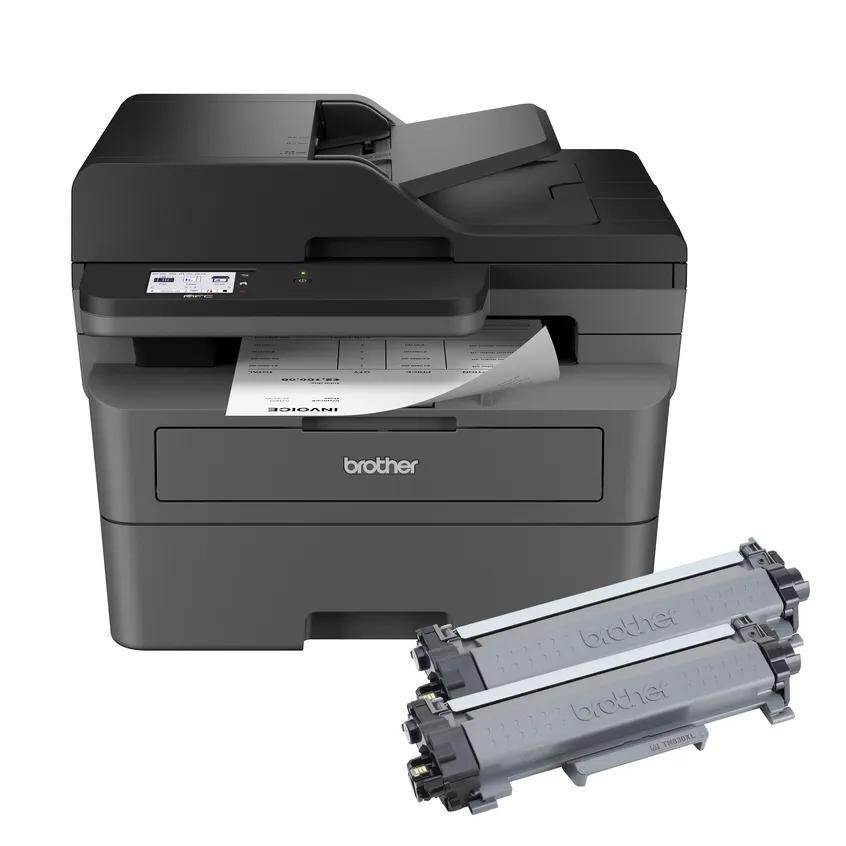
Quick Answer: The Brother MFC-L2820DWXL uses exactly the same supplies as the regular MFC-L2820DW: TN830 toner (~1,200 pages), TN830XL toner (~3,000 pages) and the DR830 drum (~15,000 pages). The "XL" in the printer's name describes what Brother put in the box — two cartridges totaling about 4,200 pages — not a different machine and not a different cartridge size.
A note on regional names: this cartridge family is sold in Latin America under the TN860 name — TN860, TN860XL and TN860XXL. It is the same cartridge line under a regional name: if the cartridge in your printer is labeled TN860, the TN830 cartridges on this page are its US equivalents.
Same Printer, Six Times the Toner
Let's clear up the confusion that brings most XL owners to this page. Under the badge, an MFC-L2820DWXL is an MFC-L2820DW: up to 34 ppm print and copy, print/copy/scan/fax, 2.7-inch color touchscreen with cloud shortcuts, 50-page feeder, 250-sheet tray, duplex printing, dual-band Wi-Fi, Ethernet and USB. Nothing about the hardware reaches further, prints faster or holds a bigger cartridge.
What Brother changed is the arithmetic of your first year. The standard machine ships with a starter cartridge worth roughly 700 pages. The XL box instead contains a full TN830 (1,200 pages) and a TN830XL (3,000 pages) — about 4,200 pages of toner, six times the standard in-box amount. Most XL owners will not buy toner in their first year at all. When the day eventually comes, you shop from the same shelf as every other owner in this family:
| Supply | Rated yield | Our compatible price | Cost per page |
|---|---|---|---|
| TN830 toner | ~1,200 pages | $23.60 | ~2.0¢ |
| TN830XL toner | ~3,000 pages | $28.98 | ~1.0¢ |
| DR830 drum | ~15,000 pages | $25.60 | ~0.2¢ |
Spending the Two In-Box Cartridges in the Right Order
A detail Brother leaves you to work out: install the standard TN830 first and keep the TN830XL sealed as your reserve. Two reasons. First, toner keeps best unopened, and the smaller cartridge suits the shakedown period when you are still learning the machine's appetite. Second, when the standard cartridge fades, swapping in the sealed XL gives you a 3,000-page runway in one motion — no emergency order, no compatible-vs-genuine debate conducted at midnight. By the time the XL itself runs low, you will know your monthly volume, and the table above turns that knowledge into a one-line cost decision.
Changing a Cartridge on the XL
Identical to its twin, because it is its twin:
1. Leave power on; open the front cover. 2. Slide out the drum assembly with the spent cartridge riding in it. 3. Press the green release lever and lift the old cartridge clear. 4. Unwrap the fresh one, remove its protective cover, rock it gently, and snap it into the drum. 5. Push the assembly back until it seats; close the cover.
If a new cartridge draws a "not recognized" or persistent Replace Toner message, our TN830 reset guide walks through this family's panel reset — the fix is usually thirty seconds, not a return shipment.
The Drum Question, XL Edition
Owners who started with 4,200 pages of toner sometimes forget the drum is quietly counting in the background — the DR830 that shipped in your box is the standard 15,000-page unit, unchanged by the XL badge. When its turn approaches, the tidy move is a combined set: the TN830XL + DR830 set restocks your proven cartridge and lands the drum in the same delivery, so the machine never sits idle waiting on a second order. A TN830 + DR830 set exists for standard-yield buyers, and heavier stockers can pick drum-and-2-toner or 2-drum-and-2-toner combinations.
Say the quiet part anyway: if your drum shows barely any wear, buy toner alone and let the bundle wait. Bundles reward timing, not loyalty.
Frequently Asked Questions
Is the MFC-L2820DWXL a different printer from the MFC-L2820DW? No. Same hardware, same speeds, same features. The XL designation means the box included a TN830 plus a TN830XL (about 4,200 pages total) instead of a ~700-page starter.
Do I need special "XL" cartridges because my printer is the XL model? No. There is no XL-only cartridge. TN830 and TN830XL are the two sizes sold for the whole family, and both fit your machine.
Which in-box cartridge should I install first? The standard TN830. Keep the TN830XL sealed as your built-in spare; install it when the first cartridge runs out.
How many pages will I print before buying anything? About 4,200 from the two in-box cartridges, assuming the usual 5% page coverage. The drum in the box is rated around 15,000 pages, so toner is your first purchase by a wide margin.
Does the XL model have a longer warranty? Brother markets the XL on in-box toner value, not warranty — do not assume the extended 2-year term of the club models applies; check your carton documentation.
 brother tn830 laser toner cartridge black
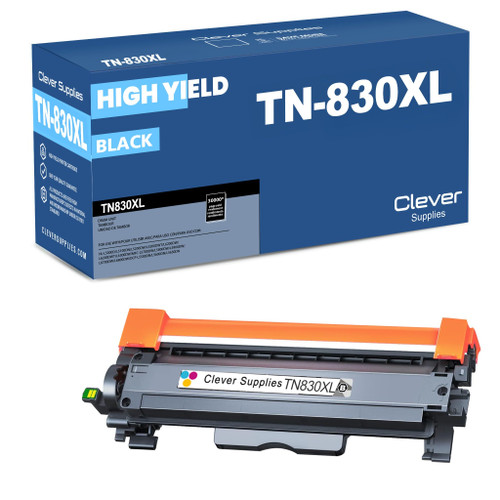 brother tn830xl laser toner cartridge black
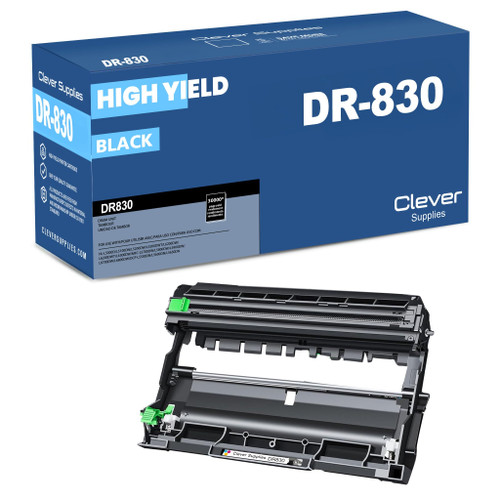 brother dr830 dr830 toner cartridge black
 brother tn830xl dr830 black drum and toner set
Key takeaways
- The top cartridge here is rated at 3,000 pages — fewer swaps, lower cost per page.
- Lowest cost per page in this family: ~1¢ with the highest-yield cartridge.
- Toner and drum are separate parts on this printer — replace only the one the printer asks for.
For the full family comparison — every pack size priced by the page — see the Best Brother TN830 & TN830XL Toner Cartridges buying guide.
Other Printers That Use TN830, TN830XL and DR830
XL bundle or not, the supply list is shared across the whole family — all of these take the same toner and drum: