




What Toner Does the Brother MFC-L2820DW Use?
Posted by Clever Supplies on Nov 11th 2026
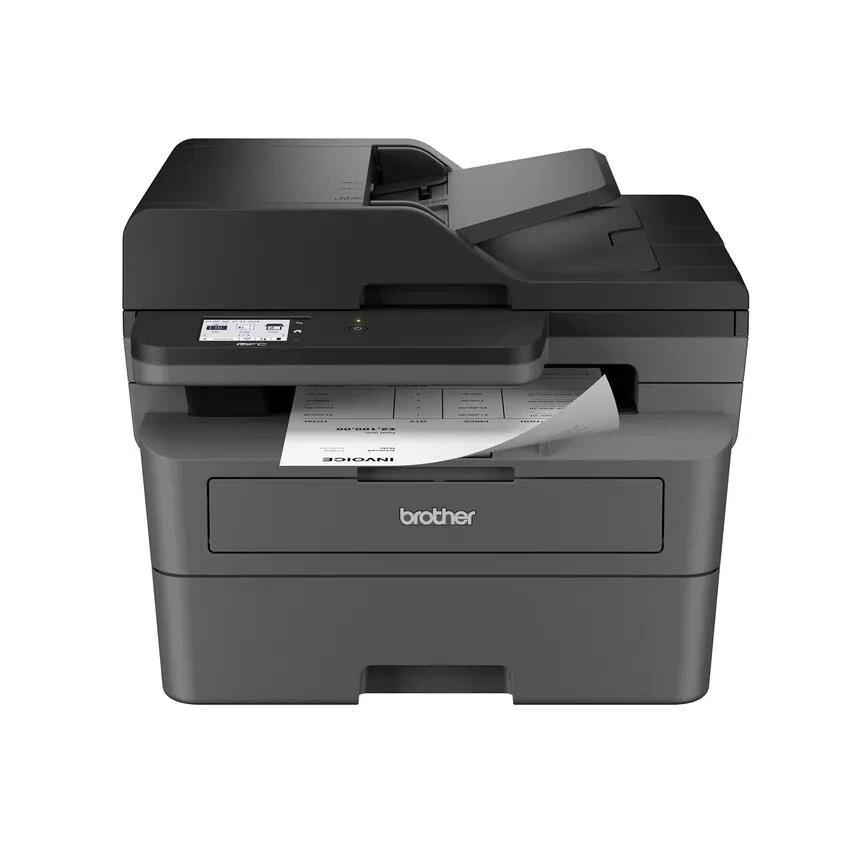
Quick Answer: The Brother MFC-L2820DW uses TN830 toner (about 1,200 pages) and TN830XL toner (about 3,000 pages), riding in a DR830 drum unit rated for about 15,000 pages. One warning before anything else: the cartridge Brother packs in the box is a roughly 700-page starter, so your first "toner low" arrives sooner than the yield numbers suggest.
A note on regional names: this cartridge family is sold in Latin America under the TN860 name — TN860, TN860XL and TN860XXL. It is the same cartridge line under a regional name: if the cartridge in your printer is labeled TN860, the TN830 cartridges on this page are its US equivalents.
The Family's Default Choice — With a Starter-Size Catch
Ask which TN830 machine most people end up with and this is it. The MFC-L2820DW covers the full checklist — print, copy, scan, fax — at up to 34 ppm, with a 2.7-inch color touchscreen, cloud print-and-scan shortcuts, a 50-page document feeder, a 250-sheet tray, automatic duplex printing and dual-band Wi-Fi alongside Ethernet and USB. It is the sensible middle of the range, and thousands of owners meet its one real surprise a few weeks in: the starter cartridge runs dry at around 700 pages. That is not a defect and not a compatible-cartridge conspiracy; it is simply a smaller first fill, and it is why the replacement decision below matters more on this model than on any sibling.
Your options, at our compatible prices checked November 2, 2026:
| Supply | Rated yield | Price | Per-page cost |
|---|---|---|---|
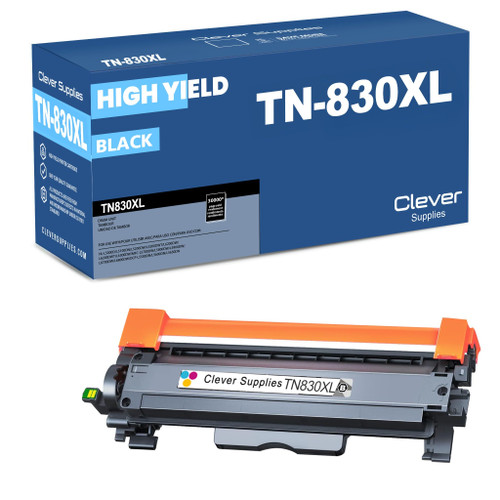
| TN830 standard toner | ~1,200 pages | $23.60 | ~2.0¢ |
| TN830XL high-yield toner | ~3,000 pages | $28.98 | ~1.0¢ |
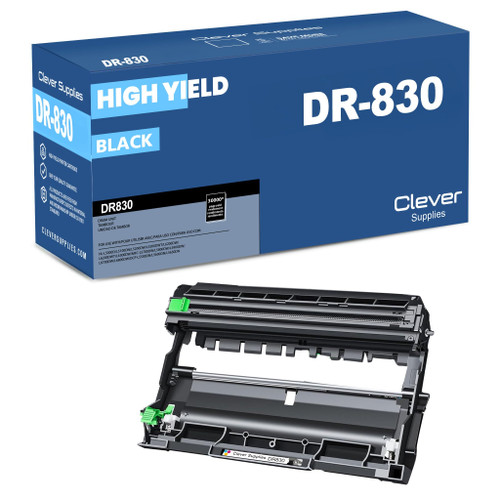
| DR830 drum unit | ~15,000 pages | $25.60 | ~0.2¢ |
Make the First Replacement the XL
Here is the purchasing advice this whole page exists to give: when the starter dies, skip the standard cartridge and go straight to the TN830XL. The price gap is $5.38; the yield gap is 1,800 pages. Owners who reflexively reorder "the same one it came with" pay roughly double per page for years. The XL is the same physical size, clicks into the same DR830 drum, and needs no settings change — the printer simply reports a much longer runway. If your volume is genuinely tiny (a page or two a week), the standard cartridge remains the cheaper ticket in absolute dollars; everyone else belongs on XL.
The Swap Itself
1. Front cover open, machine on. 2. Pull the drum assembly (with the old cartridge in it) out toward you. 3. Green lever down, old cartridge out. 4. New cartridge unwrapped, protective cover removed, seated until the lever springs up. 5. Assembly back in, cover closed.
If the panel still claims the toner is empty, or shows a not-recognized message, step through our TN830 reset guide — on the L2820DW the reset is done from the panel, and it resolves most of these reports without a second purchase.
A Note on Stocking the Drum Alongside
The DR830 will, statistically, expire in the middle of something important — drums rarely send a calendar invitation. Offices that keep a spare usually buy it with a toner: the TN830XL + DR830 set (or the TN830 + DR830 set for standard-yield loyalists) arrives as one shipment, both halves guaranteed to belong to this family, and the drum waits on the shelf until its number comes up. Bigger stockers have drum-and-2-toner and 2-drum-and-2-toner configurations available too.
Balance that against the obvious: a drum bought years early is capital in a cupboard. If your L2820DW is new and lightly used, toner alone — XL, please — is the correct order today.
Frequently Asked Questions
Why did my first cartridge run out so fast? Because it was a starter cartridge rated around 700 pages, not a full TN830. Every replacement you buy — standard or XL — will outlast it.
Can I mix brands between drum and toner? The printer does not check brands; it checks fit and chip. A compatible toner in a genuine drum, or the reverse, works — what matters is that both parts are TN830/DR830 family.
Does the MFC-L2820DW scan double-sided documents automatically? No. Its feeder scans one side per pass, though it prints two-sided automatically. For single-pass duplex scanning, see the MFC-L2900DW in the family list below.
What does "Toner Low" vs "Replace Toner" actually mean? Toner Low is a heads-up based on estimated remaining life — keep printing, order a cartridge. Replace Toner means the machine has stopped (or is about to) until you act or reset the counter after a genuine change.
Is there a way to check toner levels from my computer? Yes — Brother's utilities and the printer's web interface both report estimated levels, and the touchscreen shows them under Supplies. Estimates, though, are estimates; the XL's long runway makes them less urgent.
 brother tn830 laser toner cartridge black
 brother tn830xl laser toner cartridge black
 brother dr830 dr830 toner cartridge black
 brother tn830xl dr830 black drum and toner set
Key takeaways
- The top cartridge here is rated at 3,000 pages — fewer swaps, lower cost per page.
- Lowest cost per page in this family: ~1¢ with the highest-yield cartridge.
- Toner and drum are separate parts on this printer — replace only the one the printer asks for.
Other Printers That Use TN830, TN830XL and DR830
The MFC-L2820DW shares its complete supply list with seventeen other Brother models: