




What Toner Does the Brother MFC-L2760DW Use?
Posted by Clever Supplies on Nov 9th 2026
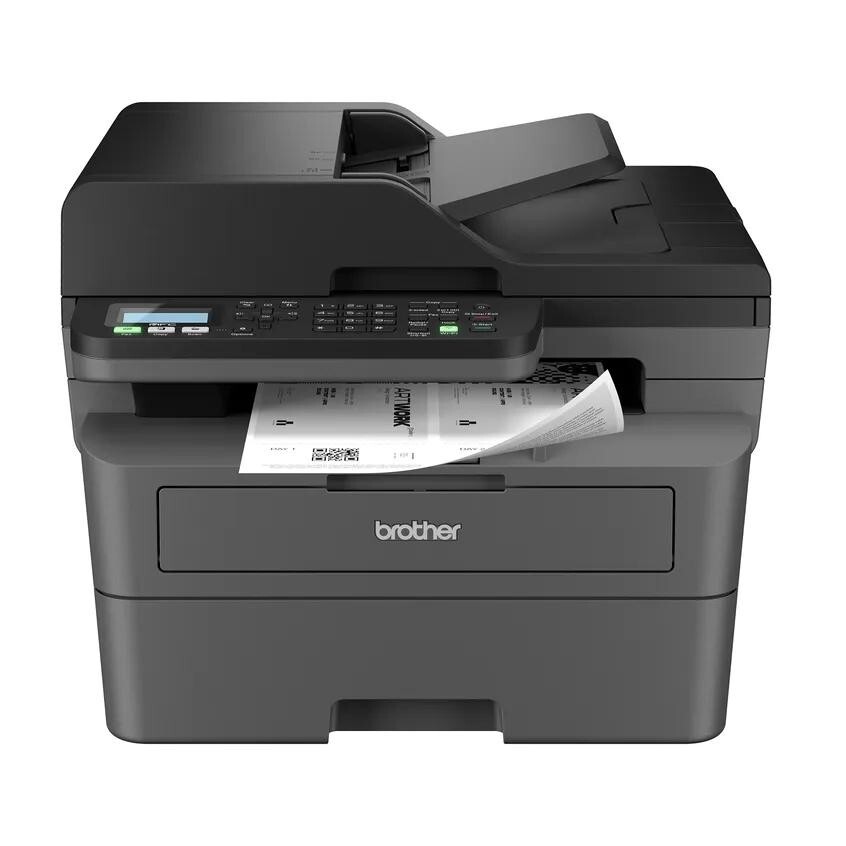
Quick Answer: The Brother MFC-L2760DW takes TN830 standard toner (about 1,200 pages) or TN830XL high-yield toner (about 3,000 pages), and when the imaging unit wears out it takes a DR830 drum (about 15,000 pages). Nothing else fits — no color cartridges, no other drum.
A note on regional names: this cartridge family is sold in Latin America under the TN860 name — TN860, TN860XL and TN860XXL. It is the same cartridge line under a regional name: if the cartridge in your printer is labeled TN860, the TN830 cartridges on this page are its US equivalents.
The Fax Machine That Refused to Retire
Brother keeps this model in the line for a specific customer: the office that still sends real faxes — clinics, law practices, title companies — but does not want to pay for speed it will not use. The MFC-L2760DW prints and copies at up to 30 ppm, which makes it the most relaxed engine in the TN830 family, and pairs that with a full fax (33.6 Kbps modem, up to 400 pages of fax memory), a 50-sheet document feeder for multi-page copy/scan/fax jobs, a 250-sheet tray and automatic two-sided printing. You navigate it with a plain 2-line LCD and physical keys rather than a touchscreen — slower to set up, arguably harder to break.
Its running costs, on our compatible supplies priced November 2, 2026:
| What you are buying | Price | Pages it covers | Cost per page |
|---|---|---|---|
| TN830 standard toner | $23.60 | ~1,200 | ~2.0 cents |
| TN830XL high-yield toner | $28.98 | ~3,000 | ~1.0 cent |
| DR830 drum unit | $25.60 | ~15,000 | ~0.2 cents |
Living Without a Touchscreen
Almost everything owners ask us about this model comes back to that small LCD. Wireless setup means scrolling character by character with the arrow keys — Brother's own quick guide walks through it, and the Mobile Connect app can spare you some of it. The trade-off is real in the other direction too: there is no cloud-shortcut screen to configure, no app panel to go stale, and the fax keypad works the way fax keypads have worked for twenty years. For a machine whose job is receiving orders and faxing forms, that simplicity is the point.
One quirk worth knowing: copying and faxing from the feeder are single-sided scans. A two-sided original has to be flipped by hand — the single-pass duplex scanners live further up this family, in the MFC-L2900DW and MFC-L2980DW.
Changing the Cartridge
1. Power stays on. Open the front cover and let the machine sit a minute if you have just been printing — internals run warm. 2. Draw the combined drum-and-toner tray out toward you. 3. Push the green lever to release the spent cartridge from the drum cradle. 4. Shake the replacement gently, strip its protective cover, and seat it until the lever clicks. 5. Slide the tray home, close the cover, and print a test page.
A cartridge the machine refuses to acknowledge is usually a counter issue, not a dead chip. Our TN830 not-recognized and reset guide covers this family's reset sequence step by step.
Toner Now, Drum Later — or Both at Once?
Because this model tends to live in offices that cannot pause, think about the drum before it asks. The DR830's 15,000-page life works out to roughly five XL toner cartridges; when it expires mid-fax-run, the machine stops being a fax machine until a drum arrives. The paired sets remove that gap: one box holding a TN830 and a DR830, or a TN830XL and a DR830, delivered in a single shipment and guaranteed to be the matched pair this printer wants. There are also drum-with-2-toner and 2-drum-with-2-toner combinations if you stock a supply cabinet.
Keep it in proportion, though: with a young drum, ordering the bundle just parks cash on a shelf. It becomes the smart buy once the drum is deep into its life — or from day one, if downtime costs you more than inventory does.
Frequently Asked Questions
Can the MFC-L2760DW fax without a computer? Yes. It is a standalone fax with its own keypad, handset-free dialing and up to 400 pages of receive memory, so incoming faxes are stored even if the tray is empty.
Why is it slower than the other TN830 models? Brother positioned it as the value fax model: 30 ppm instead of 34–36. For fax-and-forms workloads the difference rarely matters; for long reports it adds up.
Does it scan both sides automatically? No. The feeder scans one side per pass. Printing is duplex; scanning is not. The family's single-pass duplex scanners are the MFC-L2900DW and MFC-L2980DW.
Will TN830XL physically fit, or is it oversized? It fits the same slot. The XL holds more toner in a cartridge of the same external dimensions, and the machine reads it without any setting change.
Which Wi-Fi bands does it use? Dual-band wireless (2.4 GHz and 5 GHz) plus Wi-Fi Direct and a USB connection for a single nearby computer.
 brother tn830 laser toner cartridge black
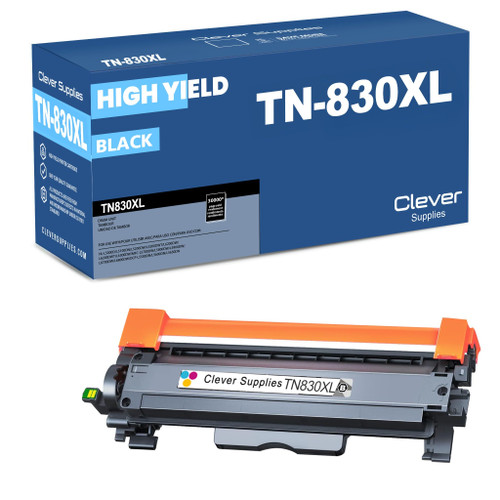 brother tn830xl laser toner cartridge black
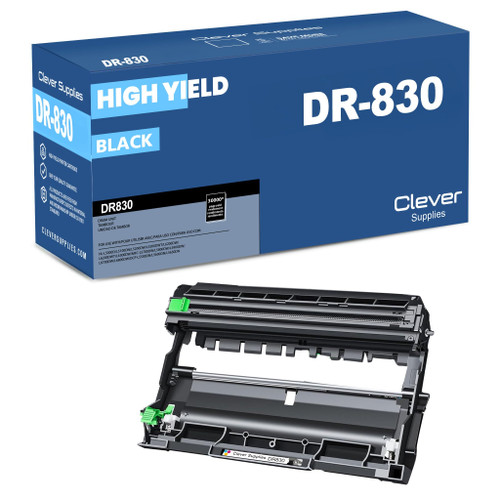 brother dr830 dr830 toner cartridge black
 brother tn830 dr830 black drum and toner set
Key takeaways
- The top cartridge here is rated at 3,000 pages — fewer swaps, lower cost per page.
- Lowest cost per page in this family: ~1¢ with the highest-yield cartridge.
- Toner and drum are separate parts on this printer — replace only the one the printer asks for.
Other Printers That Use TN830, TN830XL and DR830
Same engine family, same three supplies — if you run one of these instead, the numbers on this page are your numbers: