




What Toner Does the Brother HL-L2465DW Use?
Nov 5th 2026
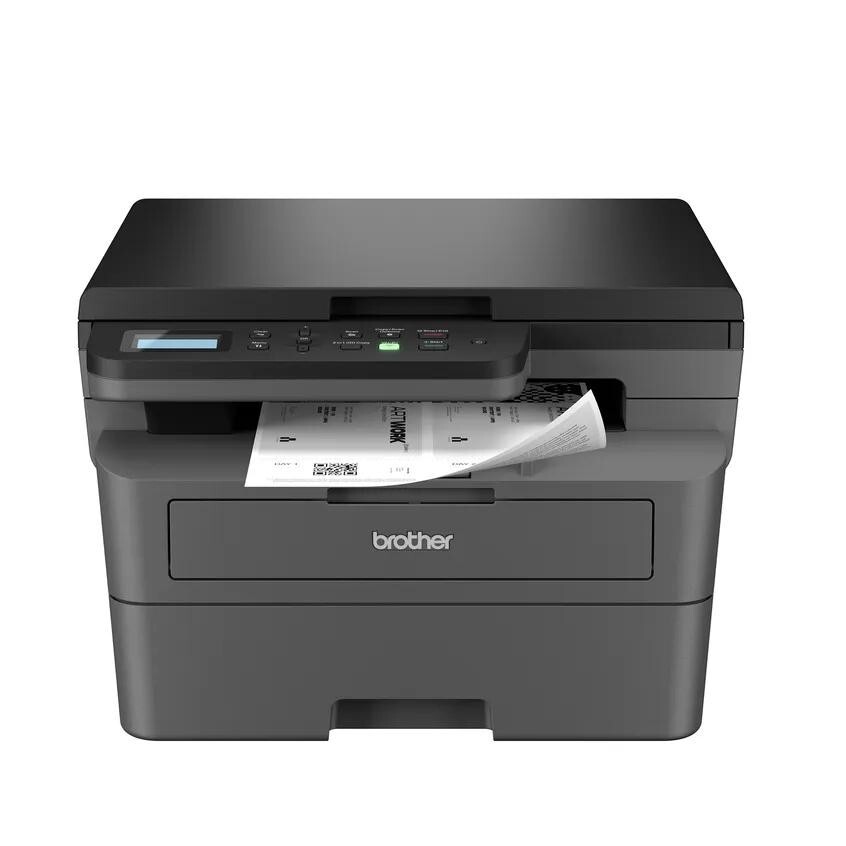
Quick answer: The Brother HL-L2465DW takes TN830 standard-yield black toner (about 1,200 pages) or TN830XL high-yield black toner (about 3,000 pages), seated in a DR830 drum unit (about 15,000 pages) that you replace separately when its own counter runs down. It is a monochrome machine — black toner is the only consumable color.
A note on regional names: this cartridge family is sold in Latin America under the TN860 name — TN860, TN860XL and TN860XXL. It is the same cartridge line under a regional name: if the cartridge in your printer is labeled TN860, the TN830 cartridges on this page are its US equivalents.
The HL That Is Secretly a Multifunction
Do not let the HL badge fool you. Nearly every other model carrying those letters in this generation is print-only, but the HL-L2465DW adds a flatbed scanner to the top: it prints, copies and scans. Brother lists print speeds up to 30 pages per minute, automatic duplex printing, and a connection set that covers dual-band wireless, Ethernet and USB 2.0, with a two-line LCD for setup and status. Paper sits in a 250-sheet tray, a manual slot feeds envelopes and labels, and the Brother Mobile Connect app handles printing and scanning from phones.
Why does that matter in a toner article? Because a machine that copies and scans tends to live a busier life than a print-only box. It becomes the household or small-office document station — the thing that digitizes receipts, copies forms and prints them back out. Busier life, faster toner clock. Brother shipped this model with up to roughly 700 pages of in-box toner, the smallest starter supply in this family, so HL-L2465DW owners meet the replacement question earlier than most.
The Costs, Laid Out
| Consumable | Rated yield | Our compatible price | Cost per page |
|---|---|---|---|
| TN830 standard toner | ~1,200 pages | $23.60 | ~2.0¢ |
| TN830XL high-yield toner | ~3,000 pages | $28.98 | ~1.0¢ |
| DR830 drum unit | ~15,000 pages | $25.60 | ~0.2¢ |
At 5% coverage ratings, the story is the same as across this family: spend about $5 more once, and every page afterward costs about half as much in toner. For a document-station printer that copies as well as it prints, the XL's longer runway is the natural default.
Toner and Drum, Together or Apart?
Here is a buying pattern that suits this model's workload. Most of the time you need toner, and toner alone: the drum underneath it is good for roughly five high-yield cartridges. But we also stock the parts pre-paired — a TN830 toner and DR830 drum set, and its TN830XL-and-drum counterpart. A set makes one delivery of a matched pair, and it answers the one awkward scenario a busy multifunction creates: the drum announcing its retirement in the middle of a copying marathon, with no spare in the building. Keep a set in reserve once your drum passes the halfway mark of its life and that scenario disappears. Bigger reserves exist too, up to two drums with two toners.
Resist the set while the drum is young. On a newer HL-L2465DW, toner-only orders are the economical habit; the drum half of a bundle would wait a year or more for its turn.
Replacing the Cartridge
Power on, front cover open, drum assembly out. Press the green lever and lift the spent cartridge free of the drum. Shake its successor gently from side to side, strip away the protective cover, click it into the drum frame, then slide the green corona tab across the drum and back to its arrow before returning the assembly and closing the cover. If the machine keeps reporting the old cartridge's status, the reset procedure in our TN830 troubleshooting guide is the next step — it is a counter issue, not a defective cartridge.
HL-L2465DW Questions We Hear
Wait — this model really scans? It does. Despite the HL name, the HL-L2465DW carries a flatbed scanner and offers print, copy and scan functions. It has no document feeder and no fax; for volume scanning, look at the MFC models below.
Why did my first cartridge finish so quickly? Two reasons stack up: the in-box toner is a reduced starter supply (Brother quotes up to about 700 pages), and rated yields assume light pages. A machine used for copying dense forms and documents works its toner harder than the rating assumes.
Does copying use toner at the same rate as printing? Yes, a copy is a print as far as the cartridge is concerned. Scanning to a file, by contrast, uses no toner at all — one more reason to digitize archives rather than copy them when you can.
Can it print from an iPhone? Yes — through AirPrint, Mopria or Brother Mobile Connect once the printer is on your wireless network, and scanning back to the phone works through the app as well.
The 2-line display says the drum is at 60%. Should I order one? Not yet. That figure is a life gauge, and 60% remaining means thousands of pages of drum life ahead. It is a useful prompt to start thinking about the toner-and-drum set described above, not an order to buy today.
 brother tn830 laser toner cartridge black
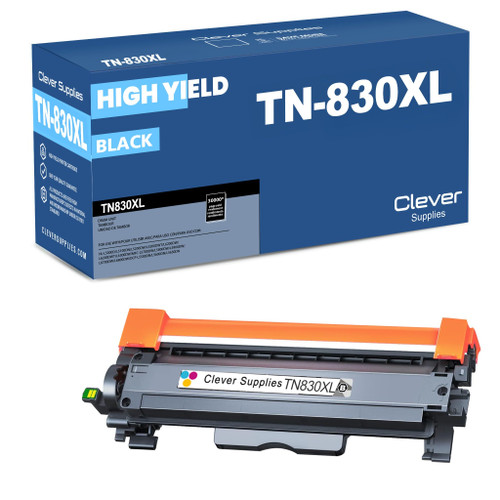 brother tn830xl laser toner cartridge black
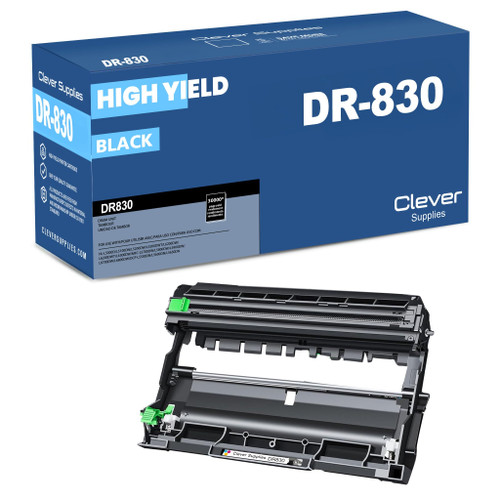 brother dr830 dr830 toner cartridge black
 brother tn830 dr830 black drum and toner set
Key takeaways
- The top cartridge here is rated at 3,000 pages — fewer swaps, lower cost per page.
- Lowest cost per page in this family: ~1¢ with the highest-yield cartridge.
- Toner and drum are separate parts on this printer — replace only the one the printer asks for.
Other Printers That Use TN830, TN830XL and DR830
One spare cartridge on the shelf can serve any of eighteen models from this generation. Print-only HL units: HL-L2400D, HL-L2405W, HL-L2420DW, HL-L2460DW, HL-L2460DWXL, HL-L2467DW, HL-L2480DW and HL-L2865DW. Its own supplies are on the HL-L2465DW page. DCP print/copy/scan models: DCP-L2640DW and DCP-L2647DW. MFC all-in-ones: MFC-L2760DW, MFC-L2807DW, MFC-L2820DW, MFC-L2820DWXL, MFC-L2900DW, MFC-L2900DWXL and MFC-L2980DW.