




What Toner Does the Brother HL-L2460DW Use?
Nov 3rd 2026
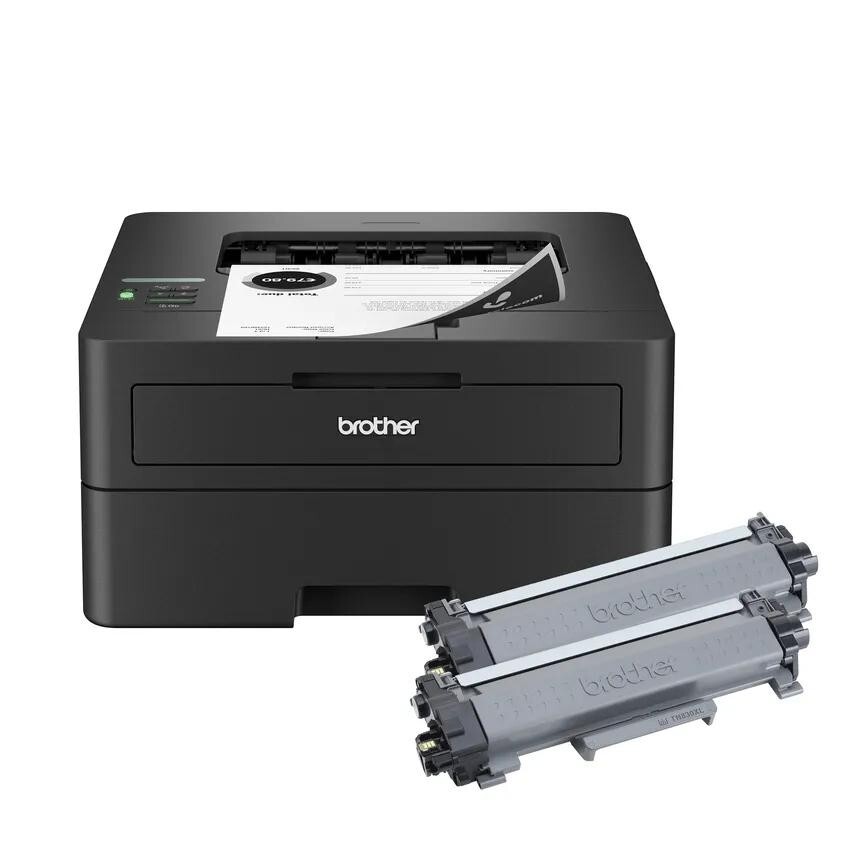
Quick answer: The Brother HL-L2460DW uses TN830 standard-yield toner (about 1,200 pages) and TN830XL high-yield toner (about 3,000 pages), with a DR830 drum unit (about 15,000 pages) that is replaced on its own schedule. One black cartridge at a time — this is a monochrome laser printer.
A note on regional names: this cartridge family is sold in Latin America under the TN860 name — TN860, TN860XL and TN860XXL. It is the same cartridge line under a regional name: if the cartridge in your printer is labeled TN860, the TN830 cartridges on this page are its US equivalents.
Why This Model Sits at the Center of the Range
If the entry models in this family are personal printers, the HL-L2460DW is the one built to be shared. Its print engine steps up to 36 pages per minute, and the connection panel tells the same story: dual-band wireless for laptops and phones, a wired Ethernet port for a permanent place on an office network, and USB for a direct link. Automatic duplex printing is standard, paper capacity is 250 sheets in the tray plus a manual slot for envelopes and letterhead, and Brother positions it for high-volume home offices and small teams rather than a single student desk.
A shared printer consumes toner differently from a personal one. Jobs arrive from several people, page counts climb quietly, and nobody wants to be the person who discovers an empty cartridge mid-contract. That usage pattern should drive your cartridge choice — and on this model it points firmly at the high-yield option, as the numbers below show.
The Numbers: Yield Against Price
| Supply | Rated yield | Our compatible price | Cost per page |
|---|---|---|---|
| TN830 standard toner | ~1,200 pages | $23.60 | ~2.0¢ |
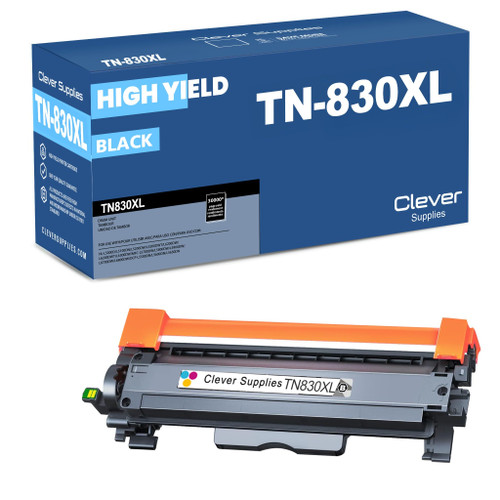
| TN830XL high-yield toner | ~3,000 pages | $28.98 | ~1.0¢ |
| DR830 drum unit | ~15,000 pages | $25.60 | ~0.2¢ |
Yield ratings are measured at 5% page coverage. Do the office arithmetic: at a modest shared volume of 800 pages a month, a standard cartridge lasts about six weeks while the XL lasts nearly four months — and every one of those pages costs about a cent less in toner. The Brother HL-L2460DW ships new with a standard-yield cartridge in the box, so most owners meet this decision at their very first replacement. Our recommendation for this particular model is unambiguous: replace with the XL, and keep a standard cartridge only as a shelf spare if downtime worries you.
A Note on the Drum You Will Eventually Meet
Around the 15,000-page mark the printer will begin talking about its drum. The DR830 is the imaging unit the toner cartridge clicks into; it is not a toner, holds no powder, and should not be bought by mistake when a toner warning appears. Brother's two-part design means a drum change is a rare event — roughly once for every five high-yield cartridges — and when it comes, streaks, repeating spots or a "Replace Drum" message are the tells. Until then, leave it in place across every toner swap.
Changing the Cartridge (Ninety Seconds, Honestly)
Leave the machine powered, open its front cover, and pull out the drum assembly. Press the green lever, lift the old toner cartridge clear, and give its replacement a gentle side-to-side shake before removing the protective cover. Click the cartridge into the drum until it locks, clean the corona wire by sliding its green tab across and back to the arrow, then slide the assembly in and close the cover. If the low-toner message lingers after a genuine swap, the counter needs resetting — see our TN830 reset and recognition guide.
Stocking a Shared Printer: The Toner-and-Drum Set
An office that shares one HL-L2460DW should think about supplies the way it thinks about paper: in stock, before they run out. The drum is the part that breaks that rhythm — it lasts about 15,000 pages, so it falls due on nobody's schedule, usually in the middle of the busiest week. Our combined sets exist for exactly that failure mode: TN830 toner paired with a DR830 drum, or the TN830XL paired with a drum — which, at the prices checked on November 2, 2026, cost $38.50 for the pair against $54.58 bought as separate items. One shipment brings both, the pair is matched, and whoever maintains the printer has the drum on the shelf the day the message appears. Heavier stockers can go further with drum-and-two-toner or two-drum-two-toner sets.
The restraint to exercise: do not put a bundle on every order. Across a drum's lifetime this printer needs roughly five XL cartridges, so most restocks should be toner only. Time the set purchase for when the drum is genuinely into its second half of life, and it becomes cheap insurance rather than shelf clutter.
Questions From HL-L2460DW Owners
The printer is on our office network. Can I check toner levels without walking to it? Yes. The printer reports its status over the network, and Brother's Mobile Connect app shows supply levels as well. On a shared machine it is worth checking before a big job rather than during one.
Does the HL-L2460DW scan or copy? No — despite the office positioning, this is a print-only machine. The scanning and copying members of the family are the DCP and MFC models listed below, and all of them drink the same toner.
What does "Toner Low" mean versus "Replace Toner"? "Toner Low" is a heads-up that the cartridge is nearing its rated end; printing continues. "Replace Toner" means the printer has stopped accepting the cartridge as usable — that is the moment to swap, or to try the reset procedure if the cartridge is genuinely new.
Can I mix a compatible toner with the original drum? Yes. The cartridge and drum are independent parts; a compatible TN830 or TN830XL clicks into the DR830 drum you already have, whichever brand the drum is.
Print is fading on the left side only. Toner or drum? Uneven fading often means the toner powder has settled — remove the cartridge and rock it gently to redistribute, which buys time. Fading that comes back quickly, or repeats as spots down the page, points toward the drum.
 brother tn830 laser toner cartridge black
 brother tn830xl laser toner cartridge black
 brother dr830 dr830 toner cartridge black
Key takeaways
- The top cartridge here is rated at 3,000 pages — fewer swaps, lower cost per page.
- Lowest cost per page in this family: ~1¢ with the highest-yield cartridge.
- Toner and drum are separate parts on this printer — replace only the one the printer asks for.
Other Printers That Use TN830, TN830XL and DR830
The HL-L2460DW's supplies are shared across an eighteen-model generation. The other print-only HL machines are the HL-L2400D, HL-L2405W, HL-L2420DW, HL-L2460DWXL, HL-L2465DW, HL-L2467DW, HL-L2480DW and HL-L2865DW. Copy-and-scan DCP models: DCP-L2640DW and DCP-L2647DW. MFC all-in-ones: MFC-L2760DW, MFC-L2807DW, MFC-L2820DW, MFC-L2820DWXL, MFC-L2900DW, MFC-L2900DWXL and MFC-L2980DW. This printer's own supplies live on the HL-L2460DW category page.