




What Toner Does the Brother HL-L2420DW Use?
Nov 2nd 2026
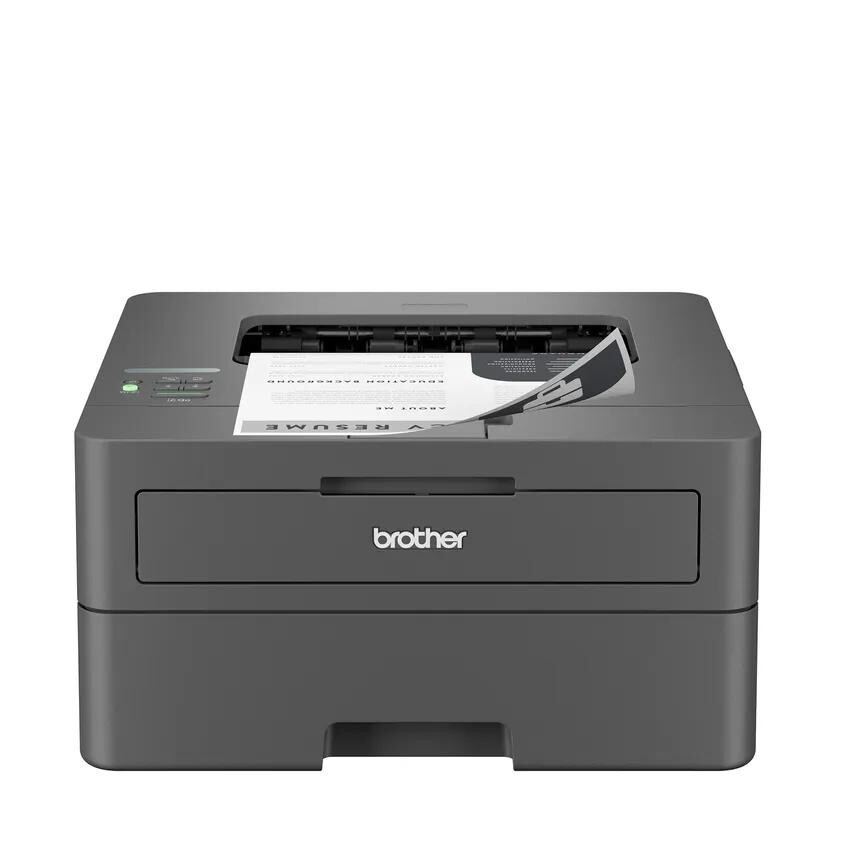
Quick answer: The Brother HL-L2420DW takes TN830 standard-yield toner (about 1,200 pages) or TN830XL high-yield toner (about 3,000 pages), plus a DR830 drum unit (about 15,000 pages) that is bought and replaced separately. It is a monochrome machine, so black is the only cartridge color involved.
The Model That Pairs Wireless With Real Duplex
Think of the HL-L2420DW as the home-office sweet spot in this lineup. It keeps the dual-band wireless (2.4GHz and 5GHz), Wi-Fi Direct and USB connections of the entry wireless model, then adds the feature that model leaves out: automatic two-sided printing. Documents come out duplexed without anyone standing at the machine flipping a stack, which halves paper use on long jobs and makes reports and study materials look properly finished.
Speed is rated at up to 30 pages per minute, the main tray swallows 250 sheets, and a manual feed slot deals with envelopes, labels and card stock. Mobile printing runs through Brother Mobile Connect, AirPrint and Mopria. Brother also gave this model its eco toolkit — Toner Save Mode for drafts, ENERGY STAR compliance and an EPEAT Silver rating — a small thing that matters if the printer sits in a home office that prints every single day.
Yield, Price and Cost per Page
| Cartridge or unit | Yield rating | Our compatible price | Cost per page |
|---|---|---|---|
| TN830 standard toner | ~1,200 pages | $23.60 | ~2.0¢ |
| TN830XL high-yield toner | ~3,000 pages | $28.98 | ~1.0¢ |
| DR830 drum unit | ~15,000 pages | $25.60 | ~0.2¢ |
Shop the parts here: TN830 toner, TN830XL toner and the DR830 drum.
Ratings assume 5% of the page is covered, the industry yardstick; dense pages use more. The arithmetic is hard to argue with — moving to the XL roughly halves what each printed page costs you in toner. The drum's contribution is tiny per page but lumpy in timing: you will buy one about every five XL cartridges, and its arrival often surprises owners who assumed the toner cartridge did everything.
Two Parts, Two Clocks
New Brother owners are frequently puzzled that a "cartridge change" involves a tray containing two components. Here is the mental model that makes it click. The toner cartridge is a powder reservoir with a chip that counts down its supply. The drum is the electrically charged cylinder that actually places the image on paper, and it wears by revolutions, not by how much powder passes through it. Brother separates the two so you only pay for the part that is actually exhausted — cheaper, and less plastic in the bin. Your HL-L2420DW tracks each clock separately and will tell you which one is calling for attention.
Replacing Toner on the HL-L2420DW
1. Power stays on. Open the front cover and draw the drum-and-toner assembly out of the machine. 2. Push the green lever to release the empty cartridge from the drum frame. 3. Rock the replacement cartridge left and right half a dozen times, strip off its protective cover, and seat it in the frame until it clicks. 4. Slide the drum's green cleaning tab fully across and back, making sure it rests against its alignment arrow. 5. Push the assembly home and close the cover.
If a "toner low" or "replace toner" warning refuses to clear, the page counter — not the cartridge — is usually the culprit; our TN830 reset walkthrough covers the fix.
Getting the Most From Each Cartridge in This Model
Two settings on the HL-L2420DW stretch a cartridge noticeably. Toner Save Mode lightens output for internal drafts where presentation does not matter — emails you print to file, proof copies, homework drafts. Duplex printing does not save toner, but it halves the paper bill and, subjectively, makes a 3,000-page XL cartridge feel like it lasts forever. Conversely, if your prints look pale even on a fresh cartridge, check that Toner Save has not been left switched on before blaming the supply.
Given the per-page figures above, the standard cartridge only really makes sense for very light use — a few pages a week. Everyone else should default to the XL and treat the standard size as the emergency spare.
Toner Only, or Toner and Drum in One Box?
At some point every owner of this model faces both warnings in the same season: toner running low, drum past its halfway mark. That is the moment the combined set earns a look. We stock the pairing two ways — standard TN830 toner bundled with a DR830 drum and the TN830XL high-yield toner bundled with the same drum — and the logic is convenience rather than magic: one shipment instead of two orders placed weeks apart, a toner and drum guaranteed to be a matched, current pair, and a spare drum already in the building on the day the printer finally refuses to ignore its drum counter. Drum-with-two-toner and two-drum-two-toner combinations are also available for households that stock ahead.
What the set is not is a routine purchase. Five toner cartridges will pass through one drum, so four times out of five the correct order is toner alone. Buy the bundle when the drum's age justifies it; otherwise you are warehousing a part your printer will not need for a year or more.
Frequently Asked Questions About HL-L2420DW Toner
Is the TN830XL too long for the cartridge bay? No. Standard and high-yield cartridges share the same shell dimensions and the same drum. The XL simply carries more toner inside.
My printer says "Drum End Soon" but prints fine. Should I buy a drum now? You can keep printing; the message is an early warning based on the drum's page count. It is sensible to have a DR830 on hand once the warning appears, because print quality — faint patches, repeating marks — is what eventually forces the swap.
Does duplex printing use toner faster? Each printed side uses the same toner as a single-sided page. You use less paper, not less powder, though Toner Save Mode can trim toner use on draft jobs.
Can I print from a Chromebook to this model? Yes. Once the printer is on your Wi-Fi network, Chromebooks on the same network can print to it, as can phones and tablets through AirPrint, Mopria or Brother's app.
The new cartridge is in, but pages come out blank. What now? First check that the protective strip and cover were fully removed and that the cartridge clicked into the drum frame. If both are right, remove and reseat the whole assembly. Persistent blank pages after that point to the drum unit rather than the toner.
 brother tn830 laser toner cartridge black
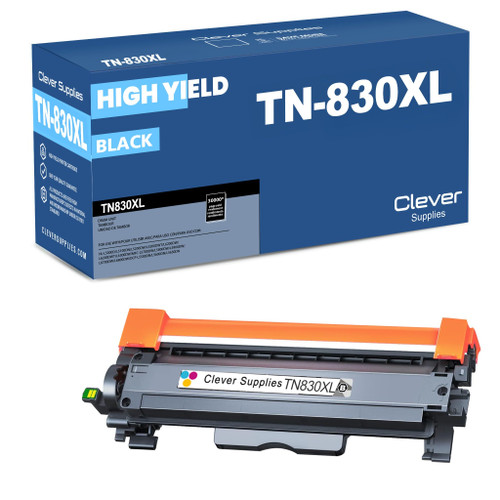 brother tn830xl laser toner cartridge black
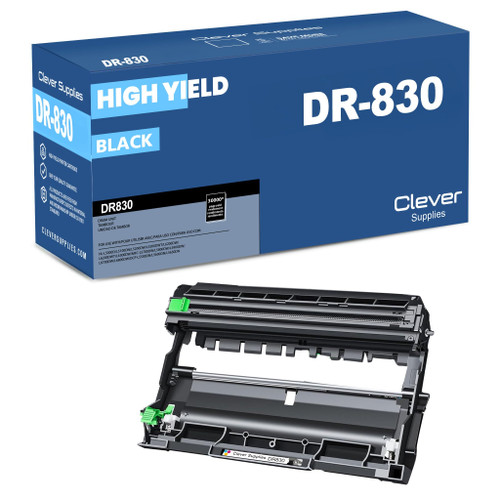 brother dr830 dr830 toner cartridge black
 brother tn830 dr830 black drum and toner set
Key takeaways
- The top cartridge here is rated at 3,000 pages — fewer swaps, lower cost per page.
- Lowest cost per page in this family: ~1¢ with the highest-yield cartridge.
- Toner and drum are separate parts on this printer — replace only the one the printer asks for.
Other Printers That Use TN830, TN830XL and DR830
A spare cartridge bought for the HL-L2420DW also fits seventeen other machines in this family — handy in homes and offices running more than one model. HL print-only units: HL-L2400D · HL-L2405W · HL-L2460DW · HL-L2460DWXL · HL-L2465DW · HL-L2467DW · HL-L2480DW · HL-L2865DW. DCP print/copy/scan models: DCP-L2640DW · DCP-L2647DW. MFC all-in-ones: MFC-L2760DW · MFC-L2807DW · MFC-L2820DW · MFC-L2820DWXL · MFC-L2900DW · MFC-L2900DWXL · MFC-L2980DW. Plus this model's own HL-L2420DW page rounds out the set of eighteen.