




What Toner Does the Brother HL-5470DW Use?
Posted by Clever Supplies on Nov 15th 2026
Quick Answer: The Brother HL-5470DW uses the TN720 standard-yield black cartridge (about 3,000 pages) or the TN750 high-yield black cartridge (about 8,000 pages), with a separate DR720 drum unit underneath (about 30,000 pages). The 12,000-page TN780 does not fit this model — it belongs to the HL-6180DW and MFC-8950DW flagships only.
Wireless printing changed who prints. The HL-5470DW added built-in Wi-Fi and Wi-Fi Direct to the family's 40 ppm duplex engine, which means laptops, phones and tablets all find it without asking anyone's permission. Every new sender is a new stream of pages, and the supply that feels it first is the toner cartridge. This guide sizes the cartridge to the printer this machine actually became once it joined the wireless network.
What You Will Pay Per Page
| Supply | Rated yield | Our compatible price* | Cost per page |
|---|---|---|---|
| TN720 | ~3,000 pages | $29.21 | ~1.0¢ |
| TN750 | ~8,000 pages | $29.21 | ~0.4¢ |
| DR720 drum | ~30,000 pages | $36.33 | ~0.1¢ |
*Prices isolated from the product pages on November 2, 2026; they can change.
Start with the oddity: the two cartridges cost the same $29.21 on our shelf. When the high-yield version is not a premium option but a free upgrade, the arithmetic ends quickly — the TN750 prints about 5,000 more pages for the same money and cuts toner cost per page by more than half. The drum, at roughly a tenth of a cent per page spread over 30,000 pages, is nearly a rounding error next to either.
Wi-Fi Direct Guests Print Too
The HL-5470DW's party trick is Wi-Fi Direct: a visitor's laptop or a colleague's phone can print without joining your network at all. Convenient, and a quiet source of volume that never shows up in anyone's estimate. Add AirPrint and Brother's iPrint&Scan app for the regulars, and a printer bought for one desk ends up serving a small crowd. That is the practical argument for defaulting to the 8,000-page cartridge here rather than the 3,000-page one.
Changing the Cartridge
1. With the printer on, open the front cover and slide the drum-and-toner assembly out. 2. Put the assembly down on paper, press the green lock lever, and lift the empty cartridge out of the drum. 3. Shake the fresh cartridge gently from side to side, pull off the protective cover, and press it into the drum until the lever clicks up. 4. Slide the green tab on the drum all the way across and back to clean the corona wire, ending with the tab at its home position. 5. Reinstall the assembly, close the cover, and wait for the Ready light — no settings change is needed for either cartridge size.
When the Drum Joins the Order
Thirty thousand pages is a long time — at 1,000 pages a month it is two and a half years — but the drum counter does eventually arrive. Our TN750 + DR720 set bundles the high-yield cartridge with a fresh drum for $49.46, which is $16.08 less than the $65.54 the two cost separately. The counter-case deserves saying out loud: if your drum has years left, the set is money parked on a shelf. Buy the $29.21 TN750 alone and let the drum's turn come when it comes.
Frequently Asked Questions
Does the HL-5470DW take the TN780 super-high-yield cartridge? No. Brother lists the TN780 only for the HL-6180DW, HL-6180DWT, MFC-8950DW and MFC-8950DWT. The biggest cartridge made for this printer is the TN750 at about 8,000 pages.
My starter cartridge ran out much faster than 3,000 pages. Was it defective? Almost certainly not. The cartridge shipped in the box is a smaller starter unit, not a full TN720. Judging the printer's appetite by its first cartridge misleads nearly everyone; the first full replacement is the honest baseline.
Can I mix a TN720 now and a TN750 next time? Freely. The printer neither knows nor cares which size is installed; there is no setting, chip pairing or reset difference between them on this generation.
Why do prints fade on one side after a cartridge change? Usually uneven toner distribution. Take the cartridge out, rock it side to side again so the powder settles level, and reinstall it. Fading that follows the same edge after that points at the drum, not the toner.
Is a compatible TN750 safe for a printer this age? Age is on your side here: this generation predates the aggressive cartridge lockouts of newer models, and a properly built compatible cartridge with the right chip is accepted without argument.
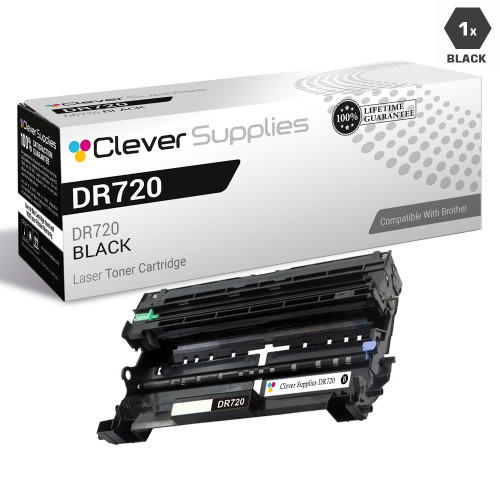 brother tn720 laser toner compatible cartridge black
 brother tn750 laser toner compatible cartridge high yield bl
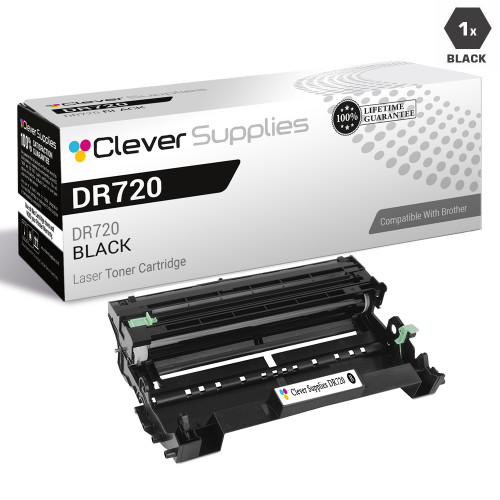 brother dr720 laser drum unit compatible cartridge
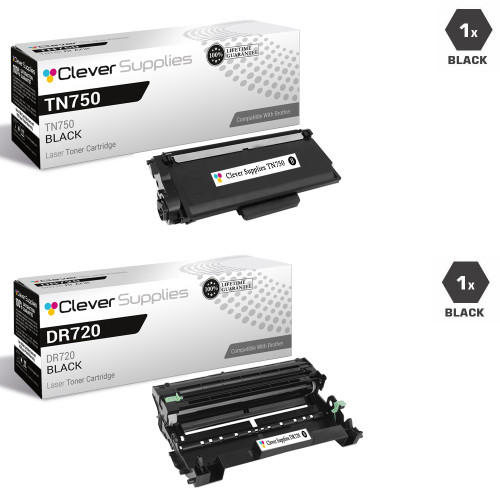 brother tn750 dr720 laser toner and drum unit compatible car
Key takeaways
- The top cartridge here is rated at 8,000 pages — fewer swaps, lower cost per page.
- Lowest cost per page in this family: ~0.4¢ with the highest-yield cartridge.
- Toner and drum are separate parts on this printer — replace only the one the printer asks for.
For the full family comparison — every pack size priced by the page — see the Best Brother TN720 Toner Cartridges buying guide.
Other Printers That Use TN720, TN750 and DR720
The whole fifteen-model generation shares these supplies:
- HL-5440D
- HL-5450DN
- HL-5470DWT
- HL-6180DW
- HL-6180DWT
- DCP-8110DN
- DCP-8150DN
- DCP-8155DN
- MFC-8510DN
- MFC-8710DW
- MFC-8810DW
- MFC-8910DW
- MFC-8950DW
- MFC-8950DWT
Ready to restock? Start from our HL-5470DW toner page, which lists every cartridge, drum and set that fits this printer.