




What Toner Does the Brother HL-5450DN Use?
Posted by Clever Supplies on Nov 14th 2026
Quick Answer: The Brother HL-5450DN takes the TN720 standard-yield cartridge (about 3,000 pages) or the TN750 high-yield cartridge (about 8,000 pages), and both click into the same DR720 drum unit rated at about 30,000 pages. The super-high-yield TN780 is not made for this printer — Brother reserves it for the HL-6180 and MFC-8950 flagships.
The HL-5450DN is the HL-5440D's networked sibling, and that one change — an Ethernet port — rewrites the supply story. A printer one person uses prints like one person. A printer the whole workgroup can reach prints like a workgroup, which is why the cartridge math for a shared 40 ppm machine should never be done with the smallest cartridge on the chart.
Sharing a Printer Means Sharing Its Toner
Brother gave the HL-5450DN the same engine as the rest of the family: up to 40 pages per minute, automatic duplex, a 250-sheet tray and a 50-sheet multipurpose tray. What the network adds is senders. Half a dozen colleagues routing invoices, packing slips and reports through one machine will walk through a 3,000-page TN720 faster than anyone budgets for. The TN750's 8,000-page rating stretches the interval between swaps to something closer to a quarterly event, and the figures below show it does so for free.
The Cost Table
| Supply | Rated yield | Our compatible price* | Cost per page |
|---|---|---|---|
| TN720 | ~3,000 pages | $29.21 | ~1.0¢ |
| TN750 | ~8,000 pages | $29.21 | ~0.4¢ |
| DR720 drum | ~30,000 pages | $36.33 | ~0.1¢ |
*Prices isolated from the product pages on November 2, 2026; they can change.
Yes, the first two prices really are identical. At $29.21 either way, choosing the TN720 means volunteering to buy, store and swap cartridges nearly three times as often for the same money. On a shared printer there is a second cost hiding behind the swap itself: the empty-cartridge moment always seems to arrive mid-run, with somebody's job queued behind it. Fewer swaps is a feature in its own right.
Replacing the Cartridge
1. Leave the machine powered up, press the front cover release and pull the combined drum-and-toner unit straight out. 2. Rest the unit on scrap paper. Press the green lock lever down and lift the spent toner cartridge out of the drum cradle. 3. Give the new cartridge a gentle side-to-side shake, strip off the protective cover, and seat it in the drum until the lock lever snaps up on its own. 4. Run the drum's green corona-wire tab from one end to the other and back, finishing with the tab at its arrow mark. 5. Slide the unit home, close the cover, and let the printer cycle back to Ready.
One Box for the Day Both Parts Come Due
A DR720 drum lasts through roughly four TN750 cartridges, so toner and drum replacements rarely coincide — but when the drum counter finally runs out, our TN750 + DR720 set covers both in one order for $49.46, saving $16.08 on the $65.54 separate total. Until that day, honesty applies: a mid-life drum plus a fresh TN750 is all this printer needs, and parking a spare drum on the shelf for a year helps nobody.
A Workgroup Budget, Roughly
Say the HL-5450DN serves five people and averages 1,800 pages a month — unremarkable for a shared machine. That is about 21,600 pages a year: three TN750 cartridges at $29.21, and a drum about every seventeen months. Annual toner spend lands near $88. Numbers like that are why these printers are still on desks a decade later, and why the cartridge decision is worth the two minutes it takes to make it correctly.
Frequently Asked Questions
Why does my HL-5450DN go through toner faster than the HL-5440D next door? Count senders, not printers. The 5450DN's Ethernet port puts it on the whole workgroup's print menu; the 5440D answers to one workstation. Volume follows access, and toner follows volume.
Can I use the TN780 for even fewer swaps? No — Brother builds the TN780 only for the HL-6180DW, HL-6180DWT, MFC-8950DW and MFC-8950DWT. The TN750 is the largest cartridge this model accepts.
Is the TN750 harder to install than the TN720? Identical process, identical slot. The cartridges share a shell; only the toner fill differs. If you have changed one, you have changed both.
The printer says the toner is low but pages still look fine. Swap now? Not yet. The warning is a heads-up based on the page counter, not a quality sensor. Order the replacement, keep printing, and swap when output actually fades — every early swap discards toner you already paid for.
Does mobile printing work on this model? Yes — Brother lists AirPrint, Google Cloud Print, iPrint&Scan and Cortado Workplace for the HL-5450DN, provided the phones sit on the same network. One more sender, one more reason the high-yield cartridge earns its place.
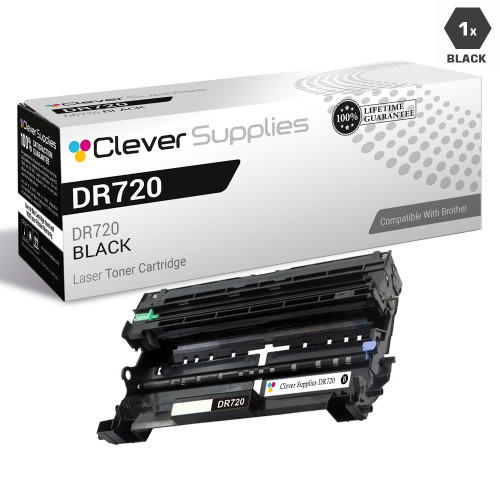 brother tn720 laser toner compatible cartridge black
 brother tn750 laser toner compatible cartridge high yield bl
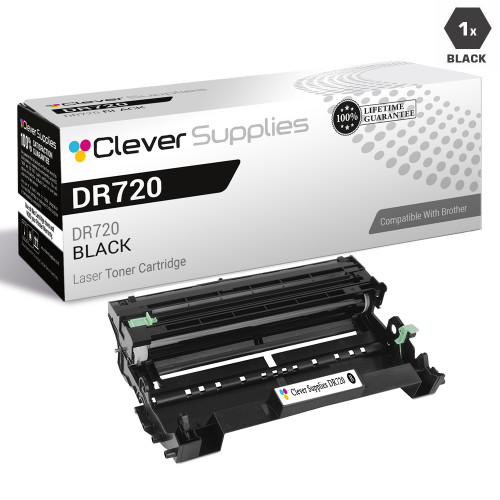 brother dr720 laser drum unit compatible cartridge
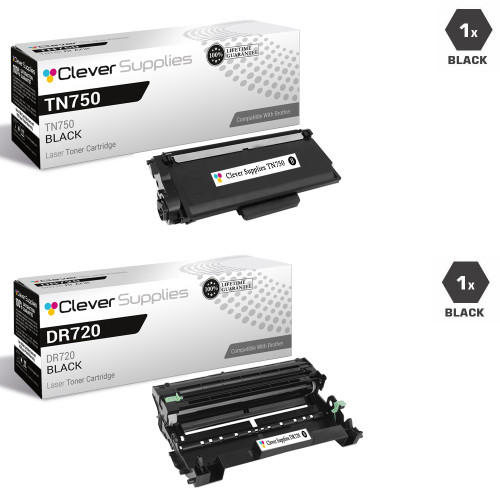 brother tn750 dr720 laser toner and drum unit compatible car
Key takeaways
- The top cartridge here is rated at 8,000 pages — fewer swaps, lower cost per page.
- Lowest cost per page in this family: ~0.4¢ with the highest-yield cartridge.
- Toner and drum are separate parts on this printer — replace only the one the printer asks for.
For the full family comparison — every pack size priced by the page — see the Best Brother TN720 Toner Cartridges buying guide.
Other Printers That Use TN720, TN750 and DR720
Everything in this guide applies to the rest of the generation as well:
- HL-5440D
- HL-5470DW
- HL-5470DWT
- HL-6180DW
- HL-6180DWT
- DCP-8110DN
- DCP-8150DN
- DCP-8155DN
- MFC-8510DN
- MFC-8710DW
- MFC-8810DW
- MFC-8910DW
- MFC-8950DW
- MFC-8950DWT
Ready to order? Start from our HL-5450DN toner page, which lists every cartridge, drum and set that fits this printer.