




What Toner Does the Brother HL-L2380DW Use?
Posted by Clever Supplies on Nov 10th 2026
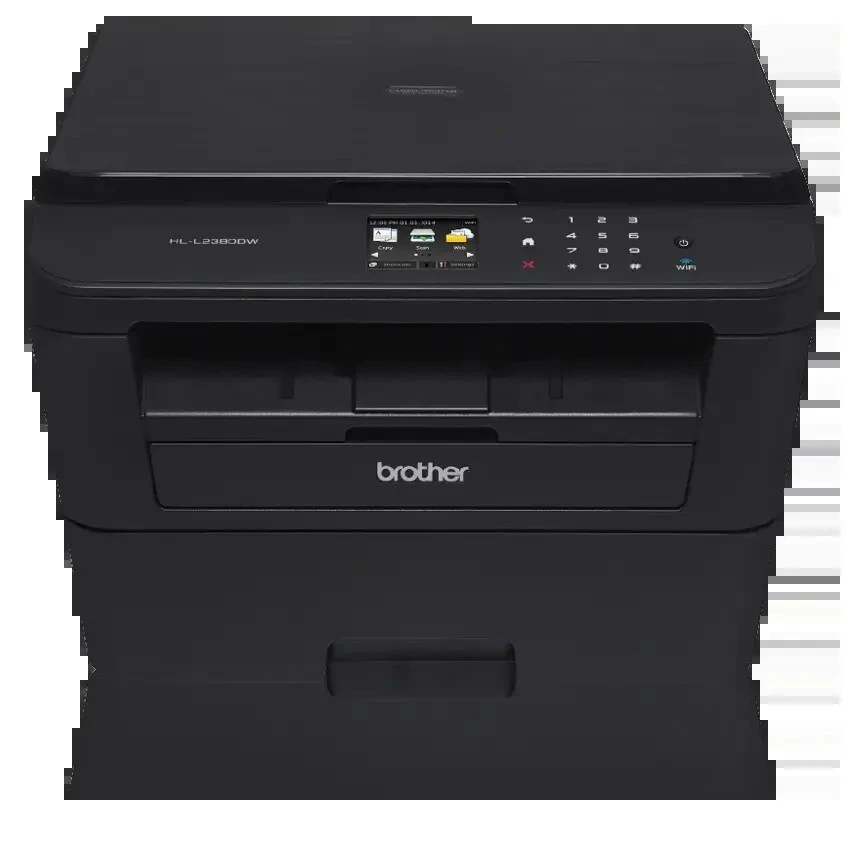
Quick answer: The Brother HL-L2380DW uses TN630 standard-yield toner (about 1,200 pages) or TN660 high-yield toner (about 2,600 pages), paired with a separate DR630 drum unit rated near 12,000 pages. It prints in black only and holds a single cartridge.
An HL With a Scanner Lid
The badge says HL, which in Brother's range usually means print and nothing else. The HL-L2380DW breaks the pattern: lift the top and there is a flatbed, giving it copying and scanning alongside print — though no document feeder and no fax. Its face is different too, a 2.7-inch color TouchScreen in place of the family's button-and-tiny-display arrangement, with cloud-connected apps behind the glass.
Underneath the extras sits a fast engine: up to 32 pages per minute, automatic two-sided printing, and every connection the family offers — Wi-Fi, Ethernet and USB. The tray holds 250 sheets. Brother rates the machine for a maximum of 10,000 pages a month and recommends 250 to 2,000, so its ambitions remain desk-sized even if its feature list does not.
The flatbed changes how owners should think about the page counter. Scans cost no toner at all — the page is photographed, not printed. Copies, however, are prints, and a household that discovers the copy function for school forms, sheet music and ID documents can add hundreds of quiet pages a month. When a cartridge seems to finish "early" on this model, copying is the first place to look.
The Supply Table
| Supply | Rated yield | Our compatible price | Cost per page |
|---|---|---|---|
| TN660 high-yield toner | ~2,600 pages | $22.95 | ~0.9¢ |
| TN630 standard toner | ~1,200 pages | Sold as the TN660 above | — |
| DR630 drum unit | ~12,000 pages | $27.67 | ~0.2¢ |
Brother's yields assume ISO/IEC 19752 conditions at 5% coverage. One expectation to set immediately: the cartridge in the shipping carton is a starter rated around 700 pages, so the first replacement is a near-term event, not a disappointment. Our compatible toner is stocked as a single listing covering both the TN630 and TN660 designations at one price, which is why no standalone per-page cost appears for the standard cartridge — the listing is bought for its high-yield capacity, and the TN630 is recorded by yield.
Replacing the Cartridge
Leave the machine on, open the front cover — not the scanner lid — and draw out the drum-and-toner assembly. Press the green lock lever to release the empty cartridge, rock the new one gently side to side, remove its protective cover, and press it into the drum until it clicks. Slide the green corona-wire tab across and back to its home mark, slide the assembly home, and close the cover. If the TouchScreen still reports low toner after a correct change, the culprit is the un-reset page counter; this model has a reset routine for the counter, and reseating the cartridge is not a substitute for it.
The Drum Beneath
The DR630 transfers the image for prints and copies alike, and its rating — about 12,000 pages — spans roughly four or five high-yield cartridges. Scans do not touch it; only pages that pass through the print engine count against it. Wear announces itself as a defect repeated at the same interval on print after print, or as an outright "Replace Drum" message on the TouchScreen. Overall lightness is a toner symptom — rock the cartridge first, and let a fresh cartridge acquit or convict the drum.
Toner and Drum in One Box
When the drum's age finally catches up with the toner schedule, our TN660 toner and DR630 drum set covers both in a single order: $34.54 on November 2, 2026, compared with $50.62 for the two items separately — about $16 saved, and one delivery. Drum sets with two or three toners are stocked for heavier users.
Until that day, restraint is the better buy. A drum is a 12,000-page commitment, and on a desk printer it may not come due for years. Toner alone, ordered as needed, keeps cash out of the cupboard; the set becomes the sensible order when the drum counter — copies included — is genuinely advanced.
Questions From HL-L2380DW Owners
Wait — does this model really scan? It says HL. It does. This is the family's exception: a flatbed scanner and copier built into a print-first body. There is no automatic document feeder, so multi-page scans are one sheet at a time, and there is no fax.
Do scans wear out the toner or drum? Neither. Scanning only reads the page. Copies are another matter — every copy is a printed page and counts against both the cartridge and the drum.
What is the TouchScreen actually for? Menu navigation, wireless setup, and shortcuts to cloud services, letting you scan to or print from online storage without a computer in the middle.
Why did the starter cartridge end so quickly? It holds about 700 pages by design. Replacements start at roughly 1,200 pages for the standard size and 2,600 for the high-yield.
A mark repeats down my copies but not my scans. Why? Because copies pass through the print engine and scans do not. A repeating mark on printed output points at the drum; a flaw visible in scans would instead implicate the scanner glass.
 brother tn660 tn630 toner cartridge black TN 660 TN 630
 brother dr630 toner cartridge black
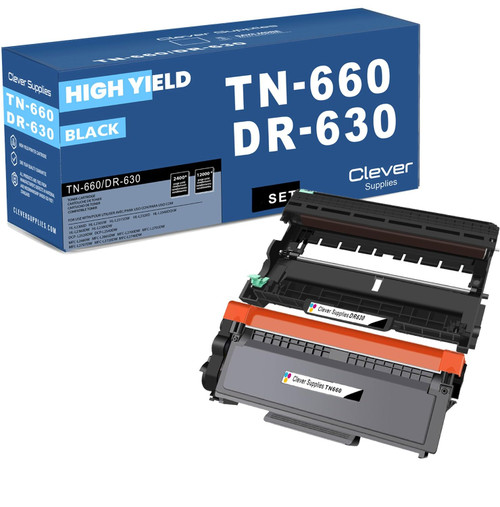 brother tn660 dr630 black drum and toner set
Key takeaways
- The top cartridge here is rated at 2,600 pages — fewer swaps, lower cost per page.
- Lowest cost per page in this family: ~0.9¢ with the highest-yield cartridge.
- Toner and drum are separate parts on this printer — replace only the one the printer asks for.
Other Printers That Use TN630, TN660 and DR630
Sixteen Brother models share these supplies. The remaining print-only machines are the HL-L2300D, HL-L2305W, HL-L2315DW, HL-L2320D, HL-L2340DW and HL-L2360DW. The purpose-built all-in-ones without fax are the DCP-L2520DW and DCP-L2540DW. The fax-equipped branch: MFC-L2680W, MFC-L2685DW, MFC-L2700DW, MFC-L2705DW, MFC-L2707DW, MFC-L2720DW and MFC-L2740DW. This model's cartridges, drums and sets are all on the HL-L2380DW category page.