




What Toner Does the Brother HL-L2360DW Use?
Posted by Clever Supplies on Nov 9th 2026
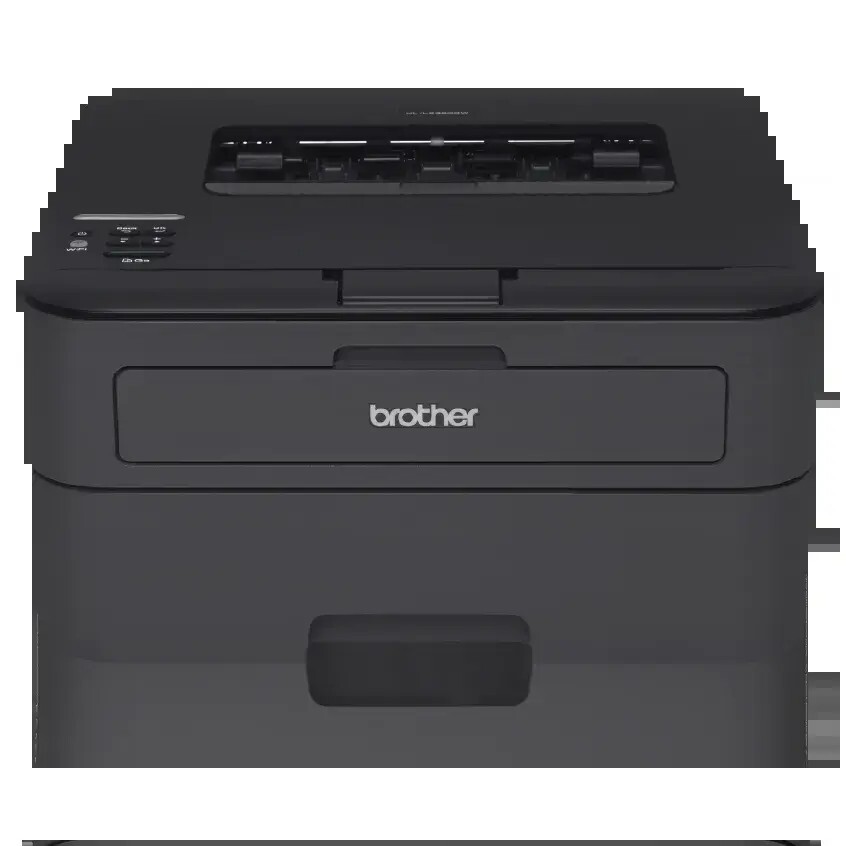
Quick answer: The Brother HL-L2360DW uses TN630 standard-yield toner (about 1,200 pages) or TN660 high-yield toner (about 2,600 pages), and a separate DR630 drum unit rated for roughly 12,000 pages. It prints in black only and holds one cartridge at a time.
The One You Can Plug Into the Wall
Ask why offices picked the HL-L2360DW over its near-identical siblings and the answer sits on its back panel: an Ethernet port, next to Wi-Fi and USB. It is the family's print-only model that joins a wired network as readily as a wireless one, and at up to 32 pages per minute it is also among the quickest. Add automatic two-sided printing and a 250-sheet tray, and you have the classic small-office arrangement — one shared machine, several desks, nobody's computer acting as a hostage print server.
Brother's volume guidance fits that setting: a maximum duty cycle of 10,000 pages a month, with 250 to 2,000 recommended. A shared printer's defining supply trait is that no single user sees the whole picture — the page counter aggregates everyone's habits, including the colleague who prints hundred-page drafts. Supplies planning here belongs to whoever stocks the office cupboard, and it should be done on the high-yield figures.
Running Costs, Tabulated
| Supply | Rated yield | Our compatible price | Cost per page |
|---|---|---|---|
| TN660 high-yield toner | ~2,600 pages | $22.95 | ~0.9¢ |
| TN630 standard toner | ~1,200 pages | Sold as the TN660 above | — |
| DR630 drum unit | ~12,000 pages | $27.67 | ~0.2¢ |
Brother's yields are ISO/IEC 19752 ratings at 5% coverage. The cartridge in the carton is a starter of about 700 pages — budget for an early first replacement, then settle into the rhythm the table describes. Our compatible cartridge comes as one listing answering to both the TN630 and TN660 numbers at a single price, so there is no smaller, cheaper standard option to isolate a cost for; the high-yield capacity is what the listing is bought for, and the TN630 is shown by yield alone.
Stocking the Cupboard: The Combined Set
Shared printers punish empty shelves, because the person who discovers the empty cartridge is rarely the person who can order. Our TN660 toner and DR630 drum set keeps the two wear items paired: $34.54 on November 2, 2026, against $50.62 bought separately — around $16 saved, one parcel, one line on the order. Drum-and-two-toner and drum-and-three-toner sets exist for offices that would rather reorder quarterly than monthly.
The set is not a day-one purchase. The drum already inside the printer is a 12,000-page part; until its counter is well advanced, a spare drum is shelf stock with no job. Keep toner flowing on its own first, and switch to sets once the drum's age makes its replacement a foreseeable event rather than a surprise.
Changing the Cartridge
With the printer on, open the front cover and withdraw the drum-and-toner assembly. Press the green lock lever, remove the spent cartridge, and rock the replacement slowly from side to side before peeling its protective cover away. Seat it in the drum until it clicks, slide the green corona tab across and back to its mark, return the assembly, and close the cover. A toner warning that survives a correct swap is the page counter asking for its reset — a settings matter, not a seating one.
The Drum's Own Timetable
The DR630 sits beneath the cartridge and is rated near 12,000 pages — around four or five high-yield toners. It does not announce wear by fading; it repeats a mark at the same spacing down successive pages, or the printer displays "Replace Drum." Pale output is a toner complaint. On a shared machine, one more symptom deserves mention: if print quality complaints arrive from several desks at once with the same repeating flaw, believe them — that pattern is the drum, and it will not improve with another cartridge.
Questions From HL-L2360DW Owners
Wired or wireless — does it matter for printing? Not to output quality or speed. Ethernet simply stays put: no signal drops, no reconnecting after router changes. Many offices cable it and forget the question entirely.
Can it print from phones on the office network? Yes. AirPrint and Brother's mobile apps work over the network connection, whether the printer itself arrives by cable or Wi-Fi.
Why did our first cartridge finish in weeks? The in-box cartridge is a starter of about 700 pages. Shared printers burn through it quickly; replacements are full-size.
Who should reset the toner counter after a swap? Whoever changes the cartridge — it takes a moment at the machine. If the warning remains after a genuine swap, the reset was likely skipped.
Is 2,000 pages a month a hard ceiling? It is Brother's recommended ceiling for longevity; the maximum duty cycle is 10,000. Brief excursions are harmless, but a printer that lives at 5,000 pages monthly is a printer being asked to be a different model.
 brother tn660 tn630 toner cartridge black TN 660 TN 630
 brother dr630 toner cartridge black
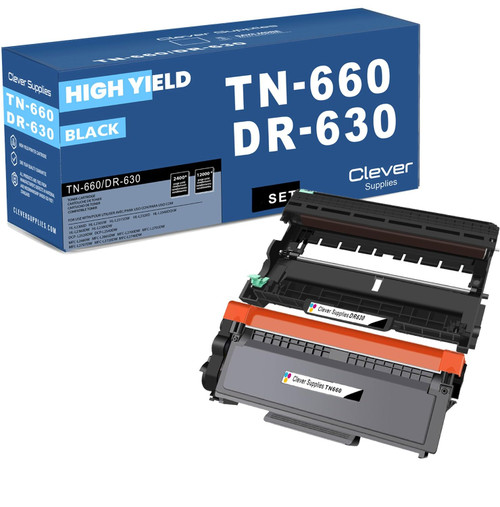 brother tn660 dr630 black drum and toner set
Key takeaways
- The top cartridge here is rated at 2,600 pages — fewer swaps, lower cost per page.
- Lowest cost per page in this family: ~0.9¢ with the highest-yield cartridge.
- Toner and drum are separate parts on this printer — replace only the one the printer asks for.
Other Printers That Use TN630, TN660 and DR630
The same TN630, TN660 and DR630 serve sixteen Brother models. On the print-only side: HL-L2300D, HL-L2305W, HL-L2315DW, HL-L2320D, HL-L2340DW and HL-L2380DW. With flatbed scanning and copying, minus fax: the DCP-L2520DW and DCP-L2540DW. With fax included: the MFC-L2680W, MFC-L2685DW, MFC-L2700DW, MFC-L2705DW, MFC-L2707DW, MFC-L2720DW and MFC-L2740DW. Every cartridge, drum and set for this model is listed on the HL-L2360DW category page.