




What Toner Does the Brother HL-L2340DW Use?
Nov 8th 2026
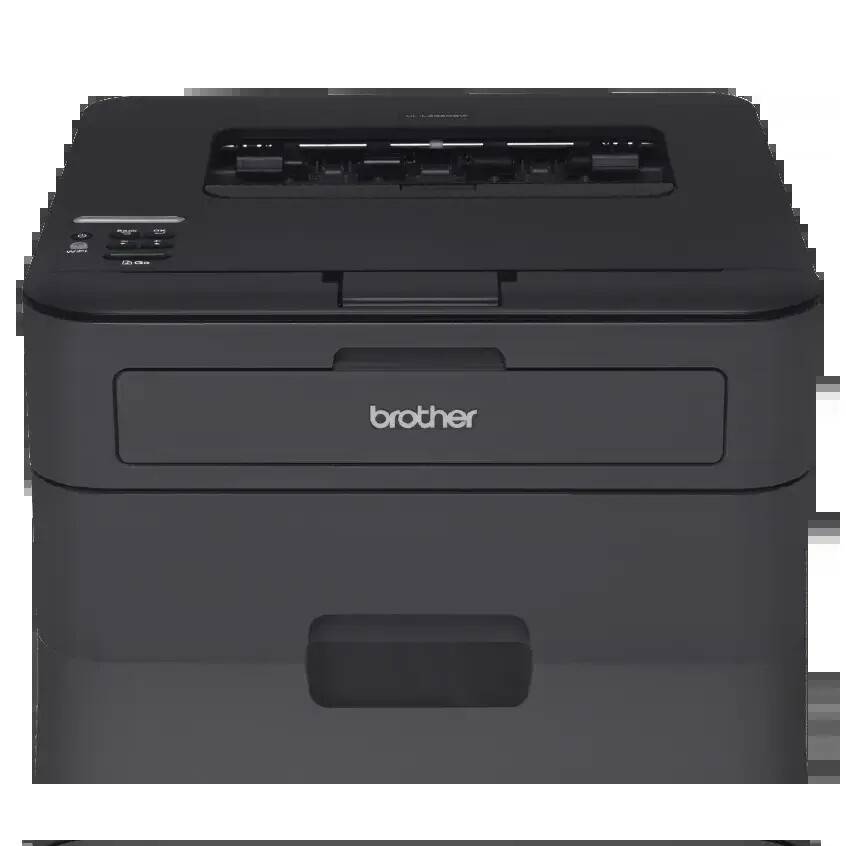
Quick answer: The Brother HL-L2340DW takes TN630 standard-yield toner (about 1,200 pages) or TN660 high-yield toner (about 2,600 pages), working with a separate DR630 drum unit rated for about 12,000 pages. Black only — it holds one cartridge at a time.
When the Toner Light Comes On: The Swap Itself
Since most readers arrive here mid-warning, the practical part first. Leave the printer on, open the front cover, and pull the drum-and-toner assembly straight out. Press the green lock lever, lift the empty cartridge free, and rock the new one slowly side to side a few times so the toner distributes. Peel off the protective cover, press the cartridge into the drum until it clicks, and slide the green corona-wire tab across and back to its arrow mark. Reinstall the assembly and close the cover.
If the warning outlives a correctly installed cartridge, the printer's internal counter is the remaining suspect, and this model has a reset procedure for exactly that situation. Cycling the same cartridge in and out will not persuade it.
The Wireless Workhorse of the Family
The HL-L2340DW became the default home-office Brother of its generation for good reasons. It prints at up to 27 pages per minute, handles two-sided printing automatically, and connects by Wi-Fi, Wi-Fi Direct or USB, with AirPrint and Brother's mobile apps covering phones and tablets. A 250-sheet tray means paper is a monthly chore rather than a daily one. Brother's ratings — a 10,000-page maximum duty cycle and 250 to 2,000 pages a month recommended — match how these printers actually live: long idle stretches punctuated by a tax return, a contract or a semester's worth of handouts.
Wireless reach quietly shapes consumption. A printer the whole household can see on the network collects jobs from every room, so its page counter climbs faster than any single user's habits suggest. That is the strongest argument for defaulting to the high-yield cartridge in the table below: fewer surprises, fewer swaps, and a lower cost attached to every one of those pages.
What the Supplies Cost per Page
| Supply | Rated yield | Our compatible price | Cost per page |
|---|---|---|---|
| TN660 high-yield toner | ~2,600 pages | $22.95 | ~0.9¢ |
| TN630 standard toner | ~1,200 pages | Sold as the TN660 above | — |
| DR630 drum unit | ~12,000 pages | $27.67 | ~0.2¢ |
Yields are Brother's ISO/IEC 19752 figures at 5% coverage. Calibrate your expectations for the first cartridge only: it is a starter of roughly 700 pages, intentionally small, and every replacement dwarfs it. Our compatible toner is a single listing that covers both the TN630 and TN660 part numbers at one price, so the standard cartridge has no separate per-page figure here — the high-yield rating is the capacity to budget around.
The Drum Is a Separate Purchase, on Purpose
Brother splits toner and drum so you never discard a healthy drum with an empty cartridge. The DR630 under your toner lasts about 12,000 pages — four to five high-yield cartridges — and asks for replacement in its own way: a "Replace Drum" message, or a blemish that repeats at identical spacing down the sheet. General fading is not its language. Pale pages mean toner; rock the cartridge before spending anything.
One Box With Both Parts
Our TN660 toner and DR630 drum set exists for the moment the two schedules converge. On November 2, 2026 it cost $34.54 against $50.62 for the parts separately — about $16 saved and one delivery instead of two. Sets pairing one drum with two or three toners are also stocked.
Use it at the right moment, though. A drum installed this year may not need company for several years of home printing, and a spare in a drawer is money parked. Toner alone is the correct order while the drum is young; bring the set in when the drum counter shows real age.
Questions From HL-L2340DW Owners
Why does the printer disappear from Wi-Fi after I change routers? It remembers the old network. Re-run the wireless setup from the control panel with the new network name and password, and every device will find it again.
Can houseguests print without my Wi-Fi password? Yes — Wi-Fi Direct connects their device directly to the printer. It is the polite way to print a guest's boarding pass.
The first cartridge lasted only a few months. Is that normal? Yes. It was a starter cartridge of about 700 pages. A high-yield replacement holds roughly 2,600 pages, which at household volumes is a very different calendar.
Does printing photos or graphics drain toner faster? Page yield assumes 5% coverage. A page of dense graphics can use several times the toner of a text page, so graphics-heavy months will shorten any cartridge's life.
A grey band repeats down every page. What is failing? A repeating defect at fixed intervals usually traces to the drum's surface. If it survives a cartridge change, the DR630 is due.
 brother tn660 tn630 toner cartridge black TN 660 TN 630
 brother dr630 toner cartridge black
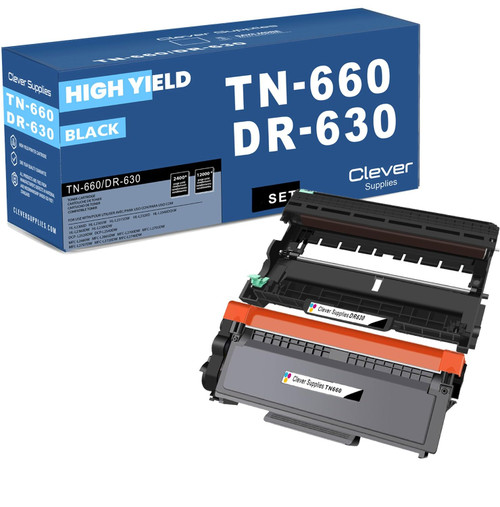 brother tn660 dr630 black drum and toner set
Key takeaways
- The top cartridge here is rated at 2,600 pages — fewer swaps, lower cost per page.
- Lowest cost per page in this family: ~0.9¢ with the highest-yield cartridge.
- Toner and drum are separate parts on this printer — replace only the one the printer asks for.
Other Printers That Use TN630, TN660 and DR630
This printer's supplies fit sixteen models in total. Its print-only relatives are the HL-L2300D, HL-L2305W, HL-L2315DW, HL-L2320D, HL-L2360DW and HL-L2380DW. Adding flatbed copy and scan brings in the DCP-L2520DW and DCP-L2540DW. Adding fax completes the set with the MFC-L2680W, MFC-L2685DW, MFC-L2700DW, MFC-L2705DW, MFC-L2707DW, MFC-L2720DW and MFC-L2740DW. All of this model's cartridges, drums and sets are listed together on the HL-L2340DW category page.