




What Toner Does the Brother HL-L2320D Use?
Posted by Clever Supplies on Nov 7th 2026
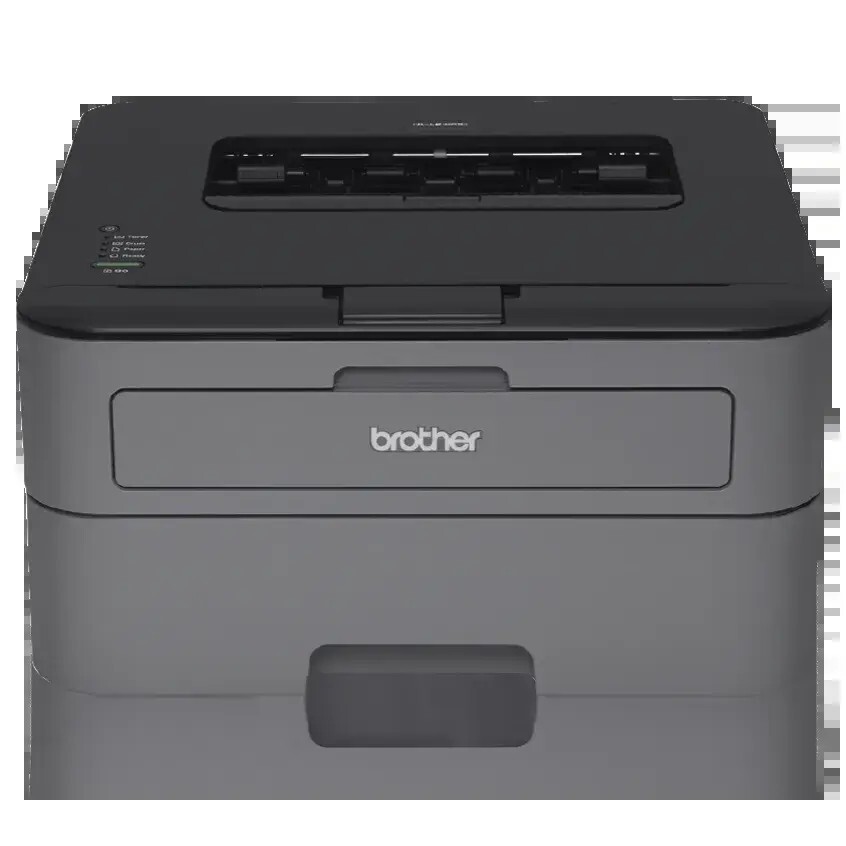
Quick answer: The Brother HL-L2320D feeds on TN630 standard-yield toner (about 1,200 pages) or TN660 high-yield toner (about 2,600 pages), plus a separate DR630 drum unit rated for roughly 12,000 pages. It is a black-only printer holding a single cartridge.
Thirty Pages a Minute, One USB Port
Of the two wired-only printers in this family, the HL-L2320D is the quick one. Its engine runs at up to 30 pages per minute — faster than several of its wireless siblings — yet its only connection is a Hi-Speed USB 2.0 port. No Wi-Fi, no Ethernet: this is a printer built to be cabled to one hardworking computer and then left alone to produce.
The rest of the specification suits that role. Automatic two-sided printing is standard, the tray swallows 250 sheets so reams go in whole, and a manual feed slot handles the odd envelope or label sheet. Brother rates the duty cycle at 10,000 pages a month maximum and recommends 250 to 2,000, which for a single-desk machine is generous headroom.
Speed has one quiet consequence for supplies. A printer that clears a 60-page report in two minutes gets handed bigger jobs than a slow one, and bigger jobs move the page counter faster than owners expect. If your HL-L2320D lives on a desk where long documents are routine, plan toner purchases by the high-yield cartridge's calendar, not the standard one's.
The Supply Table
| Supply | Rated yield | Our compatible price | Cost per page |
|---|---|---|---|
| TN660 high-yield toner | ~2,600 pages | $22.95 | ~0.9¢ |
| TN630 standard toner | ~1,200 pages | Sold as the TN660 above | — |
| DR630 drum unit | ~12,000 pages | $27.67 | ~0.2¢ |
Brother's yields follow ISO/IEC 19752 at 5% coverage — dense contracts and graphics-heavy pages will land below them, plain text at or above. The cartridge packed with the printer is a starter of about 700 pages, so the first replacement genuinely is due sooner than the table implies. Our compatible cartridge is stocked as one listing covering both part numbers at a single price, which removes the usual standard-versus-high-yield price debate: order it, and expect high-yield page counts from it. The standard size is therefore quoted by yield only in this guide.
Replacing the Cartridge
Power on, front cover open, assembly out. Press the green lock lever to release the empty cartridge from the drum, rock its replacement slowly side to side, strip the protective cover, and press the cartridge in until the click confirms it. Slide the green corona tab across and back to its home position, refit the whole assembly, and close the cover. A toner warning that refuses to clear after a correct installation is a page-counter matter — the model has a documented reset routine — not a reason to force the cartridge in and out.
The Drum Behind the Cartridge
The DR630 drum transfers each page's image and is rated near 12,000 pages, the span of roughly four or five high-yield cartridges. It does not fade politely when it wears; it repeats itself — the same spot or streak at the same spacing, page after page — or the printer posts a "Replace Drum" notice. Light, washed-out output belongs to a tired toner cartridge, and rocking that cartridge is the correct first response.
Pairing Toner With a Drum
For the day both parts come due near each other, our TN660 toner and DR630 drum set ships them as one item. Priced at $34.54 on November 2, 2026, it undercuts the $50.62 separate total by about $16 and arrives as a single parcel. Sets pairing the drum with two or three toner cartridges are stocked alongside it.
The usual honesty clause applies: on a young printer the installed drum has years of pages ahead of it, and a spare bought today is inventory, not insurance. Toner alone is the right order until the drum's counter is well advanced; the set earns its place after that.
Questions From HL-L2320D Owners
Can I add Wi-Fi to it later? There is no add-on radio for this model. A print server or the sharing features of the computer it is cabled to are the workarounds; the wireless siblings in the list below are the permanent fix.
Why is it faster than the wireless models in the same family? Print speed is a property of the engine, not the connection. Brother gave this wired model a 30 ppm engine while some wireless variants run at 24 or 27 ppm.
Does the manual feed slot take card stock? Yes, one sheet at a time, and opening the rear cover gives it a straight exit path so heavier stock does not have to bend around the output rollers.
How do I know whether a mark is toner or drum? Change or rock the toner first. A defect that survives a fresh cartridge at the same repeating interval is the drum's signature.
What monthly volume is it happiest at? Brother recommends 250 to 2,000 pages a month. Occasional heavier months are fine; living permanently above the recommendation shortens the machine's life.
 brother tn660 tn630 toner cartridge black TN 660 TN 630
 brother dr630 toner cartridge black
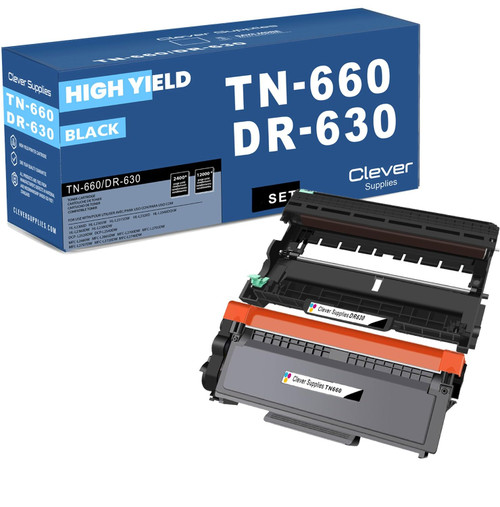 brother tn660 dr630 black drum and toner set
Key takeaways
- The top cartridge here is rated at 2,600 pages — fewer swaps, lower cost per page.
- Lowest cost per page in this family: ~0.9¢ with the highest-yield cartridge.
- Toner and drum are separate parts on this printer — replace only the one the printer asks for.
Other Printers That Use TN630, TN660 and DR630
Sixteen Brother machines share this supply shelf. Fellow print-only models: the HL-L2300D, HL-L2305W, HL-L2315DW, HL-L2340DW, HL-L2360DW and HL-L2380DW. The copying and scanning branch, without fax: DCP-L2520DW and DCP-L2540DW. The complete fax-equipped set: MFC-L2680W, MFC-L2685DW, MFC-L2700DW, MFC-L2705DW, MFC-L2707DW, MFC-L2720DW and MFC-L2740DW. This printer's own supplies are all gathered on the HL-L2320D category page.