




What Toner Does the Brother HL-L2305W Use?
Nov 5th 2026
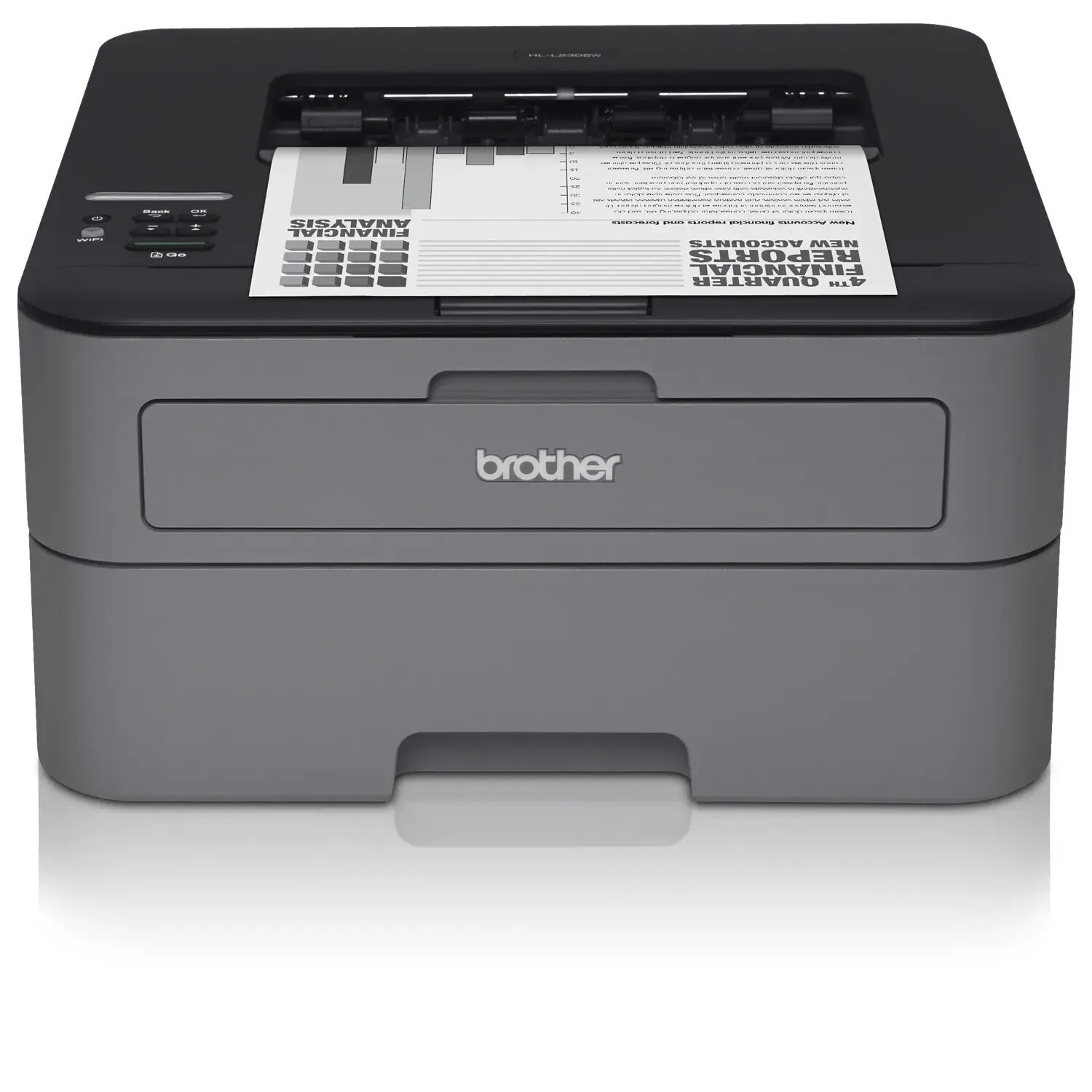
Quick answer: The Brother HL-L2305W uses TN630 standard-yield toner (about 1,200 pages) or TN660 high-yield toner (about 2,600 pages), with a separate DR630 drum unit good for roughly 12,000 pages. Monochrome only — one black cartridge at a time.
The Model the Big-Box Stores Sold
If your printer's badge says HL-L2305W, you most likely carried it home from a large retail chain rather than ordering it through an office supplier. Brother built this variant for the retail channel, which is why owners sometimes struggle to find it on supply lists written around the office-catalog models. The reassurance is simple: underneath the badge it belongs to the same TN630/TN660 family as its better-documented siblings, and nothing about its supplies is exotic or store-specific.
What the retail badge buys you is a genuinely wireless personal printer. It connects over Wi-Fi with Wi-Fi Direct, keeps a USB port for a direct cable, and prints at up to 24 pages per minute with automatic two-sided output. Brother rates it for 250 to 2,000 pages a month — a home office rhythm — and feeds it from a 250-sheet tray, so paper refills are rarer than toner decisions.
Yields, Prices and the Cost of a Page
| Supply | Rated yield | Our compatible price | Cost per page |
|---|---|---|---|
| TN660 high-yield toner | ~2,600 pages | $22.95 | ~0.9¢ |
| TN630 standard toner | ~1,200 pages | Sold as the TN660 above | — |
| DR630 drum unit | ~12,000 pages | $27.67 | ~0.2¢ |
Brother publishes those yields under ISO/IEC 19752 at 5% coverage. Expect the first replacement sooner than the table suggests: the in-box cartridge is a starter of about 700 pages, so the printer's first "low toner" moment arrives early in its life and says nothing about the replacements, all of which are full size. Our compatible cartridge is sold as one listing covering both TN630 and TN660 part numbers at a single price, which is why the standard cartridge carries no cost-per-page figure of its own — plan on the high-yield rating, because that is the capacity class the shared cartridge is bought for.
Printing From Everything You Own
The feature owners actually use daily is the wireless stack. AirPrint covers iPhones and iPads without an app, Mopria handles most Android phones, and Brother's own mobile apps add scanning-adjacent tools and status checks. Wi-Fi Direct deserves a mention of its own: it lets a laptop or phone connect straight to the printer without a router in between, which rescues print jobs in dorm rooms, site cabins and holiday rentals where the network is somebody else's problem.
Wireless convenience changes toner habits in one subtle way — a printer everyone in the house can reach gets used more than a printer tethered to one desk. If your HL-L2305W serves a family, assume your real monthly volume sits higher than your own printing alone, and let that push you toward the high-yield size.
Buying the Toner and Drum Together
There is a combined option worth knowing about before drum day arrives: our TN660 toner and DR630 drum set. On November 2, 2026 the set was priced at $34.54, while the same cartridge and drum ordered separately totaled $50.62 — a saving of about $16, with a single delivery to track. Versions pairing the drum with two or three toners sit alongside it for steadier printers.
Buy with timing in mind, though. A drum is a 12,000-page part, and on a home printer that can mean several years of service. If your drum is young, the set's drum will wait in a cupboard doing nothing; stock toner alone now, and let the set make its debut when the drum counter is genuinely advanced.
Changing the Cartridge
With the printer powered, open the front cover and slide the drum-and-toner assembly out. Squeeze the green lever, lift the spent cartridge clear, and give its replacement a gentle side-to-side rock before peeling off the protective cover. Press the cartridge into the drum until it clicks home, slide the green corona tab across and back to its mark, return the assembly, and close up. If a toner warning lingers after a correct swap, the printer's page counter needs a reset — a sequence done through the control panel and cover — rather than another reseating of a cartridge that is already seated properly.
The Drum, Briefly
The DR630 sits beneath the toner cartridge and transfers the image to the paper. It is rated near 12,000 pages — on the order of four or five high-yield cartridges — and it fails gradually: look for the same mark repeating down the page, or a "Replace Drum" message, rather than overall fading. Fading belongs to the toner cartridge; give it a rock from side to side before blaming anything else.
Questions From HL-L2305W Owners
Why can't I find this model on some toner compatibility charts? It was a retail-channel variant, and some charts were written for the office channel. Its supplies are the family's standard TN630, TN660 and DR630 — the same parts its office siblings use.
Can visitors print without joining my Wi-Fi? Yes. Wi-Fi Direct creates a direct link between the guest's device and the printer, so nobody needs your network password to print a boarding pass.
Does it print on both sides automatically? Yes — automatic duplex printing is built in. It saves paper rather than toner, since each printed side uses the same toner as a single-sided page.
My router changed and the printer vanished. What now? Reconnect it from the printer's network menu using the new network name and password. The toner, drum and settings are unaffected; only the wireless handshake needs redoing.
How long should a cartridge last in a home office? At a few hundred pages a month, a high-yield cartridge typically lasts the better part of a year. The starter cartridge's roughly 700 pages are the exception that makes the first swap feel early.
 brother tn660 tn630 toner cartridge black TN 660 TN 630
 brother dr630 toner cartridge black
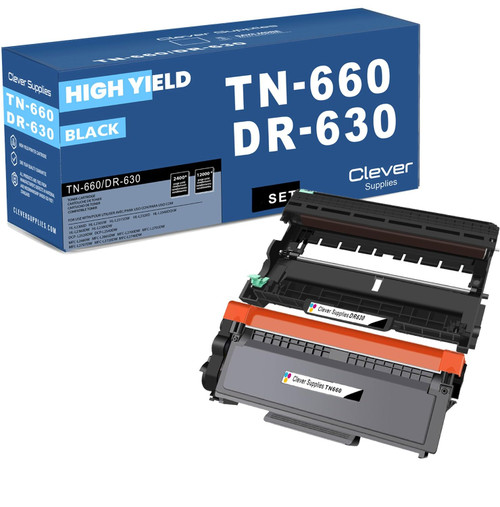 brother tn660 dr630 black drum and toner set
Key takeaways
- The top cartridge here is rated at 2,600 pages — fewer swaps, lower cost per page.
- Lowest cost per page in this family: ~0.9¢ with the highest-yield cartridge.
- Buying the toner + drum set instead of the parts separately saves $16.
Other Printers That Use TN630, TN660 and DR630
The same three supplies serve sixteen Brother models. Print-only relatives include the HL-L2300D, HL-L2315DW, HL-L2320D, HL-L2340DW, HL-L2360DW and the touchscreen-equipped HL-L2380DW. Owners who also copy and scan on the same supplies have the DCP-L2520DW and DCP-L2540DW. The fax-capable branch runs through the MFC-L2680W, MFC-L2685DW, MFC-L2700DW, MFC-L2705DW, MFC-L2707DW, MFC-L2720DW and MFC-L2740DW. The full range for this printer lives on the HL-L2305W category page.