




What Toner Does the Brother DCP-L2520DW Use?
Nov 2nd 2026
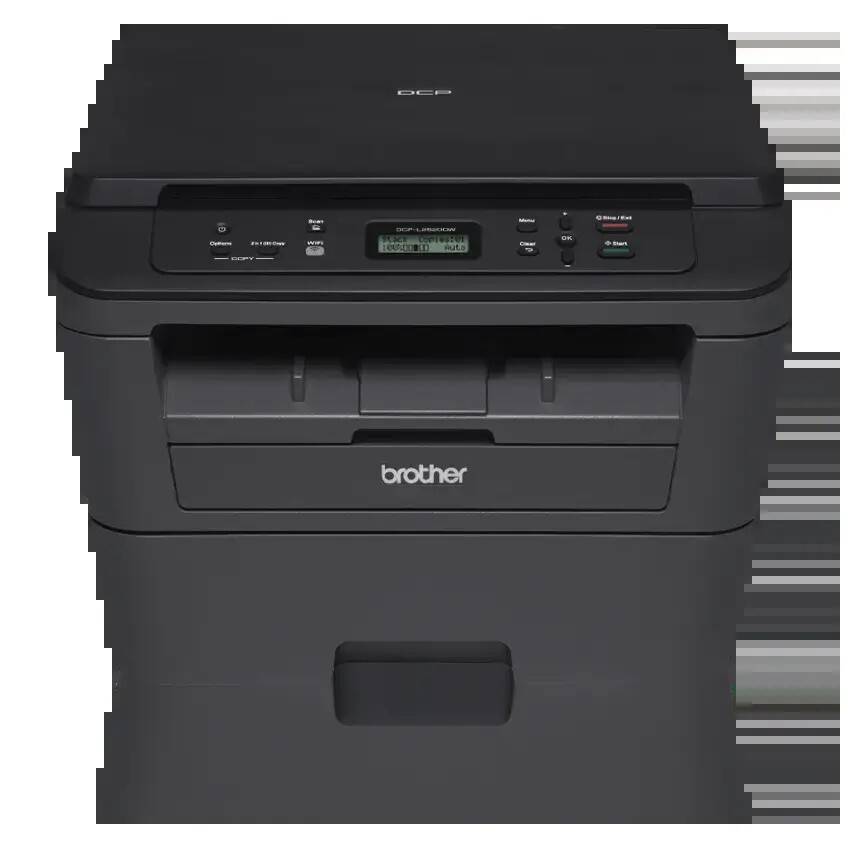
Quick answer: The Brother DCP-L2520DW takes TN630 standard-yield toner (about 1,200 pages) or TN660 high-yield toner (about 2,600 pages), and a separate DR630 drum unit rated for approximately 12,000 pages. Black only, one cartridge at a time.
The All-in-One That Refused to Fax
Brother's DCP badge has a specific meaning: print, copy and scan, with fax deliberately left off the menu. The DCP-L2520DW is exactly that — a flatbed all-in-one for people who scan documents and copy forms but have not sent a fax since the last century and do not intend to start. Choosing it over an MFC sibling saves money on hardware you would never switch on, and its supplies are identical either way.
The hardware earns its desk space. It prints at up to 27 pages per minute with automatic two-sided printing, copies and scans from a flatbed — including standalone copying that needs no computer, and an ID copy function that places both sides of a card on one page — and connects by Wi-Fi or USB. Note the absence in that list: there is no Ethernet port, so this is a wireless-or-cable machine. The tray holds 250 sheets, and Brother rates the unit at 10,000 pages a month maximum with 250 to 2,000 recommended.
One consumption habit separates DCP owners from print-only owners: copying spends toner. A scan is free, but every copy is a printed page, so a family that copies music practice sheets, homework and returned-merchandise labels will move through cartridges faster than its printing alone explains.
Costs, Per Page and Per Cartridge
| Supply | Rated yield | Our compatible price | Cost per page |
|---|---|---|---|
| TN660 high-yield toner | ~2,600 pages | $22.95 | ~0.9¢ |
| TN630 standard toner | ~1,200 pages | Sold as the TN660 above | — |
| DR630 drum unit | ~12,000 pages | $27.67 | ~0.2¢ |
Yields follow Brother's ISO/IEC 19752 ratings at 5% coverage. Set one expectation now: the cartridge inside the box is a starter of roughly 700 pages, so the first replacement order comes early — the replacements are the full sizes in the table. Our compatible cartridge is a single listing that serves both the TN630 and TN660 part numbers at one price; since no distinct standard-yield price can be isolated, the TN630 is given by yield only, and the high-yield rating is the practical planning number.
Changing the Cartridge
Power on, open the front cover, and pull the drum-and-toner assembly out toward you. Press the green lock lever, lift the spent cartridge free, and rock its replacement gently side to side before removing the protective cover. Press the new cartridge into the drum until it clicks, slide the green corona-wire tab across and back to its starting mark, reinstall the assembly, and close the cover. If the machine still reports low toner with a fresh cartridge properly seated, its page counter needs the reset sequence — a control-panel matter that reseating cannot fix.
The Drum Underneath It All
Prints and copies both run across the DR630 drum, which is rated for about 12,000 pages — on the order of four or five high-yield cartridges. Scans never touch it. When the drum wears, printed pages show it first: a mark repeating at the same spacing, or a "Replace Drum" message. Washed-out output is not the drum's symptom; rock the toner cartridge for fading, and suspect the drum only when a defect keeps perfect time down the page.
Buying Both Wear Parts at Once
For the point where toner and drum schedules meet, our TN660 toner and DR630 drum set ships the pair together. It was priced at $34.54 on November 2, 2026, against $50.62 for the same two items ordered separately — about $16 saved and a single delivery. Sets pairing the drum with two or three toner cartridges are available beside it.
The balanced view: a drum is a 12,000-page part, which at home volumes can mean years between changes. Buying the set while your drum is in its youth parks a part on a shelf; buy toner alone until the drum's counter — prints and copies together — shows genuine mileage, then let the set do its work.
Questions From DCP-L2520DW Owners
Can I fax from it with an app or a phone line? No. Fax hardware is simply not built into this model — that is the DCP line's defining choice. The MFC models in the list below are the fax-equipped route to the same supplies.
Does scanning a document use toner? No. Scanning only captures the image. Copying uses toner, because a copy is a printed page.
Can it copy without the computer switched on? Yes. Standalone copying is a front-panel job, and the ID copy feature fits both sides of a card onto a single sheet.
Why is there no network socket? This model connects by Wi-Fi or USB only. If a wired port is essential, the family's MFC-L2700DW-class models or the HL-L2360DW printer offer Ethernet with the same or related supplies.
My copies look fine but prints repeat a spot. What gives? Both use the print engine, so a repeating spot on either points at the drum. If the flaw appeared only in scans, the scanner glass would be the suspect instead.
 brother tn660 tn630 toner cartridge black TN 660 TN 630
 brother dr630 toner cartridge black
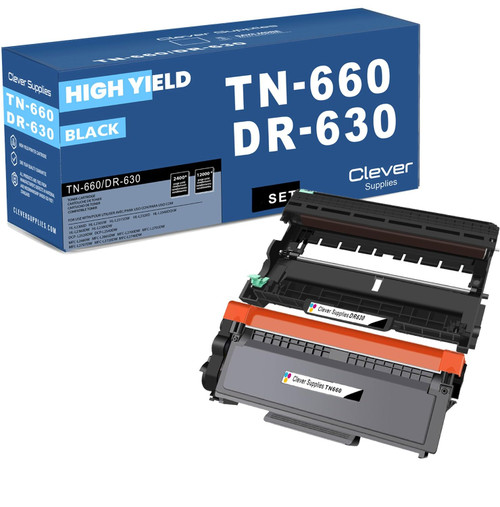 brother tn660 dr630 black drum and toner set
Key takeaways
- The top cartridge here is rated at 2,600 pages — fewer swaps, lower cost per page.
- Lowest cost per page in this family: ~0.9¢ with the highest-yield cartridge.
- Toner and drum are separate parts on this printer — replace only the one the printer asks for.
Other Printers That Use TN630, TN660 and DR630
The DCP-L2520DW shares its supplies with fifteen other Brother models. Its closest relative is the feeder-equipped DCP-L2540DW. The print-only branch: HL-L2300D, HL-L2305W, HL-L2315DW, HL-L2320D, HL-L2340DW, HL-L2360DW and HL-L2380DW. The fax-carrying branch: MFC-L2680W, MFC-L2685DW, MFC-L2700DW, MFC-L2705DW, MFC-L2707DW, MFC-L2720DW and MFC-L2740DW. Every supply this model takes is gathered on the DCP-L2520DW category page.