




What Toner Does the Brother MFC-L8610CDW Use?
Nov 8th 2026
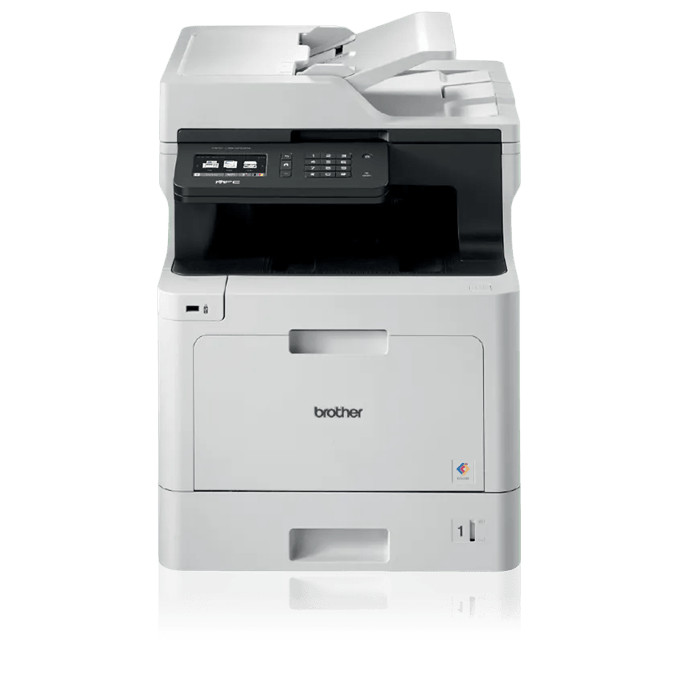
Quick answer: The Brother MFC-L8610CDW runs on TN431 standard toner or TN433 high-yield toner — black, cyan, magenta and yellow in either size. Brother rates TN431 at about 3,000 pages for black and 1,800 pages for each colour, while TN433 reaches roughly 4,500 pages for black and 4,000 pages per colour. Both sizes feed into a DR431CL drum unit. Be clear on one boundary before ordering: despite belonging to this family, the MFC-L8610CDW does not accept the extra-high TN436 cartridge.
Four Jobs, One Set of Cartridges
Print, copy, scan and fax all draw on the same four toners: a morning of colour copying can drain a cartridge that pure printing would have spared for weeks. Rated at 33 pages per minute for printing and copying, it behaves like the workgroup printer at its core, with a 50-page automatic document feeder on top.
That feeder deserves an honest footnote. Scanning is simplex only — Brother lists duplex scanning as No — at 29 images per minute in black and 29 in colour. Double-sided originals are turned over by hand. Its typical diet is single-sided copies and scans feeding straight back out as prints.
Yield Table for This All-in-One
| Colour | TN431 (standard) | TN433 (high yield) |
|---|---|---|
| Black | ~3,000 pages | ~4,500 pages |
| Cyan | ~1,800 pages | ~4,000 pages |
| Magenta | ~1,800 pages | ~4,000 pages |
| Yellow | ~1,800 pages | ~4,000 pages |
The ratings come from Brother under ISO/IEC 19798. For a copying office, the colour jump matters most: swapping a 1,800-page colour cartridge for a 4,000-page one more than halves how often work pauses for toner.
What a Page Costs From Our Shelf
Transparency first about the smaller size. What we sell into the TN431 position is a shared TN431/TN433 listing — titled TN431, priced at $28.39, and specified at the high-yield figure of 4,500 pages black and 4,000 colour. There is no true standard-yield compatible TN431 in our catalogue to price, and dividing $28.39 by Brother's standard 3,000/1,800 yields would understate the cartridge's actual rating. We leave that cell blank deliberately.
For the TN433 cartridges, at $28.39 each:
- The black works out to approximately 0.63 cents per page over 4,500 rated pages
- Cyan, magenta or yellow each work out to approximately 0.71 cents per page over 4,000 rated pages
Connections, Paper and Duty
Wireless networking, Gigabit Ethernet and USB give the whole office a route in, and printed output is automatically two-sided even though scanning is not. Paper starts with a 250-sheet tray plus a 50-sheet multipurpose tray and can expand to 1,050 sheets. Brother sets a 40,000-page monthly maximum and recommends roughly 3,000 pages a month or below. Out of the carton it carries standard-yield toner, so an early TN433 upgrade is the common path once copying volume reveals itself.
Order by Colour: the Full TN431 and TN433 List
TN433 high yield, $28.39 per cartridge
Cartridges sold for the TN431 positions, high-yield rated, $28.39
- Black for the TN431 position
- Cyan for the TN431 position
- Magenta for the TN431 position
- Yellow for the TN431 position
Replacing Toner Between Jobs
With the printer left on, open the front cover, ease the drum carriage out, and press the green lever on whichever colour unit has run dry. Lift the spent cartridge away, rock its replacement gently side to side, strip the protective cover, and seat it until the lever catches. Slide the green cleaning tab across and back to its mark, return the carriage, and shut the cover.
The Sensible Bundle: TN433 Four Colours Together
Our recommendation for this model tops out at the TN433 four-colour set, priced at $65.31 against $113.56 for the four singles bought separately — a saving of $48.25. A set suits the moment the starter colours, installed together and consumed by the same copying habits, begin expiring in a cluster.
The counter-case is just as practical: one colour empty while its neighbours show strong levels means a $28.39 single is the right purchase. Stockpiling three unneeded cartridges helps nobody.
The DR431CL Drum Behind the Toner
Cartridges supply powder; the DR431CL unit, into which all four click, forms the page image. Expect roughly 30,000 pages if most jobs are single pages, and up to about 50,000 when three-page jobs are the norm. A BU330CL belt unit and WT320CL waste toner box support it, both rated near 50,000 pages. Important sourcing note: Clever Supplies lists no compatible DR431CL — the drum in our store is a genuine Brother item only — hence no buying link for it in this post. Repeated defects at regular spacing, persisting across a cartridge change, point to the drum.
MFC-L8610CDW Questions, Answered
Can this model scan both sides automatically through the feeder? No. The 50-page feeder scans one side at a time; Brother lists duplex scanning as unavailable here, although duplex printing is automatic.
Why is TN436 not an option when relatives accept it? Compatibility splits by model, not by cartridge appearance. This model's list ends at TN433; its larger MFC siblings are cleared for TN436.
Does faxing consume toner? Only when a fax is printed out. Receiving and storing one uses no toner until a page emerges.
How fast does it scan a stack of letters? At 29 images per minute in black and 29 in colour, one side at a time, through the 50-page feeder.
What toner is fitted when the machine is new? A standard-yield set: black near 3,000 pages, each colour near 1,800 pages.
 brother tn433 toner cartridge 4 color set tn433bk tn433c tn4
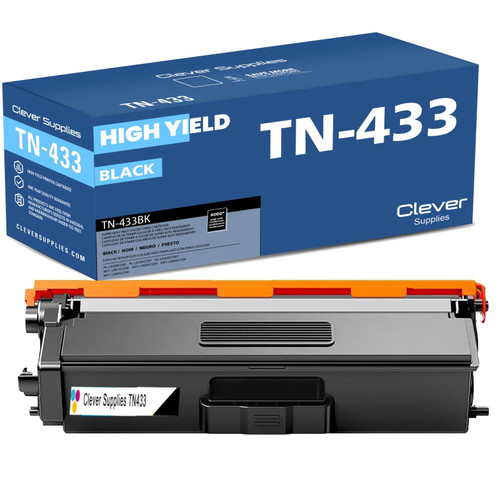 brother tn433 toner cartridge black tn433bk
 brother tn433 toner cartridge cyan tn433c
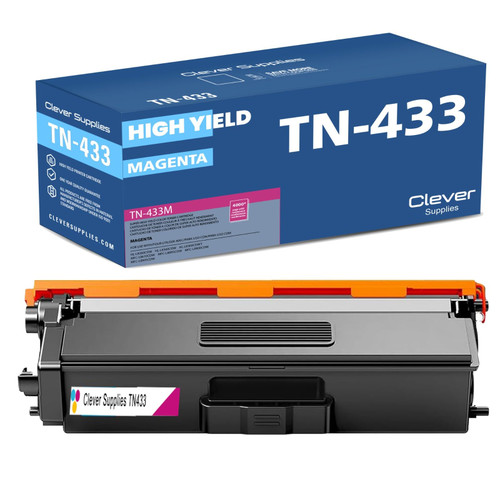 brother tn433 toner cartridge magenta tn433m
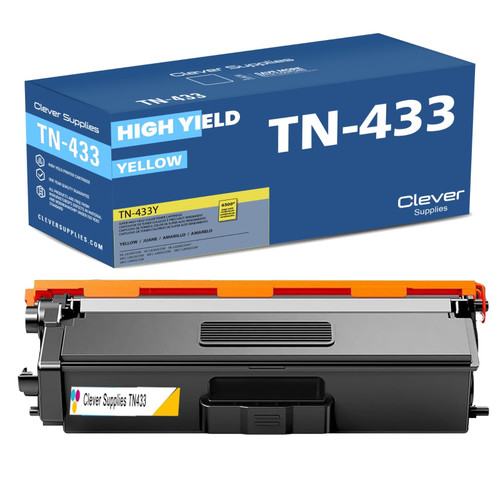 brother tn433 toner cartridge yellow tn433y
Key takeaways
- The top cartridge here is rated at 4,500 pages — fewer swaps, lower cost per page.
- Buying the set instead of the individual cartridges saves $48.25.
- Toner and drum are separate parts on this printer — replace only the one the printer asks for.
Other Printers in This Toner Family
Six companions complete the seven-model group sharing TN431, TN433 and the DR431CL drum. Among the print-only machines are the HL-L8260CDW, which shares this model's TN433 ceiling, plus the TN436-capable HL-L8360CDW and its dual-tray partner, the HL-L8360CDWT. The all-in-one bench is completed by the MFC-L8895CDW, the MFC-L8900CDW and the MFC-L8905CDW — those three, unlike yours, also take TN436.
Everything stocked specifically for your all-in-one is gathered on the Brother MFC-L8610CDW category page.