




What Toner Does the Brother HL-3040CN Use?
Posted by Clever Supplies on Nov 16th 2026
Quick answer: The Brother HL-3040CN uses four TN210 cartridges — TN210BK black (about 2,200 pages) and TN210C, TN210M and TN210Y colours (about 1,400 pages each). You may also see this slot sold as TN215 by some compatible brands; that is an aftermarket high-yield label for the same cartridge shape, not a separate Brother cartridge — Brother's own manuals for this printer list TN210 only. Each toner clicks into a DR210CL drum unit, part of a four-drum set rated at about 15,000 pages.
The Wired Network Printer of the First LED Generation
The letters at the end of the name are the spec sheet in miniature: on the HL-3040CN, the "N" means network. This is a print-only colour LED machine with a built-in Ethernet port and USB, and deliberately no wireless — it was built to sit on a small-office network and be shared over the cable. It prints at up to 17 pages per minute on Letter in both colour and black, at up to 600 × 2,400 dpi, from a 250-sheet tray with a single-sheet manual feed slot above it. Two-sided printing is manual: the driver prints one side, then walks you through reloading the stack.
Because it is shared and always on, an HL-3040CN tends to accumulate pages faster than a personal printer — which is why its supply ratings, not its purchase price, decide what it costs to own.
Yields, Colour by Colour
| Colour | Cartridge | Rated yield |
|---|---|---|
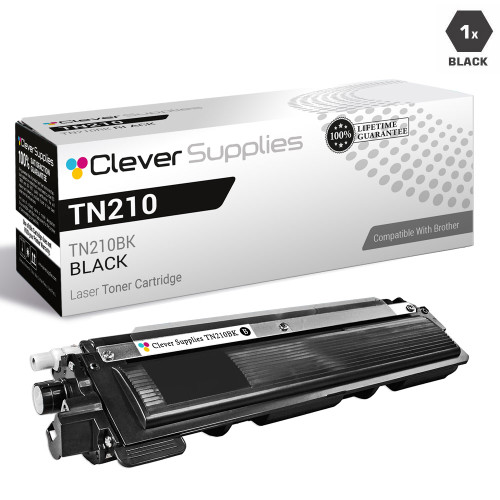
| Black | TN210BK | ~2,200 pages |
| Cyan | TN210C | ~1,400 pages |
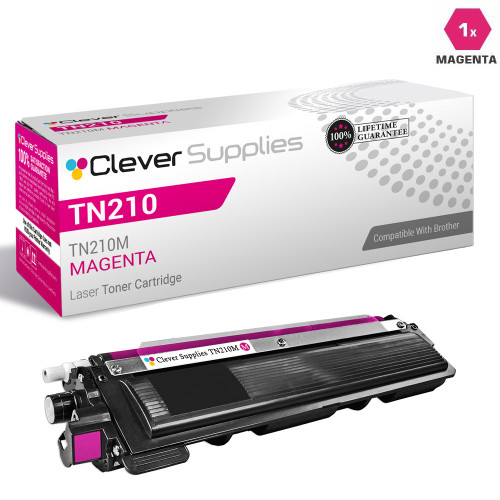
| Magenta | TN210M | ~1,400 pages |
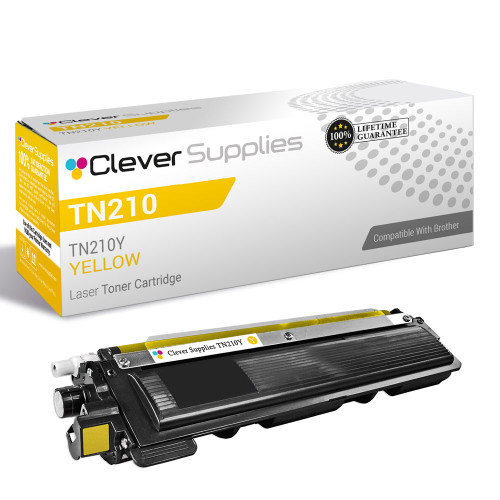
| Yellow | TN210Y | ~1,400 pages |
Brother's figures follow ISO/IEC 19798. Two honest footnotes belong with this table. First, the cartridges in the box are starters rated at roughly 1,000 pages per colour, so the first "toner low" warning arrives early by design. Second, there is no Brother TN215 rating to put beside these numbers: Brother never published a high-yield sibling for this family in the US, so any TN215 page count you see elsewhere is a compatible maker's own estimate, not a Brother figure.
What a Page Costs on Our Shelf
- TN210BK Black: $27.81 over ~2,200 pages ≈ 1.3¢ per page
- TN210M Magenta: $26.82 over ~1,400 pages ≈ 1.9¢ per page
- TN210Y Yellow: $26.82 over ~1,400 pages ≈ 1.9¢ per page
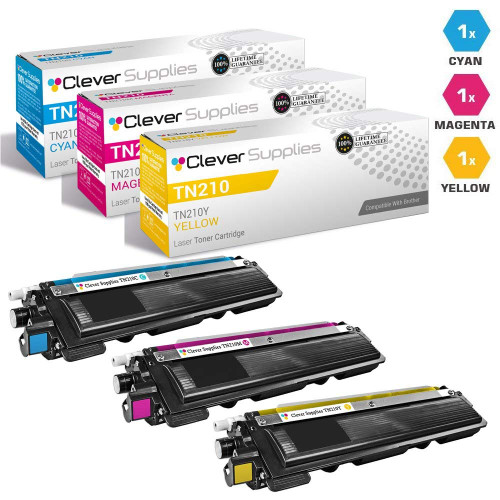
- Cyan is the odd one out in our store: we do not list a standalone compatible TN210C single. Cyan reaches our shelf inside the colour sets — in the TN210 three-colour set at $48.31, each colour works out to about $16.10, or roughly 1.2¢ per page.
Toner-only maths, as always: heavy colour coverage drinks a colour cartridge faster than its rating assumes.
Swapping a Cartridge
Leave the printer powered, open the top cover, and pull out the drum-and-toner assembly for the colour the display names. Press the green lock lever and lift the old cartridge out of its drum. Rock the new cartridge gently side to side, remove its protective cover, and set it into the same drum until the lever clicks up. Slide the drum's green tab across and back to clean the corona wire, refit the assembly, and close the cover. Match colours to the labels inside the cover — the assemblies are identical in shape, so the label is the only guard against a swapped colour.
Drums, Belt and Waste Box
Under the toners sit four DR210CL drum units, rated as a set at about 15,000 pages (Brother also splits the set as a black drum and a combined colour drum). Behind them, the BU200CL belt unit and the WT200CL waste toner box are each rated at roughly 50,000 pages and announce themselves with their own "end soon" messages. A repeating mark at fixed intervals down the page is a drum symptom, not a toner one. Our store carries the DR210CL only as a genuine Brother listing, so there is no compatible drum link in this guide — plan on the genuine set when the drum counter runs out.
The Set Math
Our TN210 four-colour set costs $60.04. The three compatible singles we sell separately — black, magenta and yellow — already total $81.45, and that still leaves cyan unbought. The set is therefore not a bulk-buy compromise on this family; it is simply the cheapest way to refresh all four slots, and the only way to buy compatible cyan from us at all. The honest counter-case is narrow: if exactly one colour is empty and it is black, magenta or yellow, a $27-ish single beats parking three spares in a cupboard.
Questions Owners Ask About This Model
Is the HL-3040CN wireless? No. The CN suffix is wired networking — Ethernet and USB only. Its wireless sibling in the same generation is the HL-3070CW.
A seller lists TN215 cartridges for this printer. Are they the wrong part? Not the wrong shape — TN215 is a label some compatible brands use for a high-yield version of this cartridge. Brother itself specified only TN210 for the HL-3040CN, and TN215 yields are the maker's estimates rather than Brother ratings. Our store sells this family in the TN210 size.
Why did the first set of cartridges run out so quickly? They were starter cartridges of roughly 1,000 pages per colour. A retail TN210 colour cartridge is rated at about 1,400 pages and the black at about 2,200, so the second set lasts visibly longer.
Does it print two-sided automatically? No. Duplex is manual on this model — the driver pauses and prompts you to turn the stack over.
The display says "Replace Drum" but I just changed toner. Why? Toner and drums run on separate counters. The DR210CL set is rated around 15,000 pages; the message is about the drums under the cartridges, not the cartridges themselves.
 brother tn210bk laser toner compatible cartridge black
 brother tn210m laser toner compatible cartridge magenta
 brother tn210y laser toner compatible cartridge yellow
 brother tn210 toner cartridge 3 color set tn210c tn210m tn21
Key takeaways
- The top cartridge here is rated at 2,200 pages — fewer swaps, lower cost per page.
- Toner and drum are separate parts on this printer — replace only the one the printer asks for.
For the full family comparison — every pack size priced by the page — see the Best Brother TN210 Toner Cartridges buying guide.
Other Printers That Use TN210 and TN215
Everything for this printer is gathered on our HL-3040CN toner page.