




When a Brother laser printer in this family announces that its drum is finished, the part it wants is the DR820 — a separate imaging unit that the toner cartridge clicks into, rated by Brother at about 30,000 pages. This page prices every way this store sells that drum, from a single unit to a 5-pack, and it starts with the check that decides whether the DR820 is even your drum: this platform splits in two at the drum, and the five flagship models take a different one.
The DR820 is the drum for seventeen Brother monochrome printers that run TN820, TN850 or TN880 toner. A single compatible drum costs $30.04; buying in packs lowers the per-drum price in steps to $17.18. Five models that share this family's toner shelf — the HL-L6250DW, HL-L6400DW, HL-L6400DWT, MFC-L6750DW and MFC-L6900DW — do not take this drum; theirs is the DR890. Everything below is organized around that line: fit first, then the ladder, then how to tell a drum problem from a toner problem.
Seventeen printers take this drum — and five close relatives take another
Brother's toner pages for this family name twenty-two models, and it is natural to assume one drum serves them all. Brother's own DR820 page says otherwise. It lists seventeen models, and the five missing names are not an oversight: HL-L6250DW, HL-L6400DW, HL-L6400DWT, MFC-L6750DW and MFC-L6900DW are built around a different drum, the DR890, which Brother rates at about 50,000 pages. The toner tiers cross the line freely — a TN850 cartridge fits machines on both sides — but the drum does not. The seventeen printers that genuinely take the DR820 are these:
DCP series: DCP-L5500DN · DCP-L5600DN · DCP-L5650DN
HL series: HL-L5000D · HL-L5100DN · HL-L5200DW · HL-L5200DWT · HL-L6200DW · HL-L6200DWT · HL-L6300DW
MFC series: MFC-L5700DW · MFC-L5705DW · MFC-L5800DW · MFC-L5850DW · MFC-L5900DW · MFC-L6700DW · MFC-L6800DW
Two honest footnotes belong with that list. The MFC-L5705DW stands on Brother's roster but has no model page in this store, so it is named here without a link rather than pointed at the wrong place. And the toner tiers do not map onto the seventeen evenly: TN820 and TN850 cartridges fit every machine on the wider toner roster, while the higher TN880 tier fits only ten models — five of them on the DR820 side (HL-L6200DW, HL-L6200DWT, HL-L6300DW, MFC-L6700DW, MFC-L6800DW) and five on the DR890 side. The top TN890 tier fits three models, all of them DR890 machines, so a TN890 owner should stop reading here: your drum is the DR890, and no part of this page's shelf will fit your printer.
One warning about the listings themselves, because it is this family's sore spot: the product pages in this store name all twenty-two toner-roster models in their fit text, DR890 machines included, and the drum listings are filed under those five models' pages as well. Follow the listings and a DR820 can be ordered for an HL-L6400DW, where it does not fit. This guide follows Brother's seventeen, and names the DR890 five in prose precisely so their owners are redirected before they buy, not after. Brother lists the DR890 at $151.99 through its dealers, and this store stocks the genuine DR890 as its only DR890 option — no compatible version of that drum exists here.
One drum, five pack sizes: what each step down the ladder buys
A naming wrinkle needs clearing away before the prices, because it causes real confusion in this family: some of this store's DR820 listings carry the words “Toner Cartridge” in their titles although the box holds a drum unit — one of them even opens its own questions by asking whether the name means it is actually toner. It is not. Every offer carded below is a drum unit, labeled as one here, and the older listings whose titles already say “Drum Unit” are the same part in the same box. The yardstick for every saving on this page is the single drum at $30.04: two bought separately come to $60.08, three to $90.12, four to $120.16 and five to $150.20. Judge each pack against its own line in that sequence and nowhere else.

A drum is the longest-lived part in these printers: at Brother's rating, even a busy office can take years to wear one out, and a lightly used machine may see two drum changes in its whole life. That is exactly why the pair is the natural purchase. The second unit costs $13.96 beyond the single, locks in the lowest per-drum price most owners will ever need, and removes the one supply event in this family that otherwise stops work cold while a delivery is in transit. Owners running several of these machines, or one machine that can never be down, should look at the deeper packs below instead — the arithmetic keeps improving, it just improves more slowly.
Shop the 2-Pack →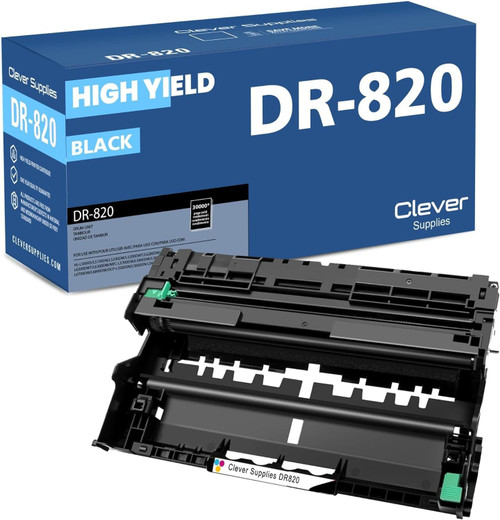
The baseline every figure on this page is measured against, at about $1.00 per thousand pages. The right size for a lightly used printer, or one you expect to retire before a second drum is due.
Shop the Single →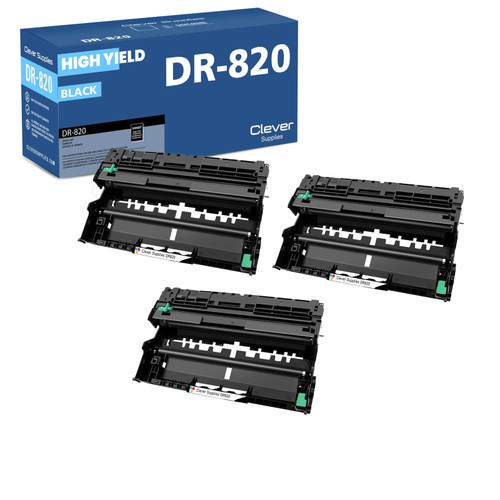
$19.32 per drum and about $0.64 per thousand pages. A sensible depth for a small fleet of two or three machines that share this drum, or one high-volume printer kept permanently stocked.
Shop the 3-Pack →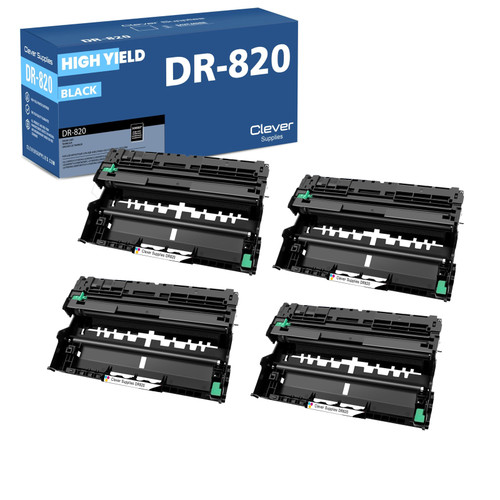
$17.98 per drum and about $0.60 per thousand pages. Beyond this point the per-drum price barely moves, so four is where the ladder's real discounting effectively ends.
Shop the 4-Pack →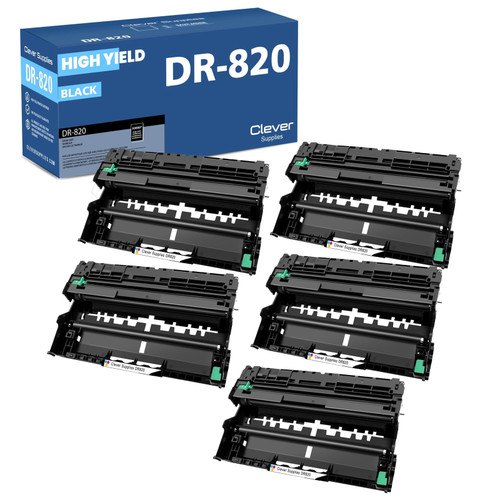
$17.18 per drum — only $0.80 a unit below the 4-pack — and about $0.57 per thousand pages. Buy it for depth across a fleet, not for a meaningfully better price.
Shop the 5-Pack →The five offers side by side, priced per thousand pages
Every row is the same drum with the same Brother rating of about 30,000 pages per unit; only the quantity in the box changes. The cost-per-thousand column is the honest way to compare them, because it is the drum's actual contribution to what a page costs you.
| Offer | Pack price | Per drum | Cost per 1,000 pages | Against buying singles |
|---|---|---|---|---|
| 2-Pack — this page's pick | $44.00 | $22.00 | $0.73 | SAVE $16.08 |
| Single | $30.04 | $30.04 | $1.00 | The baseline |
| 3-Pack | $57.96 | $19.32 | $0.64 | SAVE $32.16 |
| 4-Pack | $71.93 | $17.98 | $0.60 | SAVE $48.23 |
| 5-Pack | $85.89 | $17.18 | $0.57 | SAVE $64.31 |
| Genuine Brother DR820, single (reference) | $159.29 | $159.29 | $5.31 | In stock, at Brother's own price |
Read the steps, not just the totals: the jump from one drum to two cuts the per-thousand cost by more than a quarter, the steps to three and four keep helping, and the step from four to five buys depth rather than discount. Most single-machine owners should stop at the 2-pack; the deeper packs earn their shelf space where several machines share this drum.
Reading the page in front of you: drum trouble or toner trouble?
The toner cartridge and the drum unit fail differently, and telling them apart before you order saves a return. Toner problems belong to one cartridge: print fades toward one side or overall, the machine reports low toner, and a fresh cartridge — or even reseating and gently rocking the current one — changes what you see. Drum problems belong to the surface the image is formed on, and they look different: a light gray wash or background shading spread across the whole page, the same mark or dot pattern repeating down the sheet at regular intervals, or vertical banding that stays identical no matter which toner cartridge is installed. The decisive test is persistence — a defect that survives a known-good toner cartridge is the drum's, and a defect that vanishes with the cartridge was never the drum's.
When the printer itself settles the question, believe it: these machines count drum pages separately from toner, and the Replace Drum message refers to the unit on this page, not to the cartridge. In pages, one drum outlasts roughly ten TN820 cartridges, about three and three-quarter TN850s, or about two and a half TN880s — which is why a printer can go through a shelf of toner between drum warnings, and why the warning, when it comes, surprises people.
After the new drum is in, one step remains, and skipping it is the most common cause of a drum warning that refuses to clear: reset the drum counter from the front panel. These models keep the drum's page tally in the machine's parts-life records, and Brother documents a reset path for the drum — through the machine's menu, on the same screens where the parts-life counts are shown — for each model in this family. Reset the drum count only, and only when a drum has actually been replaced; resetting it on an old drum teaches the printer to trust a surface that is still worn, and the quality problems return while the counter insists everything is new. The toner counter is a separate tally and is not touched by a drum change.
Buying the drum and its toner in one box
Alongside the drum-only shelf, this store sells the DR820 bundled with TN880 toner in four shapes: one drum with one cartridge at $43.03, one drum with two at $56.03, one drum with three at $69.02, and two drums with two cartridges at $71.54. Those sets live on the toner side of the family, so they are priced and compared in full in the Best Brother TN850 Toner guide, and this page deliberately prints no savings figures for them — the comparison belongs in one place. Two things are worth knowing here, though. First, the fit caveat sharpens for the sets: a TN880-and-DR820 bundle genuinely serves only the five models that take both parts — HL-L6200DW, HL-L6200DWT, HL-L6300DW, MFC-L6700DW and MFC-L6800DW — however many models a set's listing names. Second, an honest quirk in the shelf: the two-drum, two-toner set also exists in a second listing priced at $69.99, which is $1.55 less than the $71.54 listing the toner guide points to, for identical contents. If you are buying that set, the cheaper twin is the one to put in the cart.
The genuine Brother drum, priced with nothing to hide behind
The genuine DR820 is stocked in this store at $159.29, and that figure deserves a second look for an unusual reason: it is Brother USA's own price for the drum, to the cent. There is no markup story to tell in either direction — the shelf is not discounting Brother, and it is not charging above Brother either. It was in stock and orderable on the day this page was written, as were the store's genuine toner-and-drum bundles built around this family's cartridges.
So the comparison is a clean one: $159.29 for one genuine drum, against $30.04 for one compatible drum carrying the same Brother-published rating of about 30,000 pages — roughly five and a third times the price for the same rated life. What the genuine premium buys is Brother's own manufacturing and Brother's own warranty behind the part; genuine products in this store carry the manufacturer's warranty and a 30-day return window, where the compatible drums above carry this store's one-year warranty and one-year returns. Owners under a service arrangement that specifies genuine parts, or who simply prefer the manufacturer's part in a machine they depend on, have a fairly priced option here. Everyone else is paying for provenance, and this page's cards exist because the rated pages are the same.
About chips, this family has almost nothing to say — and that is the point
A drum unit is a mechanical imaging part; it carries no toner supply to measure and no level for a printer to report, so there is no fitted-chip claim for this guide to make, and none is made. Buyers who go looking will find the word “chip” in a handful of this family's older listings, inside two sentences of shared template text that also appears on toner products — copy that talks about tracking ink levels, on a monochrome laser drum. That is boilerplate, not a specification, and it is not repeated here as evidence of anything; the family's newer drum listings and all of its toner-and-drum sets say nothing about chips at all. What can be stated on the record is Brother's own published support position, and it is the same one quoted across this store's Brother guides: “Brother firmware updates do not block the use of third-party ink and toner cartridges in our machines.” Beyond that sentence, this page promises nothing about recognition or firmware, because nothing more has been verified.
What stands behind every order from this page
Five checks to run before a DR820 goes in the cart
Questions that come up when this drum comes due
No, and this is the easiest wrong order in the family to place. The HL-L6400DW shares its toner shelf with the machines on this page, which is why DR820 listings get filed under its model page, but Brother assigns it the DR890 drum. The same applies to the HL-L6250DW, HL-L6400DWT, MFC-L6750DW and MFC-L6900DW. This store's only DR890 is the genuine Brother unit; no compatible version is stocked.
The DR890, not anything on this page. The TN890 tier fits three models, every one of them a DR890 machine, so the DR820 does not serve that tier at all. If a listing suggests a DR820 for a TN890 printer, the listing is wrong and Brother's pages are right.
A drum unit. A few of this store's DR820 listings — the newer duplicates of the single and the 2-pack — carry “Toner Cartridge” in their titles while their specifications, yields and contents describe a drum. The cards on this page point at the listings whose titles say what the part is, and label every offer as a drum unit regardless.
On Brother's ratings, about ten TN820 cartridges, roughly three and three-quarter TN850s, or about two and a half TN880s. Real life shifts those ratios with job length — Brother's 30,000-page figure assumes one page per job, and the same drum is rated at 50,000 pages when jobs average three pages, because wear accrues per job as well as per page.
Almost certainly the counter reset. The printer tracks drum life on its own tally and keeps showing the warning until that tally is reset from the front panel, following the parts-life reset path Brother documents for your model. Reset the drum counter only — the toner has its own count, and resetting counts for parts you did not change corrupts the machine's picture of everything else.
For a single printer, usually. Five drums are about 150,000 rated pages — more than many of these machines will print in their working lives — and the per-drum saving over the 4-pack is only $0.80. The 5-pack makes sense as fleet stock, where the units will genuinely be consumed across several machines. Money parked in drums a retired printer never used is not a saving at any per-unit price.