




WorkCentre 7435RX
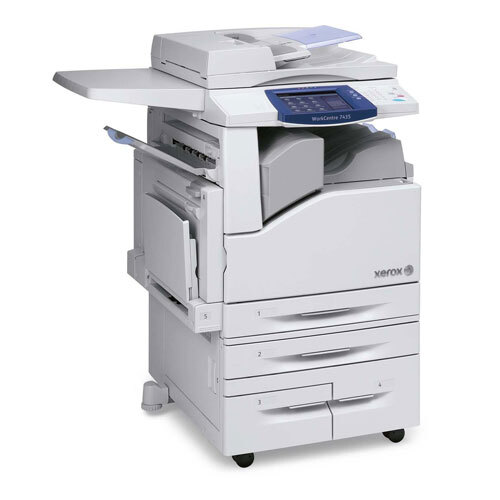
The Xerox WorkCentre 7435RX is a color laser multifunction machine built for shared office duty, and its toner system is headed by the 006R01395 black cartridge, rated at roughly 26,000 pages before it needs changing. Black may do the heavy lifting, but it is only one of four cartridges in the set: cyan runs as 006R01398, magenta as 006R01397 and yellow as 006R01396, and each color sits in its own slot, replaced individually as it runs down rather than as a block.
As one of the RX configurations in the WorkCentre 7435 family, the 7435RX fits offices that push a steady mix of color presentations and plain black-and-white paperwork through one shared device. A black cartridge rated near 26,000 pages stretches the gap between supply orders, which matters on a machine several people rely on: fewer swaps, fewer interruptions, and color output that stays consistent from one week to the next.
Toner Cartridges for WorkCentre 7435RX
The listings stocked on this page are black multipacks for this cartridge family:
| Cartridge | Color | Page Yield |
|---|---|---|
| Xerox 7425 (13R647) Toner Cartridge Black 2 Pack | Black | See product page |
| Xerox 7425 (13R647) Toner Cartridge Black 4 Pack | Black | See product page |
The machine itself takes the four cartridges named above — the 006R01395 in black and one cartridge per color — and each one is swapped on its own schedule as its toner runs low.
Which cartridge should you buy?
Start with how much black printing the office actually does. The 2 pack suits a WorkCentre 7435RX that shares its workload with other machines or prints in bursts, while the 4 pack is the better shelf choice for a single device carrying the whole office, where running out midweek is not an option. Either way, black is the cartridge this machine burns through first: reports, invoices and internal documents rarely touch the colors. The cyan, magenta and yellow cartridges are a separate reorder — each has its own code and its own lifespan, so replace the one the machine flags and leave the other two in place. Keeping one black pack in reserve is cheap insurance against a stalled print queue.
Chip, toner and everyday use
Fit a replacement with the machine on so the cartridge chip registers straight away, and give the new cartridge a gentle rock from side to side first to loosen the toner inside. Seat it firmly until it clicks; a cartridge that is almost home can trigger a false empty warning. Store spare packs flat, sealed and away from heat and sunlight, and rotate stock so the oldest pack goes in first. When pages start to fade evenly rather than in streaks, the cartridge is usually nearing empty — a brief removal and shake can redistribute what is left and buy a little more time, but plan the swap rather than stretching it.
Frequently Asked Questions
What toner does the Xerox WorkCentre 7435RX use?
It uses the 006R01395 black cartridge, rated at about 26,000 pages, alongside three separate color cartridges: 006R01398 for cyan, 006R01397 for magenta and 006R01396 for yellow. Each color is an independent cartridge with its own code.
What is sold on this page?
This page stocks black multipacks for the family: the Xerox 7425 (13R647) Black 2 Pack and the Xerox 7425 (13R647) Black 4 Pack. Both are black toner; the difference is simply how many cartridges land on your shelf at once.
How many pages does the black cartridge print?
The 006R01395 black cartridge is rated for approximately 26,000 pages at 5% coverage. Dense color documents, heavy graphics and high coverage pages will pull the real number down, while plain text work tends to land closer to the rating.
Can I change just one color at a time?
Yes. Cyan, magenta and yellow live in separate cartridges with separate codes, so when one color runs low you replace only that one. There is no need to touch the remaining colors or the black cartridge during the same swap.