




Versalink C605 XTP
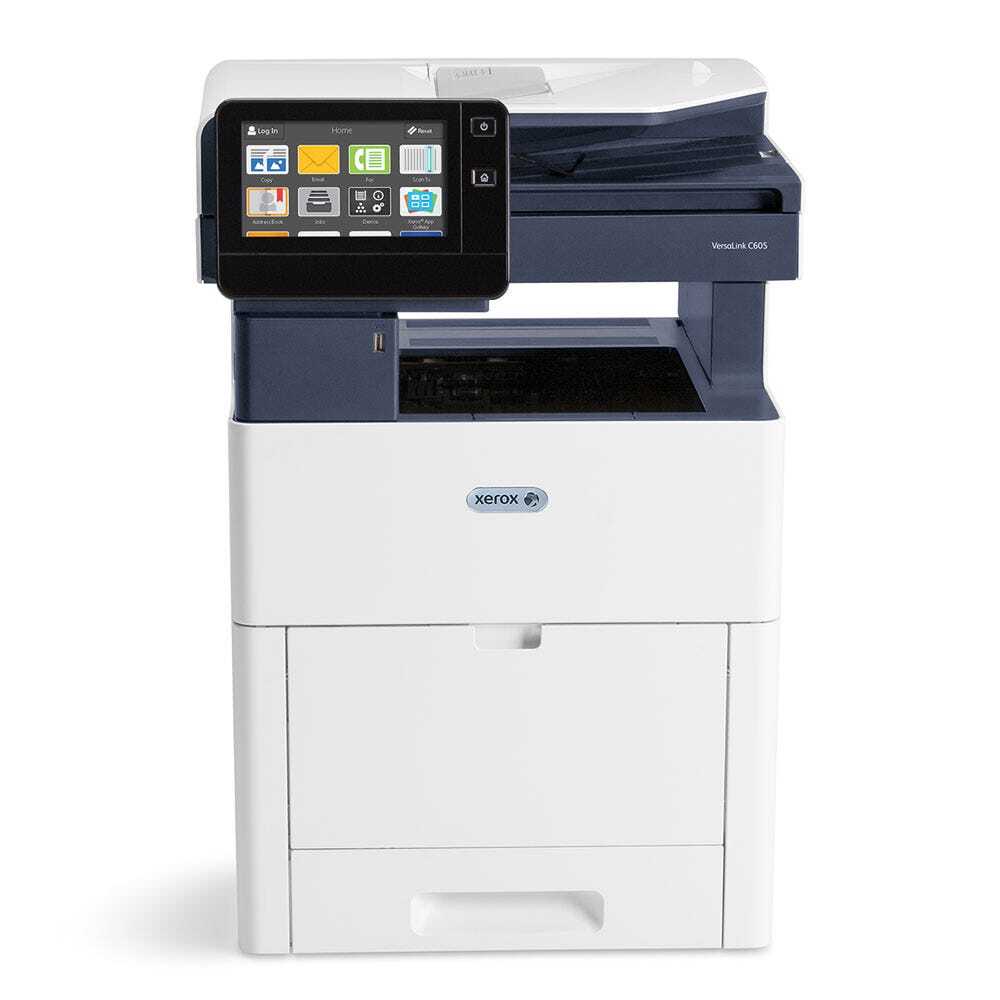
When color volume never lets up, the VersaLink C605 XTP is the configuration to choose: a production-oriented color multifunction printer with maximum paper capacity, topping the C605 range. Its standard toner is the 106R03899 series — black 106R03899, cyan 106R03896, magenta 106R03897 and yellow 106R03898 at about 6,000 pages each. Stocked here is the higher-capacity route: black 106R03903 at roughly 12,200 pages, and cyan 106R03900, magenta 106R03901 and yellow 106R03902 at about 10,100 pages apiece.
A machine bought to remove paper as a bottleneck should not reintroduce toner as one. On the XTP, output runs long enough that a cartridge change is an event worth scheduling, and the real expense of an unscheduled stop is the queue of work standing behind it.
Toner Cartridges for VersaLink C605 XTP
| Cartridge | Color | Page Yield |
|---|---|---|
| 106R03903 | Black | About 12,200 pages |
| 106R03900 | Cyan | About 10,100 pages |
| 106R03901 | Magenta | About 10,100 pages |
| 106R03902 | Yellow | About 10,100 pages |
Packs and sets stocked for this model:
- 106R03903 Black 2 Pack — production black staged in pairs so a change never waits on a delivery
- 106R03900, 106R03901, 106R03902 — 3 Color Set — the three colors bought as one production restock
- 106R03903, 106R03900, 106R03901, 106R03902 — 4 Color Set — a scheduled full change in a single box
- 106R03903, 106R03900, 106R03901, 106R03902 — 5 Color Set — maximum cover: a full change plus the black after it
Which cartridge should you buy?
Buy for uptime. The high-capacity singles are the working choice — black near 12,200 pages, colors near 10,100 — because every avoided change is a queue that never forms. Stage the Black 2 Pack beside the machine so the most frequent swap takes minutes. When levels across the board slide at once, the 5 Color Set handles a full change and leaves black covered for the next cycle, while the 3 Color Set suits a colors-only restock. Standard 6,000-page cartridges fit too, but on this configuration they simply mean stopping twice as often.
Chip, toner and everyday use
Rotate your stock: fit the oldest spare first, keep the rest sealed, flat and away from heat, and let the chip-reported levels — not the calendar — tell you when a change is coming. A new cartridge needs its seal removed and a gentle rock end to end so the toner distributes before the first page. Because ratings rest on 5% coverage, a production mix of brochures and color reports will consume cartridges noticeably faster than the headline figures; track your own replacement rhythm after the first cycle and stock to it.
Frequently Asked Questions
Does the XTP use different toner from the other C605 models?
No. Maximum paper capacity is a hardware difference only. The XTP runs the 106R03899 standard series and the high-capacity 106R03900 series listed here, just like its siblings.
How many pages does the high-capacity black cartridge give?
Around 12,200 pages at 5% coverage — about double the standard black — which is why production users treat it, rather than the standard cartridge, as the default.
What should be kept next to the machine?
At minimum the next black, which empties first, and ideally one of each color. The sets on this page bundle exactly that cover.
Can standard-capacity cartridges be used in a pinch?
Yes, every slot accepts the standard series. Expect roughly half the pages per change, so treat them as a stopgap rather than the plan.
More printers that use the same cartridges
These cartridges are common to the whole C605 line and the C600 printers below: Versalink C600 DT, Versalink C600 DX, Versalink C600 DXF, Versalink C600 DXP, Versalink C600 N, Versalink C600DN, Versalink C605 X, Versalink C605 XP, Versalink C605 XTF, Versalink C605XF.