




Versalink C600 DT
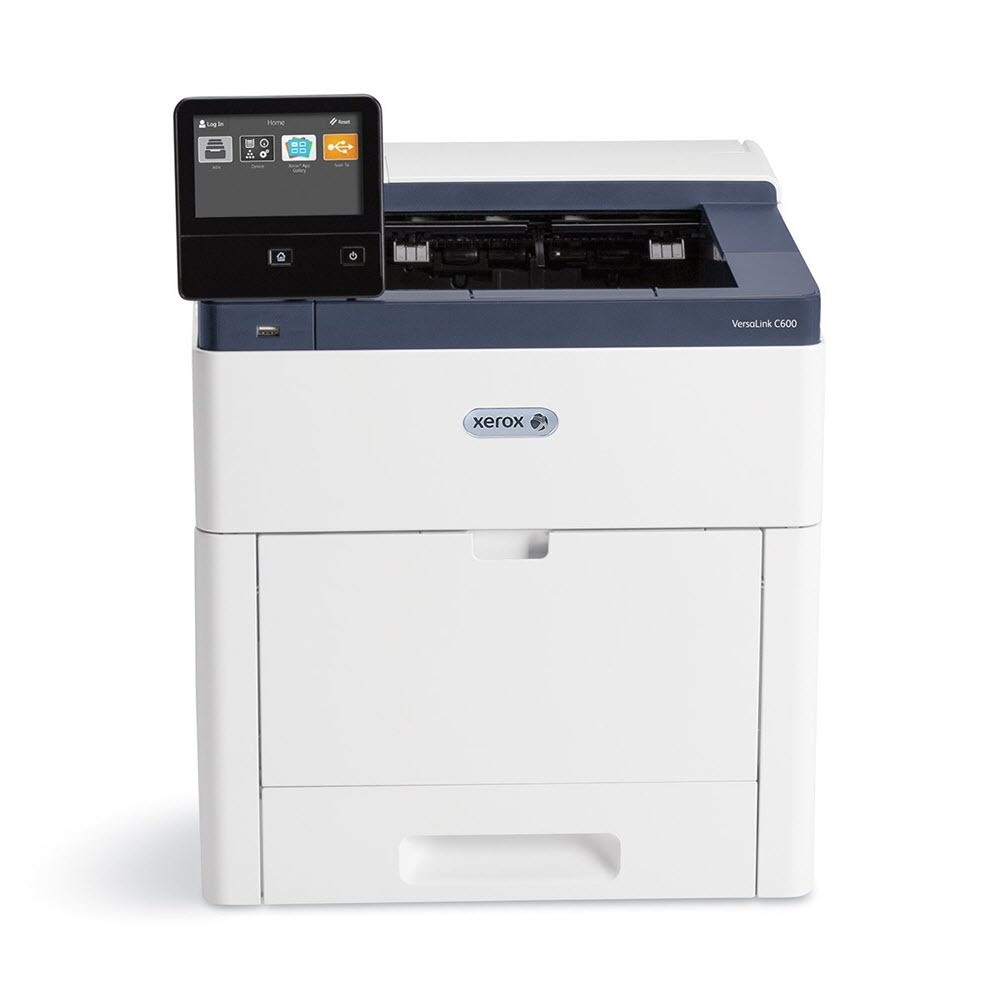
Paper capacity stops being a bottleneck with the VersaLink C600 DT, which parks a tandem tray module under the high-speed C600 color engine so long runs keep feeding without reloads. Its standard cartridge family is the 106R03899 series — black 106R03899, cyan 106R03896, magenta 106R03897 and yellow 106R03898, each rated around 6,000 pages. The listings on this page are the two larger tiers built for the same machine: high-capacity black 106R03903 with cyan 106R03900, magenta 106R03901 and yellow 106R03902, and an extra-high-capacity tier whose colors — cyan 106R03916, magenta 106R03917 and yellow 106R03918 — pair with black 106R03919. Between the trays and the larger cartridges, this configuration is built to be refilled rarely and swapped rarer still.
The tandem tray changes the rhythm of a print room. Two paper stocks can sit loaded at once, or one stock in real depth, and jobs that once paused at an empty tray now run straight through. Toner should keep the same promise: on a C600 DT, running out mid-run wastes the very capacity the trays were bought for, so most owners standardize on the bigger cartridge tiers and treat a swap as a scheduled event, not an interruption.
Toner Cartridges for Versalink C600 DT
| Cartridge | Color | Page Yield |
|---|---|---|
| 106R03903 | Black — High Capacity | See product page |
| 106R03900 | Cyan — High Capacity | See product page |
| 106R03901 | Magenta — High Capacity | See product page |
| 106R03902 | Yellow — High Capacity | See product page |
| 106R03903 | Black — High Capacity 2 Pack | See product page |
| 106R03900, 106R03901, 106R03902 | Cyan, Magenta, Yellow — 3 Color Set | See product page |
| 106R03903, 106R03900, 106R03901, 106R03902 | All four colors — 4 Color Set | See product page |
| 106R03903, 106R03900, 106R03901, 106R03902 | All four colors — 5 Color Set | See product page |
| 106R03916, 106R03917, 106R03918 | Cyan, Magenta, Yellow — Extra-High Capacity 3 Color Set | See product page |
| 106R03919, 106R03916, 106R03917, 106R03918 | All four colors — Extra-High Capacity 5 Color Set | See product page |
Which cartridge should you buy?
Think of the three tiers as three swap intervals. The standard family, at around 6,000 pages per cartridge, suits light use, but a tandem-tray machine usually prints well past that pace. The high-capacity listings in the table are the middle ground — bigger cartridges for every color, plus a black 2 pack for the slot that always empties first. The extra-high-capacity tier is the longest interval of all and the natural partner for this configuration: fit it when the DT's trays are kept full and its queue is kept busy. Colors still drain unevenly, so replace them one at a time; reserve the full sets for a planned refresh of every slot between big jobs.
Chip, toner and everyday use
Each cartridge reports its level through its chip, and the printer's estimate assumes about five percent coverage on each page. Long runs of dense color — presentation decks, catalog pages — spend toner far faster than that estimate, so check the levels before starting a big job rather than trusting the last glance. When a cartridge finally fades, rock it gently side to side to level what remains and buy yourself the end of the run. Keep replacements sealed in their bags, stored flat, and swap them in only when the run schedule gives you a quiet minute.
Frequently Asked Questions
Which toner families fit the VersaLink C600 DT?
Three tiers share the same slots: the standard 106R03899 family at about 6,000 pages per cartridge, the high-capacity family, and the extra-high-capacity family. This page stocks the two larger tiers.
Why are the high-capacity cartridges labeled C605?
The high-capacity line is listed under the C605 name because the C600 and C605 models share this cartridge family. They are the correct cartridges for the C600 DT and are the ones sold on this page.
How many pages do the high-capacity cartridges print?
Ratings differ by tier and cartridge, and both larger tiers are rated above the standard family's 6,000 pages. Check the individual product page for the exact rating of the cartridge you are comparing.
A color ran out in the middle of a long run. What do I replace?
Only that color. Pause the job, swap the single cartridge the printer names, and resume — the other three cartridges stay where they are.
More printers that use the same cartridges
The same three cartridge tiers also serve the other configurations in this family: Versalink C600 DX, Versalink C600 DXF, Versalink C600 DXP, Versalink C600 N, Versalink C600DN, Versalink C605 X, Versalink C605 XP, Versalink C605 XTF, Versalink C605 XTP, Versalink C605XF.