




Phaser 6180MFPN
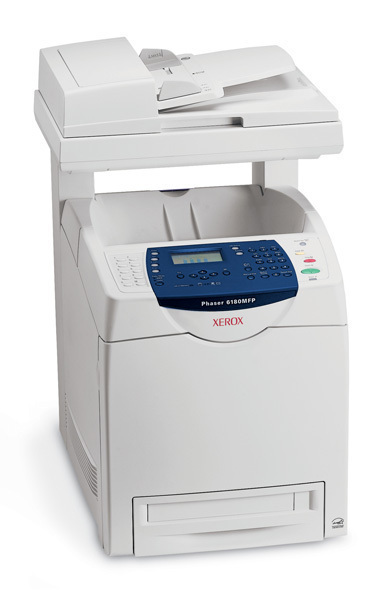
Network-ready out of the box, the Phaser 6180MFPN puts color laser printing, copying, scanning and faxing on the office network in a single multifunction unit. Its supply line is the 113R00722 cartridge family, and this page stocks the high-yield branch of that family: a black cartridge, the 113R00726, good for about 8,000 pages, and three color cartridges — 113R00723 for cyan, 113R00724 for magenta and 113R00725 for yellow — each rated around 6,000 pages. Every color is ordered and fitted on its own.
The MFPN tends to live the networked life: several desks send it work, most of it ordinary mono paperwork, with color called on when a document has to persuade as well as inform. That mix is kind to a cartridge budget — black does the heavy lifting day after day, while the colors wait for the jobs that need them. Offices that need occasional color alongside everyday documents will find this configuration a versatile fit, and its high-yield supplies mean the shared machine asks for attention far less often.
Toner Cartridges for Phaser 6180MFPN
| Cartridge | Color | Page Yield |
|---|---|---|
| 113R00723 / 113R00724 / 113R00725 — 3 Color Set | Cyan, Magenta, Yellow | About 6,000 pages per cartridge |
| 113R00726 / 113R00723 / 113R00724 / 113R00725 — 5 Color Set | Black, Cyan, Magenta, Yellow | Black about 8,000; colors about 6,000 pages |
| 113R00726 Black 2 Pack | Black | About 8,000 pages per cartridge |
Singles are not listed for this model; the stocked range is the black 2 pack and the color sets shown above.
Which cartridge should you buy?
Let the machine's recent diet decide. A month of invoices, letters and reports points to the black 2 pack: two 113R00726 cartridges at roughly 8,000 pages apiece keep a networked multifunction fed through long mono stretches. When color work has been the recent theme — brochures, charts, client handouts — the 3 color set renews cyan, magenta and yellow together, each at about 6,000 pages, instead of leaving you to discover which color fades first. And if the panel is reporting several lows at once, the 5 color set settles the whole round in one delivery. All three routes fit the same slots; you are simply choosing how much of the round to replace today.
Chip, toner and everyday use
Because the MFPN sits on a network, its toner levels can be checked from a desk as well as at the panel — worth doing before a big shared job goes to print. Cartridges are chipped, so the machine knows a genuine replacement from a half-empty one and reports the new level straight away. Fit each cartridge into its color-coded slot and push until it seats; a cartridge resting half-home is the usual cause of a recognition complaint. Keep the next pack somewhere the whole team can find it, since on a shared printer the empty warning rarely appears on the buyer's screen.
Frequently Asked Questions
Which cartridges fit the Phaser 6180MFPN?
The machine belongs to the 113R00722 family. Stocked here are its high-yield members: 113R00726 in black and 113R00723, 113R00724 and 113R00725 in cyan, magenta and yellow.
What does the high-yield line actually gain me?
Interval, mostly. At about 8,000 pages for black and 6,000 for each color, the high-yield cartridges run well beyond the standard cartridge, so a shared machine needs restocking less often and costs less per page along the way.
How do I change a cartridge on the 6180MFPN?
Open the front cover, pull out the spent cartridge of the color the panel names, slide the new one into the matching slot until it seats firmly, then close the cover and let the machine register it. The whole swap takes a minute and needs no tools.
Are these compatible cartridges covered by a warranty?
Yes. Compatible cartridges from Clever Supplies carry a 1-year warranty and 1-year returns, so a cartridge that misbehaves in your 6180MFPN is not your problem to absorb.