




Phaser 4510N
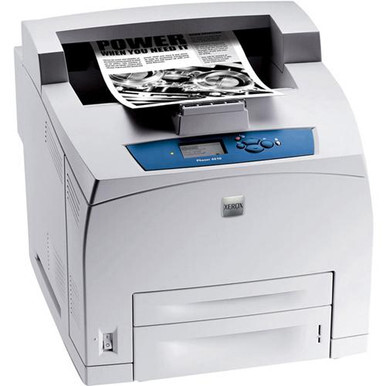
Built to slot into an existing office network, the Xerox Phaser 4510N is a laser printer shared by a whole workgroup rather than one desk. A shared machine still runs on a single supply — the 113R00712 high-yield black cartridge — and every compatible version of it is listed here, from a single cartridge to the 4-pack, including a MICR option.
When several people send jobs to one printer, toner empties at the pace of the busiest user, and it always seems to happen mid-queue. That makes the spare cartridge part of the machine's reliability: a 4510N with a backup cartridge in the cupboard is a printer the office never has to think about. The network spreads the printing around; the cartridge shelf is what keeps it continuous.
Toner Cartridges for Phaser 4510N
Shared printer, single supply. The listings below are all the same cartridge for the 4510N, organized from the single up to the four-pack.
| Cartridge | Color | Page Yield |
|---|---|---|
| 113R00712 | Black | See product page |
| 113R00712 MICR | Black (MICR) | See product page |
| 113R00712 3 Pack | Black | See product page |
| 113R00712 Premium 3 Pack | Black | See product page |
| 113R00712 2 Pack | Black | See product page |
| 113R00712 4 Pack | Black | See product page |
| 113R00712 (Phaser 4510N single) | Black | See product page |
| 113R00712 3 Pack (Phaser 4510N) | Black | See product page |
| 113R00712 (Phaser 4510 single) | Black | See product page |
| 113R00712 2 Pack (Phaser 4510) | Black | See product page |
| 113R00712 4 Pack (Phaser 4510) | Black | See product page |
Which cartridge should you buy?
For a shared printer, the sensible default is a multi-pack: the 2-pack covers the change and the spare, and the 4-pack suits offices where this model is fed paper by the ream. Singles are fine for a lightly used network printer in a small office. There is no smaller standard-yield fill to fall back on — the range is high-yield throughout, including the Phaser 4510N-named listings. The MICR single is a specialist choice for check printing only. Every compatible cartridge on the page is backed by a 1-year warranty and 1-year returns.
Chip, toner and everyday use
On a shared machine, whoever changes the cartridge is rarely the person who ordered it, so keep the swap simple: these compatible cartridges are chipped to report their level to the printer, and the 4510N will show the new cartridge's status once it clicks into place. If your office rotates the job, leave the quick steps printed near the printer. Store the spare flat in its sealed bag, and rock any new cartridge gently before fitting so the first pages print as evenly as the last.
Frequently Asked Questions
What toner does the Phaser 4510N take?
The 113R00712 high-yield black cartridge. One cartridge type serves the whole workgroup — there are no color cartridges to stock.
Several listings look the same. Which one should our office order?
They are the same cartridge presented in different ways: by its code, by the Phaser 4510N name, and in several pack sizes. For a shared printer, the 2-pack or 4-pack is usually the practical pick so a spare is always on hand.
Will a compatible cartridge work with the printer's toner-level reporting?
Yes — the cartridges carry a chip the printer reads, so level warnings appear as they would with the original cartridge. Treat the warning as a prompt to check the spare shelf rather than as an emergency.
What is the MICR cartridge for?
Check printing. Its toner is magnetic so bank equipment can read the check line. Offices that never print checks should stay with the regular 113R00712.