




Phaser 4400DT
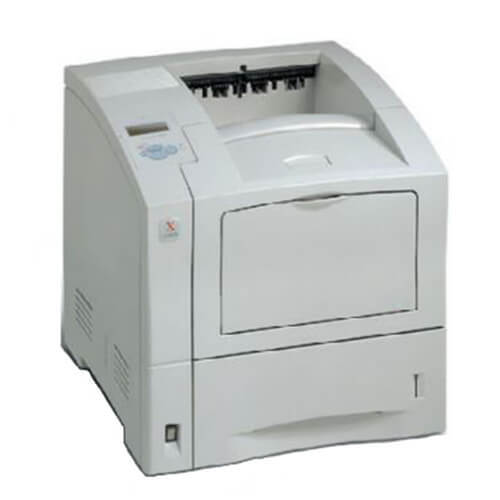
The Xerox Phaser 4400DT is a laser printer built for dependable everyday office printing, chosen for its balance of print quality and running cost. Its high-yield black cartridge is the 113R00628, the pick when duplex-heavy days would wear a standard cartridge down fast. Compatible versions are listed below as a single cartridge, a MICR build, 3 and 5 packs, a premium five-pack, and listings carrying the Phaser 4400DT name.
Two-sided printing changes the arithmetic of a supply cupboard. A sheet that leaves the machine printed on both faces has consumed roughly twice the toner of a single-sided page, so a duplex-heavy office can empty a cartridge in what feels like half the expected time while the paper stack shrinks reassuringly slowly. Judged by printed pages rather than sheets, the consumption makes sense, and it is exactly the pattern a high-yield fill is built to absorb.
Toner Cartridges for Phaser 4400DT
| Cartridge | Color | Page Yield |
|---|---|---|
| 113R00628 | Black | See product page |
| 113R00628 MICR | Black (MICR) | See product page |
| 113R00628 3 Pack | Black | See product page |
| 113R00628 5 Pack | Black | See product page |
| 113R00628 Premium 5 Pack | Black | See product page |
| Phaser 4400DT High Yield, Single | Black | See product page |
| Phaser 4400DT High Yield 5 Pack | Black | See product page |
Which cartridge should you buy?
The cartridge itself is not in question: the 113R00628 high-yield is the supply for this printer, and its deeper fill is what keeps duplex volume from turning into a weekly cartridge change. What varies is the pack size. A single cartridge covers a light-use machine or a first compatible order. The 3 Pack fits an office whose two-sided reports and handouts burn through toner at a steady, forecastable rate. The 5 Pack, or the Premium 5 Pack from the premium line, lowers the per-cartridge cost for heavier volume and cuts reordering to a few times a year. The Phaser 4400DT-named listing is the same cartridge under the model's name. Choose MICR only if this printer produces checks.
Chip, toner and everyday use
After a run of long duplex jobs, glance at the toner level before assuming the cartridge still has weeks left; two-sided volume moves the gauge faster than the paper count suggests. The chip reports that level continuously, so the warning should never be a surprise. When a cartridge does fade, keep the spent unit until the replacement has printed a few clean pages, just in case the new one needs to go back. Fit the new cartridge until it clicks, and remember that yields are rated at 5% coverage: dense two-sided documents will land below the headline figure, which is expected.
Frequently Asked Questions
What toner is compatible with the Phaser 4400DT?
The compatible supply for this model is the 113R00628 high-yield black cartridge, sold here as a single, in MICR form, in 3 and 5 packs, and under the Phaser 4400DT name.
Does duplex printing need a different cartridge?
No. Duplexing is a paper-handling feature; the toner cartridge is the same either way. It simply gets used faster when most pages carry print on both sides, which the high-yield fill is sized for.
What should I do when pages start coming out light?
Take the cartridge out and rock it gently from side to side to redistribute the toner, then refit it. If the level reported by the chip is nearly empty and the rocking only helps briefly, the cartridge is at the end of its life and the spare should go in.
How do I find the right toner for my Phaser 4400DT?
Match the number on the cartridge already in the printer against the listings here; it should read 113R00628. Ordering from this page keeps the match simple, since every listing on it is for this model.