




Phaser 4400
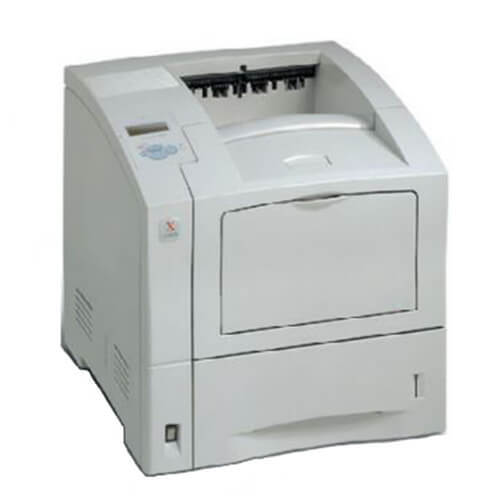
The Xerox Phaser 4400 is a laser printer aimed at workplaces that value steady performance over flash, and it is a practical choice for workgroups watching their printing budget. Its cartridge is the high-yield black 113R00628, the longer-running toner built for this machine. Below you will find that cartridge as a single unit, in a MICR build, in 3 and 5 packs, as a premium-line five-pack, and in listings named for the Phaser 4400 itself.
Budget discipline on a printer like this is mostly a buying habit. The machine itself just keeps printing; what decides the yearly running cost is whether toner gets ordered one cartridge at a time in a panic, or in sensible quantities before it is needed. A high-yield cartridge already cuts the cost per page against standard fills, and ordering ahead in packs removes the emergency purchases that quietly eat a supplies budget.
Toner Cartridges for Phaser 4400
| Cartridge | Color | Page Yield |
|---|---|---|
| 113R00628 | Black | See product page |
| 113R00628 MICR | Black (MICR) | See product page |
| 113R00628 3 Pack | Black | See product page |
| 113R00628 5 Pack | Black | See product page |
| 113R00628 Premium 5 Pack | Black | See product page |
| Phaser 4400 High Yield, Single | Black | See product page |
| Phaser 4400 High Yield 5 Pack | Black | See product page |
Which cartridge should you buy?
There is one cartridge decision on this page, and it is about quantity rather than type: every listing is the high-yield 113R00628. Start with the single cartridge if the printer is new to you or its volume is light. The 3 Pack suits a workgroup that goes through a cartridge every month or two and wants a reserve without tying up much cash. The 5 Pack brings the per-cartridge cost down further for steady, predictable volume, and the Premium 5 Pack is the premium-line version of that same bundle. The listing named for the Phaser 4400 is the identical cartridge under the printer's name. Pick the MICR build only for check printing; it is a specialty toner, not a quality upgrade.
Chip, toner and everyday use
Page yields are estimates worked out at 5% page coverage, which is roughly a page of ordinary text. A workgroup printing dense reports, forms or graphics will see fewer pages than the rating suggests, and that is normal rather than a faulty cartridge. The chip in each cartridge lets the printer follow toner levels, so pay attention to the first low warning instead of waiting for faded output. Near the end of a cartridge's life, rocking it gently side to side spreads the remaining toner and often restores solid blacks for a final stretch of work while the replacement ships.
Frequently Asked Questions
What toner fits the Phaser 4400?
The Phaser 4400 takes the 113R00628 high-yield black cartridge. It is sold here as a single cartridge, in MICR form, in 3 and 5 packs, and in listings that carry the Phaser 4400 name.
Is the 113R00628 a standard or a high-yield cartridge?
It is the high-yield cartridge for this printer, built with a deeper fill so it runs longer between changes. That is why this page does not list a separate standard-yield code for the Phaser 4400; the high-yield build is the supply this model is stocked around.
How many pages will a cartridge print?
The product listings do not print a page rating in their names, so check the individual product page for the rated yield of the cartridge you are buying. Whatever the rating, real output depends on coverage: text pages run close to it, heavy graphics pages use toner faster.
How do I install toner in the Phaser 4400?
Open the front cover, pull out the old cartridge, and unpack the new one. Rock it gently to distribute the toner inside, slide it into place until it clicks, and close the cover; the printer reads the new cartridge's chip automatically.