




SCX-4300
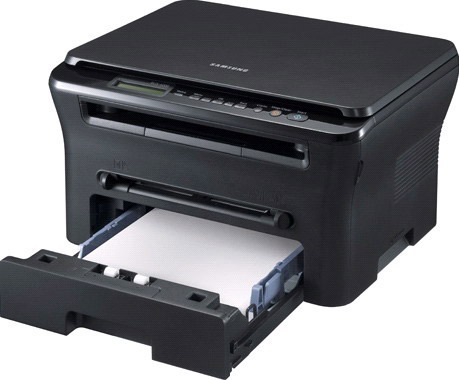
The Samsung SCX-4300 is a compact monochrome multifunction that brings print, scan, and copy together in a genuinely small package. It was designed for home offices where a full-size all-in-one simply will not fit.
It takes the MLT-D109S cartridge, and we stock that cartridge two ways: as an affordable compatible and as a genuine Samsung OEM cartridge. Whichever you choose ships fast from Clever Supplies.
Toner Cartridges for SCX-4300
This printer works with the following toner cartridges:
- Samsung MLT-D109S
Frequently Asked Questions
My SCX-4300 does not recognize the new MLT-D109S I installed, and how do I check the cartridge contacts without forcing anything?
The SCX-4300 reads a small chip on the MLT-D109S, so anything blocking that contact — toner dust, a missed pull-tab — triggers an error. If the old cartridge is recognized when reinstalled, the new one's chip is the likely fault and a replacement is warranted. A careful reinstall beats a support call almost every time.
Can I keep an extra cartridge on the shelf for my SCX-4300 — how long does it stay good over several months?
Keep the spare MLT-D109S for your SCX-4300 sealed in its original packaging, stored upright in a cool, dry place away from direct sunlight. When you finally install the stored cartridge in the SCX-4300, rock it gently side to side first to redistribute any settled toner. Good storage means your backup is ready the moment the SCX-4300 needs it.
Does the drum in the SCX-4300 outlast the toner cartridges — how many cartridges does one drum usually survive on this printer?
Replace the imaging unit when print defects survive a fresh MLT-D109S: repeating marks, persistent streaks, or gray backgrounds all point at the drum. Pattern defects that line up with the drum's rotation are the definitive sign on the SCX-4300; measure the repeat distance to confirm. Trust the new-cartridge test; it rarely leads you wrong.