




ML-2241
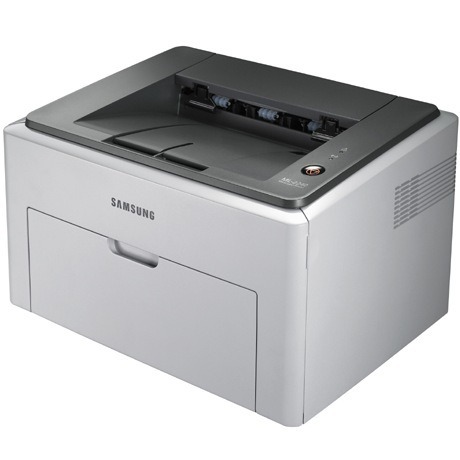
The Samsung ML-2241 is a regional variant of the compact ML-2240 mono laser, sharing the same small engine and straightforward personality — different badge, same tidy black-and-white output for light-duty desks. It runs on the MLT-D108S cartridge, which this page stocks under its code, under the ML-2241 name, and in three- and five-packs for owners who print in bursts and reorder rarely.
Regional variants exist so Samsung could sell the same honest machine under the badge each market expected. For the person at the desk, the ML-2241 is a small, quiet mono laser for letters, schoolwork, labels and the occasional long document — a printer chosen because it disappears into the corner of a room and simply works when called on. Its single-cartridge design keeps ownership as simple as the machine itself.
Toner Cartridges for ML-2241
| Cartridge | Color | Page Yield |
|---|---|---|
| MLT-D108S | Black | See product page |
| ML-2241 Toner Cartridges | Black | See product page |
| MLT-D108S 3 Pack | Black | See product page |
| ML-2241 Toner Cartridges 5 Pack | Black | See product page |
| MLT-D108S Premium Toner Cartridge 5 Pack | Black | See product page |
Which cartridge should you buy?
One code covers this printer, so the decision is how many to keep at home. A single MLT-D108S is right for a desk that prints a few pages a week. The MLT-D108S 3 Pack suits households that print in bursts — coursework, tax season, a home business — and do not want a delivery standing between them and a deadline. The five-pack listings stretch the interval between orders furthest. Listings named for the ML-2241 itself are the same cartridge under the printer's name. All of them are compatible cartridges with a 1-year warranty and 1-year returns.
Chip, toner and everyday use
Paper conditions decide more on a compact laser than owners expect. Humid paper curls, misfeeds and takes toner poorly, and summer is when all three show up — store the ream sealed in its wrapper and load a modest stack rather than the whole pile. When the printer reports low toner mid-job, gently rolling the cartridge back and forth levels the leftover powder and can clear the stop long enough to finish. If print stays faded after redistributing, the cartridge is truly empty and the replacement should already be on its way.
Frequently Asked Questions
How do I squeeze the last pages out of my ML-2241 cartridge?
Rock it, gently. Rolling the MLT-D108S from side to side redistributes the toner that has settled, and the ML-2241 will often print cleanly again for a while. It does no harm — but treat the borrowed pages as a bridge to the replacement, not a refill, and order the moment the trick stops working.
My ML-2241 leaves a faint gray film on every page — will a new cartridge fix it?
Probably not, and it is worth knowing why before you spend. An all-over gray film is the classic signature of a tired drum or a failing cleaning blade. Damp paper can exaggerate the effect, so test with a sheet straight from a fresh ream first. If the haze survives dry paper, the drum side of the machine is the fix — no settings trick substitutes for it.
Why does my ML-2241 jam and smudge more in summer?
Humidity reaches the paper long before it bothers the cartridge. Damp sheets curl at the edges, feed crooked and fuse unevenly, which reads as a printer problem and is really a storage problem. Keep paper sealed until loading, keep the tray stack modest, and the same cartridge will behave in August the way it did in spring.
Are the ML-2241-named listings the same cartridge as the coded one?
Yes. The listings sold under the printer's name and the listings sold under the MLT-D108S code are the same cartridge for this machine — Samsung's regional badging simply gave it two ways to be found. Choose by pack size and price; the fit is identical.
More printers that use the same cartridges
The same compact cartridge also serves these Samsung printers: ML-1640, ML-2240, Samsung-MLTD108S.