




ML-2240
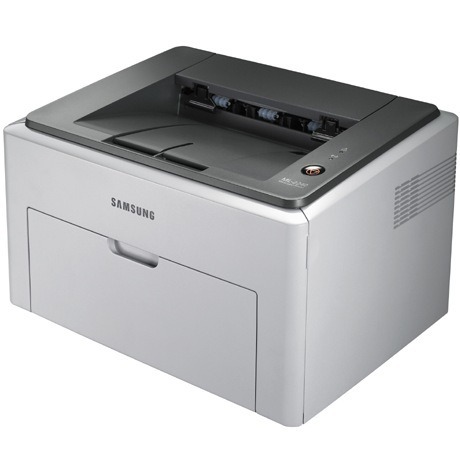
Samsung's ML-2240 is a compact single-function mono laser aimed at light home and student printing, with the small footprint its series is known for. It is the kind of printer you set up once and forget about until the toner light appears — and when it does, the MLT-D108S cartridge is all it needs. Compatible cartridges keep the running cost minimal; genuine OEM cartridges keep it factory-original.
Student printing has a rhythm of its own: nothing for weeks, then a term paper at midnight, then nothing again. The ML-2240 fits that rhythm because it asks for almost no attention between jobs and sips toner when it does run. It belongs on a dorm desk or a bedroom shelf, printing essays, readings and forms for one person at a time.
Toner Cartridges for ML-2240
| Cartridge | Color | Page Yield |
|---|---|---|
| MLT-D108S Toner Cartridge | Black | See product page |
| ML-2240 Toner Cartridge (MLT-D108S) | Black | See product page |
| Samsung ML-2240 Toner Cartridges | Black | See product page |
| MLT-D108S Toner Cartridge 3 Pack | Black | See product page |
| Samsung ML-2240 Toner Cartridges 5 Pack | Black | See product page |
| MLT-D108S Premium Quality Toner Cartridge 5 Pack | Black | See product page |
Which cartridge should you buy?
The ML-2240 takes exactly one cartridge type, so the choice is quantity. For genuinely light use — a few pages a week during term — a single MLT-D108S is the sensible buy, and the model-named single listing on this page is that same cartridge. If the printer serves a whole study group or a household of students, the 3 Pack spreads the cost and keeps a spare within reach. The 5 Pack options suit anyone who would rather stock once for the school year. There is no high-yield variant to hunt for here; standardize on the code and buy the count that matches your pace.
Chip, toner and everyday use
When output turns light, try the classic field test before ordering: remove the cartridge, rock it gently side to side to redistribute the powder, and print again. If darkness returns for a while, the toner really is running low and a replacement MLT-D108S belongs on your list soon. The chip in each cartridge reports the level, but the rocking test separates "toner is low" from "something else is wrong" better than any warning light. Keep the spare sealed and upright in a cool, dry place away from direct sunlight, and it will wait patiently between semesters.
Frequently Asked Questions
Why did my ML-2240 suddenly start printing lighter than usual?
Light prints are the classic sign of low toner — though a worn drum produces an almost identical look. Rock the cartridge gently and reprint: if darkness comes back temporarily, toner is the issue and a fresh MLT-D108S is due. Matching the symptom to the right consumable saves both time and money.
There are dark spots scattered on every page that wiping will not remove. What now?
Spots that repeat at the same interval down the page usually trace to the imaging surface rather than to loose toner, so surface cleaning rarely helps. If the marks persist with a fresh cartridge installed, the printer itself needs attention — but rule out the supply first, since it is the cheaper test.
Does the ML-1640 use the same cartridge as my ML-2240?
Yes — the ML-1640 is this model's closest sibling and takes the same MLT-D108S, as does the ML-2241 in the list below. One spare covers any of them.
How should I store a spare cartridge over the summer break?
Sealed, upright, room temperature, away from sunlight — that is the whole recipe. An interior shelf or cabinet beats a sunny windowsill, and a cartridge stored that way keeps well between terms.
More printers that use the same cartridges
Only a small family shares this cartridge, which keeps ordering simple: