




B930DXF
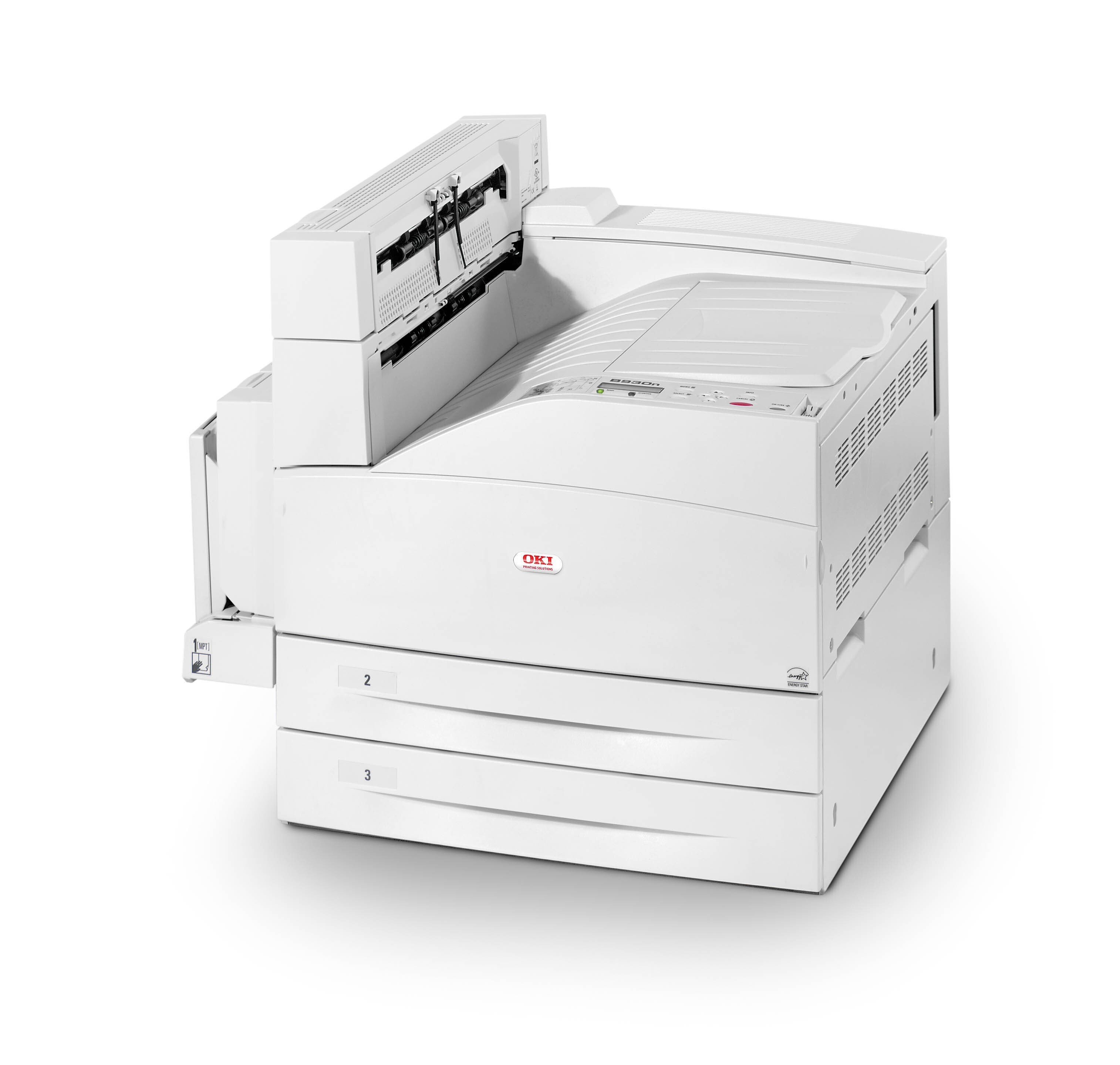
The Okidata B930DXF is a duplex, finisher-equipped monochrome printer for offices that produce finished black-and-white documents at volume. It runs on a single toner cartridge, the 52117101, shared with the base B930 engine — match this number when restocking. Toner and the image drum are independent consumables on this machine, so a toner swap never throws away a drum that still has life in it.
A finisher-equipped printer is bought to hand people completed documents, not loose pages: stapled, sorted, duplexed output at departmental pace. That role shapes its supply logic. With one cartridge code to stock and a drum that changes on a far slower rhythm, the B930DXF asks very little supply attention for the amount of finished work it produces — provided the spare cartridge is bought before the current one fades, not after.
Toner Cartridges for B930DXF
| Cartridge | Color | Page Yield |
| 52117101 | Black | See product page |
| 52117101 — 5 Pack | Black | See product page |
| 52117101 (listed for B930DXF) | Black | See product page |
| 52117101 (listed for B930DXF) — 5 Pack | Black | See product page |
| 52117101 (listed for B930DN) | Black | See product page |
| 52117101 — 2-pack | Black | See product page |
| 52117101 — 3-pack | Black | See product page |
| 52117101 — 5-pack | Black | See product page |
| 52117101 — 10-pack | Black | See product page |
Which cartridge should you buy?
There is exactly one cartridge in this printer's life — the 52117101 — so buying well is about timing and quantity. A single cartridge suits an office that prints in predictable cycles and reorders calmly. The five-pack suits the way a finisher-equipped machine is actually used: long, deadline-driven runs of finished documents, where an empty printer at the wrong hour costs more than the toner ever will, and where the per-cartridge saving on the pack is a genuine bonus. Because the same cartridge serves every B930-family model, offices running several of them can hold one common stock and let any machine draw from it.
Chip, toner and everyday use
Before a long finishing run, check the toner level first — a mid-job cartridge change breaks the rhythm the finisher was bought for. The new cartridge's chip is read as soon as it seats; if the printer hesitates to recognize it, remove and reseat the unit rather than forcing the cover. A few gentle shakes before installation settle the toner for even first pages. Store the spare near the machine in its sealed bag, and keep the drum out of your toner routine entirely: it is an independent consumable with its own, much longer service interval.
Frequently Asked Questions
What cartridge fits the B930DXF?
The 52117101. It is the single toner cartridge for the whole B930 engine family, sold here as singles and in multi-packs.
Does the B930DXF toner cartridge include the drum?
No. Toner and the image drum are independent consumables on this machine, so a toner swap does not discard a working drum. The drum is replaced far less often, on its own cycle.
How do I replace the toner cartridge?
It is a clean front-loading swap: remove the spent cartridge, give the new 52117101 a few gentle shakes, and slide it in until it seats. Keep the old cartridge upright in a bag until it goes to recycling.
Can one spare cover several B930-family printers?
Yes. Every model in the family — base, networked, duplex and finisher configurations alike — runs on the same 52117101, so a shared spare pool genuinely covers them all.
More printers that use the same cartridges
The 52117101 cartridge is common to the full B930 family: