




B6250
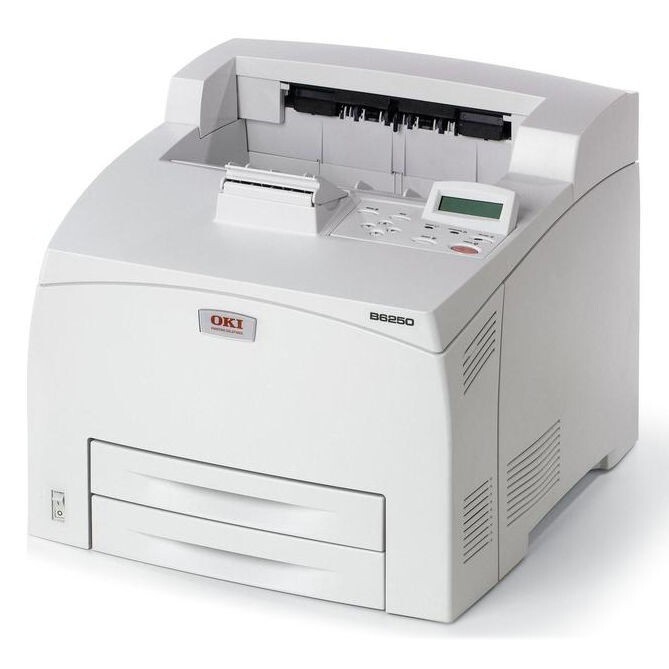
Departments and workgroups with heavy black-and-white output are the Okidata B6250's home ground — a high-volume monochrome laser printer that takes a single cartridge, the 52114501, rated at 11,000 pages. One cartridge, one very large number: the buying and stocking for this machine revolve entirely around that unit and the multi-packs of it listed below.
A mono workgroup printer is judged on uptime, and the B6250's cartridge supports the brief: 11,000 pages between changes means a busy department measures toner in months, not weeks. Compatible versions of the 52114501 bring the cost per page down on a machine whose whole purpose is volume — the savings on a printer that never stops are the largest in the building. There is also a MICR variant on this page for departments that print checks and need magnetic toner for bank readers.
Toner Cartridges for B6250
| Cartridge | Color | Page Yield |
|---|---|---|
| 52114501 | Black | 11,000 pages |
| 52114501 MICR | Black (MICR) | See product page |
| B6250 cartridge (52114501) | Black | 11,000 pages |
Sets and multi-packs stocked on this page:
- 52114501 Black 3 Pack
- B6250 Black 3 Pack
- B6200 Toner Cartridge Black (52114501)
- B6200 Toner Cartridge 2 Black (52114501)
- B6200 Toner Cartridge 3 Black (52114501)
- B6200 Toner Cartridge 5 Black (52114501)
- B6200 Toner Cartridge 10 Black (52114501)
Which cartridge should you buy?
With one cartridge to choose, the decision is about quantity rather than type. A single 52114501 suits a department content to reorder as needed; the 3-packs and the larger B6200-named multi-packs under the table cut the per-cartridge cost and suit workgroups that treat toner like paper — a stockroom item bought in bulk. The MICR version is a specialist choice: buy it only if this printer produces checks or other documents read by magnetic scanners, since standard toner will not register on that equipment. A sensible stocking rule for a busy B6250 is two spares minimum — one in the machine's cupboard and one in reserve — because at workgroup volumes an empty cartridge is a department-wide stoppage, not an inconvenience.
Chip, toner and everyday use
The B6250 reads its cartridge chip for identification and remaining-life reporting, and a compatible 52114501 with the correct chip installs and reports like the original. The 11,000-page rating assumes 5% coverage — text documents sit close to that, so this is one printer where the rating is a fair planning number. Check the gauge weekly rather than waiting for fade; on a departmental machine the polite warning period is short relative to the volume. Cartridges this size are heavy — store them flat and sealed, and rock a new one gently end to end before fitting so the toner column is level after its journey.
Frequently Asked Questions
Which toner does the OKI B6250 use?
One cartridge: the 52114501, rated at 11,000 pages. The B6250-named listing in the table is the same cartridge sold under the model's name, and the B6200-named packs below it contain the same unit.
What is the MICR version for?
MICR toner contains magnetic material that bank readers scan on checks. Choose the 52114501 MICR listing if this printer prints checks; for ordinary documents the standard cartridge is the right one.
My B6250 prints fine but pages feel rough and toner smudges. Why?
The media type setting likely does not match the paper: if the driver expects plain paper while the tray holds heavier stock, fusing is incomplete. Match the media setting to the actual stock and the smudging stops.
How often will a busy B6250 need toner?
At workgroup volumes even an 11,000-page cartridge empties on a schedule measured in weeks-to-months rather than the years a desktop printer might see. Watch the gauge and keep two spares, as the older guidance on this page advised.
More printers that use the same cartridges
The 52114501 cartridge is shared across the B6200 and B6300 generation — every model below takes the same unit:
B6200, B6200DN, B6200N, B6250DN, B6250N, B6300, B6300DN, B6300N MX, B6300N