




X632s
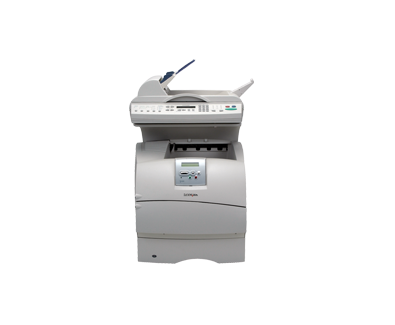
The X632s is the trimmed-down member of the X632 multifunction family: printing, copying, scanning and faxing in a leaner, more economical package aimed at smaller offices. Its toner is the family's shared black cartridge, the 12A7365, an extra-high-yield unit rated for approximately 32,000 pages. In Lexmark's original range the family also carried the 12A7360 and 12A7362 cartridges; the one stocked here is the long-life 12A7365, sold singly and in packs of two and four.
This is the configuration that ended up in branch offices and satellite desks, where a small team needs genuine multifunction capability without departmental-scale extras it will never switch on. Predictable running costs matter more than raw speed at that scale, and a cartridge that can go a very long stretch between changes is a large part of why these compact units stayed economical to keep.
Toner Cartridges for X632s
| Cartridge | Color | Page Yield |
|---|---|---|
| 12A7365 | Black | ~32,000 pages |
| 12A7365 2 Pack | Black | ~32,000 pages per cartridge |
| 12A7365 4 Pack | Black | ~32,000 pages per cartridge |
Which cartridge should you buy?
A 32,000-page cartridge can look oversized for a small office, but the arithmetic runs the other way: the longer a cartridge lasts, the fewer orders anyone has to place, approve and unpack across the year. For a single X632s in a branch office, one cartridge at a time is honestly enough. The two-pack makes sense when the machine is the office's only printer and a dry week would be a genuine problem — the spare waits sealed until the day it is needed. The four-pack is for small fleets: several X632s units, or a mix of family machines, drawing on one shared shelf. Whichever you choose, cost per page stays at the low end of the family's range.
Chip, toner and everyday use
Small offices tend to store supplies wherever there is a spare cupboard, and that is fine as long as the cartridge stays sealed in its bag, flat, and away from a sunny window or a radiator. On first installation the chip is recognized automatically and the panel begins reporting toner levels, so there is no setup step to get wrong. If prints start to fade months down the line, rock the cartridge gently from side to side before concluding it is empty — toner settles in a machine that sits idle between busy spells, and redistributing it usually evens the output back out.
Frequently Asked Questions
Is the X632s a color machine?
No. It is a monochrome multifunction unit, so a single black cartridge covers printing and copying alike. There are no color cartridges to track, replace or run out of at the wrong moment.
Does the 's' model use a smaller cartridge than the full-size X632?
It does not. The leaner hardware still takes the same family cartridge, and the one sold here is the extra-high-yield 12A7365. A small office gets the family's longest-life supply, not a downsized one.
How long will one cartridge last a small office?
The cartridge is rated for approximately 32,000 pages at 5% coverage. A small team printing everyday documents will work through that far more slowly than a department would, which is precisely the point of fitting the high-capacity cartridge to this model.
Will this cartridge also fit the X632e at head office?
Yes. Every model in this family — printers and multifunction units alike — uses the same cartridge design. The full list of models that share it appears at the bottom of this page.
More printers that use the same cartridges
Small as it is, the X632s draws from the same cartridge pool as the whole family: 1332, 1352, 1372, MFP, T630, T630DN, T630N, T632, T632DTN, T632DTNF, T632N, T632TN, T634, T634DTN, T634DTNF, T634N, T634TN, VE, VE, X630, X632, X632 MFP, X632e, X634dte, X634e.