




X632e
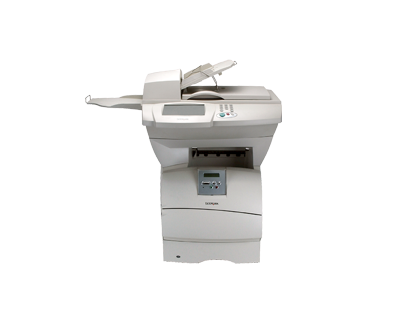
That small 'e' in the name marks the enhanced build of the X632 multifunction platform: a faster controller and extra memory for offices whose print and scan work keeps getting heavier. The toner side of the machine is unchanged and reassuringly simple. The X632e runs on the family's long-life black cartridge, the 12A7365, rated for approximately 32,000 pages, stocked here as a single cartridge and in packs of two and four. Lexmark's original lineup also listed the 12A7360 and 12A7362 for this family; the cartridge sold on this page is the 32,000-page 12A7365.
An MFP with a stronger controller earns its keep in the moments a lesser machine stalls: a two-hundred-page scanned contract, a graphics-heavy board report, three departments sending jobs in the same ten minutes. The X632e was specified for exactly that traffic, and a good number of them are still on duty in offices that push paper through a scanner and a print engine all day. Supply planning for such a machine should be just as unhurried as its job queue.
Toner Cartridges for X632e
| Cartridge | Color | Page Yield |
|---|---|---|
| 12A7365 | Black | ~32,000 pages |
| 12A7365 2 Pack | Black | ~32,000 pages per cartridge |
| 12A7365 4 Pack | Black | ~32,000 pages per cartridge |
Which cartridge should you buy?
With roughly 32,000 pages in a single cartridge, the X632e asks very little of whoever manages supplies. A single cartridge is a reasonable buy for one machine in a moderate-volume office. The two-pack suits most workgroups better: one cartridge working, one sealed in reserve, so the swap takes two minutes whenever the warning appears. Offices that run several machines from this family — the printers and MFPs listed below all share the cartridge — often standardize on the four-pack and reorder a few times a year. Because the yield is spread across so many pages, the cost of each printed page stays low, and the enhanced hardware is never left idle waiting for toner.
Chip, toner and everyday use
The chip on the cartridge reports remaining toner to that enhanced controller, which is why the on-screen level estimate on this model is worth watching before a big scanning or copying session. When pages begin to lighten, remove the cartridge and rock it gently end to end; settled toner redistributes and frequently carries the machine through the rest of the job. Store the spare cartridge sealed, flat and out of direct heat — a supply cabinet in the same room as the machine is ideal, so the swap never turns into a search. When you do install the fresh cartridge, give it the same gentle rock first so the toner bed starts out level.
Frequently Asked Questions
What does the 'e' change about toner?
Nothing at all. The enhancement is processing power and memory, which speed up complex jobs and large scans. The X632e takes the same family cartridge as the rest of the line, and the one stocked here is the 12A7365.
How many pages will one 12A7365 print in the X632e?
Approximately 32,000 pages at about 5% coverage. Graphics-heavy documents and dense forms use more toner per page and will land below that figure; ordinary office text often does better.
Can one cartridge serve both our X632e and our T634 printer?
Yes. The whole T63x and X63x family shares this cartridge design, so the same box feeds the multifunction models and the printers alike. The complete list of models is at the bottom of this page.
The panel says toner is low right before a big copy run. What should we do?
Rock the installed cartridge gently side to side to level the remaining toner, then start the run — there is usually more life in it than the warning suggests. Keep the spare from your pack within reach so a mid-job swap, if it comes, costs only a couple of minutes.
More printers that use the same cartridges
The X632e shares its cartridge with the full T63x and X63x bench: 1332, 1352, 1372, MFP, T630, T630DN, T630N, T632, T632DTN, T632DTNF, T632N, T632TN, T634, T634DTN, T634DTNF, T634N, T634TN, VE, VE, X630, X632, X632 MFP, X632s, X634dte, X634e.