




Xpress M2880
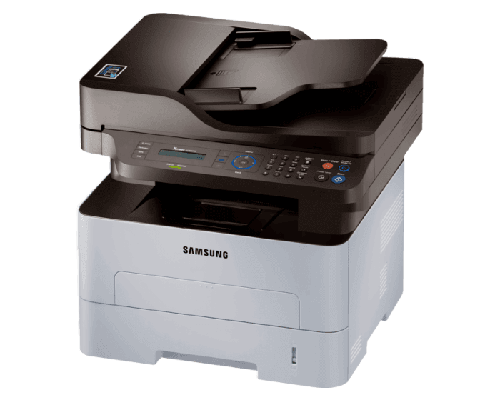
At the top of the D115 speed range sits the Xpress M2880, the fastest one-piece-cartridge monochrome multifunction printer in this Samsung-based line. It prints, scans and copies at the family's quickest pace, and duplex printing is part of the package. Speed has not changed the consumable, though: it remains the MLT-D115L high-yield black cartridge, rated at about 3,000 pages, with the standard MLT-D115S as the smaller alternative and the drum built into every cartridge.
A fast machine exposes the weakness of small cartridges more than any other. Pages per minute this high can work through a standard yield in a surprisingly short stretch of heavy days, while the high-yield unit was created for exactly this pairing — it exists because standard capacity feels short on fast engines. Owners of the M2880 tend to standardize on one cartridge and stop thinking about it, which is the correct instinct.
Toner Cartridges for Xpress M2880
| Cartridge | Color | Page Yield |
|---|---|---|
| Samsung MLT-D115L High Yield Laser Toner Cartridge Black | Black | 3,000 pages |
| Samsung MLT-D115L High Yield Laser Toner Cartridge Black 3 Pack | Black | 3,000 pages per cartridge |
| Samsung MLT-D115L Premium Quality High Yield Laser Toner Cartridge Black 5 Pack | Black | 3,000 pages per cartridge |
| Samsung Xpress M2880 High Yield Laser Toner Cartridge Black | Black | 3,000 pages |
| Samsung Xpress M2880 High Yield Laser Toner Cartridges Black 5 Pack | Black | 3,000 pages per cartridge |
Which cartridge should you buy?
Speed and the MLT-D115L are a natural pairing. The roughly 3,000-page cartridge is the longest-running option for this printer, it delivers the family's lowest cost per page, and on a fast multifunction machine the fewer swaps the better. The standard MLT-D115S is best kept as a stopgap. Do not expect the duplexer to stretch a cartridge, either: duplex printing on the M2880 halves paper consumption, but each printed side still takes a full toner image, so pages-per-cartridge is unchanged. Buy the multi-packs if the machine anchors a department — the per-cartridge cost improves and the spare is already in the building.
Chip, toner and everyday use
There is no drum unit on the M2880's shopping list, today or ever: the drum is inside the one-piece D115 cartridge and renews with every change, which also means gradual drum wear never gets a chance to dull output over months. When a cartridge finally fades, slide it out and rock it gently from side to side — redistributing the last of the toner commonly restores full density for a final batch of pages. Keep replacement cartridges sealed, upright and out of direct heat until the day they are installed, and let the chip's level reports guide your reordering rather than the calendar.
Frequently Asked Questions
Does duplex printing on the Xpress M2880 save toner?
It saves paper, not toner. Duplexing halves the sheets consumed, but each side still receives a complete toner image, so an MLT-D115S or MLT-D115L cartridge lasts the same number of printed sides either way. The genuine toner saver is the driver's toner-save or draft mode, which lightens every page — combine it with duplex for the lowest total running cost on long internal documents.
Is there a separate drum to replace on the M2880?
No. The drum is built into the one-piece D115 cartridge, so every cartridge change installs a fresh drum along with the toner. That is why the table on this page lists cartridges only, and why repeating print defects tied to drum wear disappear when the next cartridge goes in.
Standard or high-yield cartridge for a printer this fast?
High-yield — the MLT-D115L. At the M2880's pace, the standard MLT-D115S is consumed quickly enough to make changes a recurring interruption, while the L cartridge's roughly 3,000 pages and lower cost per page match the machine's role. Most owners of this model never buy the S twice.