




Xpress M2835DW
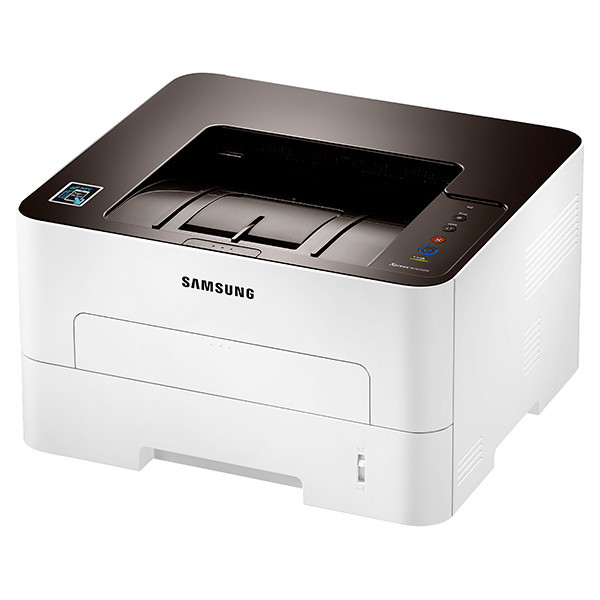
Wireless and duplex are built into the Xpress M2835DW rather than added on, and that changes where this mono laser can live: no Ethernet run and no cable to a PC, just a power outlet and a place on the network. A printer placed for convenience often ends up far from the supply shelf, so the cartridge choice matters. This page stocks the high-yield MLT-D116L for it. Toner and imaging are separate parts on this machine — the MLT-R116 drum unit forms the image and keeps working for roughly 9,000 pages, long after individual toner cartridges have been swapped out.
One Xpress M2835DW usually serves several desks and devices at once. Automatic two-sided printing keeps paper use in check on reports and drafts, and the quick M2835 engine means the wireless convenience does not arrive with a speed penalty. Owners tend to position it where everyone can reach it — a corridor alcove, a shared worktable — which is exactly why a longer-running cartridge, and a spare kept nearby, pay off on this model.
Toner Cartridges for Xpress M2835DW
| Cartridge | Color | Page Yield |
|---|---|---|
| MLT-D116L High Yield | Black | See product page |
| MLT-D116L High Yield — 3 Pack | Black | See product page |
| MLT-D116L Premium High Yield — 5 Pack | Black | See product page |
| Xpress M2835DW High Yield | Black | See product page |
| Xpress M2835DW High Yield — 5 Pack | Black | See product page |
Imaging drum (replaced separately):
- MLT-R116 drum unit — Black — approximately 9,000 pages. The drum follows its own wear schedule and is not changed with the toner.
Which cartridge should you buy?
One toner size is stocked on this page, and it is the sensible default for this printer: the high-yield MLT-D116L. The D116 family also includes a standard-yield MLT-D116S that costs less up front, but it needs replacing sooner, and on a shared wireless machine that trade rarely pays. If several people print through the Xpress M2835DW every day, the 3-pack and 5-pack listings spread the cost and keep a spare within reach of the printer. The drum runs independently at roughly 9,000 pages, so replace the MLT-R116 only when print quality fades in a way a fresh cartridge does not fix.
Chip, toner and everyday use
Every compatible cartridge here carries a chip the printer reads on installation, so the Xpress M2835DW recognizes the MLT-D116L and tracks its level like an original. Push the cartridge in firmly until it seats, then print a test page to confirm clean output. Page yields are estimates figured at 5% coverage; dense pages with logos and shaded tables consume toner faster than plain letters. If output turns light partway through a cartridge's life, remove it and rock it gently from side to side to redistribute the toner inside — that often restores even coverage for the pages that remain. Keep spares sealed, flat, and away from heat and direct sunlight.
Frequently Asked Questions
Does the Xpress M2835DW need a separate drum unit?
Yes. The MLT-R116 imaging unit is a separate part from the toner cartridge and is rated for roughly 9,000 pages. The printer prompts when it nears the end of its life, and changing toner does not reset or extend the drum's remaining life.
Will the MLT-D116L fit the other M2835 variants?
Yes. The MLT-D116 cartridges fit every M2835 variant and come in two yields — the standard MLT-D116S and the high-yield MLT-D116L stocked on this page. The fit is identical; only the amount of toner inside differs.
Does duplex printing use extra toner?
No. Duplexing changes paper handling, not toner use per printed side. It saves paper, and because two-sided jobs often mean more total sides printed, it is one more reason the high-yield cartridge suits this model.
My prints are fading even though toner remains. What should I check?
First, take the cartridge out and rock it side to side to level the toner, then test again. If fading or streaks persist across a fresh cartridge, the MLT-R116 drum is the likely cause — at around 9,000 pages it is often simply worn out.