




Xpress M2826
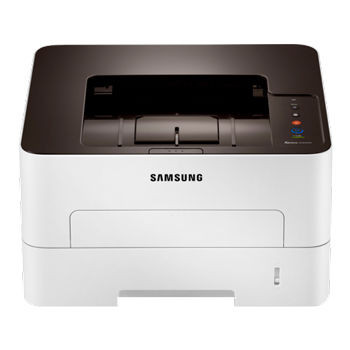
The Xpress M2826 is the answer for offices whose shared machine quietly became a bottleneck: networking for the whole team on an engine in the 28 ppm class. Volume like that rewards the high-yield MLT-D116L over the standard MLT-D116S, and the two-piece consumable design keeps the MLT-R116 imaging unit — around 9,000 pages — on its own, longer replacement cycle instead of being discarded with every toner fill.
Teams land on this model after outgrowing the speed of the M2676 class: same shared-printer idea, more headroom. What does not change with the faster engine is the economics underneath. More users sending bigger jobs means the cartridge question is settled by cost per page and swaps per year, and both answers point the same way on a networked machine.
Toner Cartridges for Xpress M2826
| Cartridge | Color | Page Yield |
|---|---|---|
| MLT-D116L High Yield Toner Cartridge — 3 Pack | Black | Check the product page |
| MLT-D116L High Yield Toner Cartridge | Black | Check the product page |
| Xpress M2826 High Yield Toner Cartridges — 5 Pack | Black | Check the product page |
| MLT-D116L Premium High Yield Toner Cartridge — 5 Pack | Black | Check the product page |
- Imaging unit, changed on a much longer cycle: MLT-R116 Drum Unit — around 9,000 pages
Which cartridge should you buy?
On a shared 28 ppm-class machine, the MLT-D116L high-yield cartridge is less a recommendation than a default. The standard MLT-D116S fits, but combined team volume empties it at a rate that turns toner into a standing agenda item; the L fill cuts both the cost per page and the number of swaps per year. The 3-pack and 5-pack listings above are how most offices run this model — a small buffer stock beside the machine, reordered when the buffer is opened. Reserve the standard cartridge for an M2826 that ended up, against the plan, serving one person.
Chip, toner and everyday use
The most expensive habit with this design is replacing the drum alongside the toner out of caution. Do not: the MLT-R116 is built to outlive several MLT-D116L cartridges, and a healthy drum keeps imaging perfectly while toner comes and goes. Swap toner when output fades and a gentle side-to-side rock no longer restores it; touch the drum only when the printer asks or defects begin repeating. When you do fit toner, seat it until it clicks and keep the chip contacts clean. Spares store best sealed and flat, away from sunlight.
Frequently Asked Questions
How long does the MLT-R116 drum last compared with toner on the M2826?
Much longer. The MLT-R116 imaging unit is rated around 9,000 pages and typically serves through several toner cartridges, whether MLT-D116L or MLT-D116S. Replace toner when pages fade and the cartridge is truly empty; replace the drum when its warning appears or defects repeat at regular intervals. Buying a drum with every toner order wastes money.
MLT-D116S or MLT-D116L for the Xpress M2826?
The high-yield MLT-D116L. It fits the same slot, carries more toner, costs less per page and suits the shared, higher-volume role this model is bought for. The standard MLT-D116S only earns its place where the printer's workload stayed small.
How should I handle the MLT-R116 when it finally needs changing?
Work quickly and keep it shaded: the drum surface is light-sensitive and degrades under bright light, and fingertips on the surface leave oils that print as repeating spots. The old unit tells the story — defects repeating at the same interval down every page mean the drum, not the toner, had reached its end.