




Xpress M2825ND
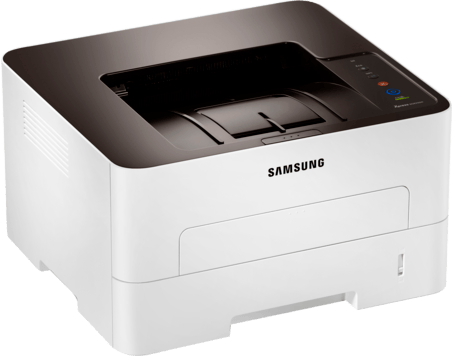
Ask an IT department which configuration it wants rolled out across a floor and it will describe the Xpress M2825ND: wired networking for stability, automatic duplexing as standard, nothing exotic to support. Procurement likes the model for a plainer reason — one toner family serves the whole fleet. The cartridges are the MLT-D116L high-yield and MLT-D116S standard, imaging is the long-life MLT-R116 drum, and that is the entire list a stockroom has to learn.
Standardization is this machine's real feature. When every unit on the floor takes the same two toner cartridges and the same drum, one spare shelf covers every breakdown, swap instructions never change, and the helpdesk script for "printer says low toner" fits in one line. The compatible listings below exist to make that simplicity inexpensive as well as simple.
Toner Cartridges for Xpress M2825ND
| Cartridge | Color | Page Yield |
|---|---|---|
| MLT-D116L High Yield Toner Cartridge | Black | See product page |
| Xpress M2825ND High Yield Toner Cartridge | Black | See product page |
| MLT-D116L High Yield Toner Cartridge — 3 Pack | Black | See product page |
| Xpress M2825ND High Yield Toner Cartridges — 5 Pack | Black | See product page |
| MLT-D116L Premium High Yield Toner Cartridge — 5 Pack | Black | See product page |
Fleet stock also includes the imaging unit:
- MLT-R116 Drum Unit — rating on the product page
Which cartridge should you buy?
Fleets standardize on the MLT-D116L for arithmetic, not fashion: the longest interval between swaps multiplied across many machines is a real saving in visits, and the cost per page is the lowest in the family. The multi-pack listings above are effectively fleet packaging — stock the shelf once, stop thinking about toner for a quarter. The MLT-D116S still fits every machine and remains a fallback for a low-use unit at the end of a corridor, but mixing standards across a fleet quietly destroys the simplicity that justified the M2825ND in the first place. Pick the high-yield and keep it uniform.
Chip, toner and everyday use
Across a fleet, most cartridge complaints trace back to fit and contacts rather than the cartridge itself: seat every unit until it clicks, and clean chip contacts with a dry lint-free cloth if a machine questions a fresh install. Cartridges delivered in bulk should acclimate to room temperature before fitting — cold stock from a loading dock misreads. Store the shelf stock sealed, flat and out of sunlight, rotate it oldest-first, and the fleet will quietly consume cartridges in the order you bought them.
Frequently Asked Questions
Why do fleets standardize on the high-yield cartridge for the M2825ND?
Because swap frequency is a labor cost. The MLT-D116L runs far longer than the standard MLT-D116S, so across dozens of machines the avoided visits dwarf the small per-box premium — and the cost per page is lower as well. One cartridge type everywhere also means any spare fits any machine.
A new MLT-D116 cartridge is being rejected by one of our M2825ND units. Steps?
Power the printer off, remove the cartridge, and clean the chip contacts with a dry lint-free cloth, then reseat it firmly until it clicks. Let stock that came in from the cold reach room temperature first. If the same cartridge is refused by a second machine, the cartridge's chip is at fault and it should be exchanged; a genuine cartridge is the reliable fallback while that is sorted out.
How should the MLT-R116 imaging unit be handled during a swap?
Treat the MLT-R116 as light-sensitive equipment: work promptly, keep it out of bright light while it is exposed, and keep fingers off the drum surface, since skin oils print as repeating marks. Repeating defects at fixed intervals down the page are the classic sign of a scratched drum reaching the end of its service.