




Xpress M2825
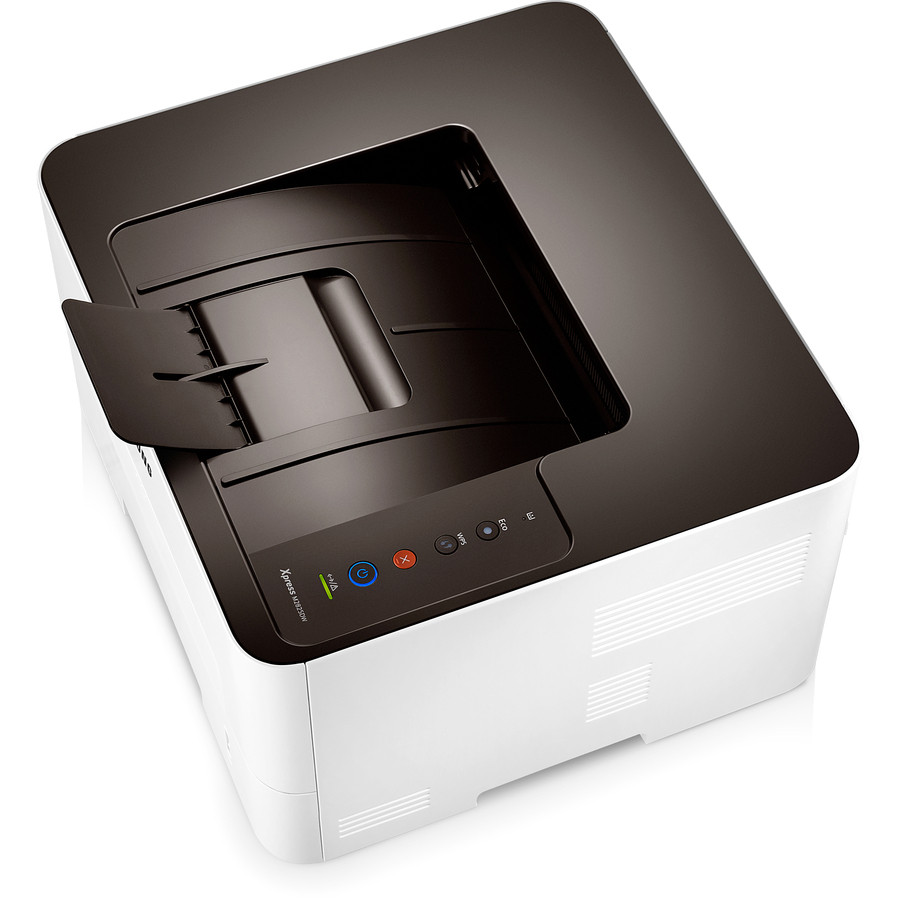
At 28 pages per minute, the Xpress M2825 is where this monochrome family stops feeling like a desktop accessory and starts behaving like workgroup equipment. Speed consumes toner at the same rate it produces pages, so this shelf leans on the MLT-D116L high-yield cartridge — the standard MLT-D116S fits the same slot — with imaging left to the separate MLT-R116 drum unit, changed on its own longer cycle.
The M2825 suits teams that found 26 ppm machines wheezing: the end-of-week report run, the invoice batch, the training packs. Work like that arrives in bursts, and burst printing is hard on supplies discipline — a cartridge that was fine on Monday is empty by Thursday's deadline. Fewer, larger cartridges and a shelf spare are how workgroups keep a fast machine from becoming a fast way to stop working.
Toner Cartridges for Xpress M2825
| Cartridge | Color | Page Yield |
|---|---|---|
| Xpress M2825 High Yield Toner Cartridge | Black | Check the product page |
| MLT-D116L High Yield Toner Cartridge | Black | Check the product page |
| Xpress M2825 High Yield Toner Cartridges — 5 Pack | Black | Check the product page |
| MLT-D116L High Yield Toner Cartridge — 3 Pack | Black | Check the product page |
| MLT-D116L Premium High Yield Toner Cartridge — 5 Pack | Black | Check the product page |
- Imaging unit (separate from toner): MLT-R116 Drum Unit — see the product page for its rating
Which cartridge should you buy?
Match the cartridge to the pace. At 28 ppm, the standard MLT-D116S is consumed quickly enough that its only virtue — a smaller upfront price — is spent within the first big week; the MLT-D116L high-yield cartridge is the one this machine was effectively designed around, delivering a lower cost per page and longer gaps between swaps. Workgroups printing in bursts should go one step further and hold a 3-pack or 5-pack as buffer stock. The standard cartridge remains the right answer only where an M2825 lives a quiet second life as a lightly used backup.
Chip, toner and everyday use
Fast machines reward a small ritual: when a fade first creeps into long runs, pause between jobs, take the cartridge out and rock it gently side to side — redistributed powder restores even coverage and tells you how much life is really left. Fit every replacement firmly until it clicks, and if the printer questions a fresh cartridge, clean the chip contacts with a dry lint-free cloth before reseating. Spares keep best sealed, flat and out of sunlight. Every compatible cartridge sold here is backed by a 1-year warranty and 1-year returns.
Frequently Asked Questions
MLT-D116S or MLT-D116L at 28 pages per minute?
The MLT-D116L. Both fit the M2825 identically, but a fast workgroup engine turns a standard fill over quickly; the high-yield cartridge lowers cost per page and survives the big weekly runs without a mid-job swap. Reserve the MLT-D116S for genuinely light duty.
How should I handle the MLT-R116 imaging unit in the M2825?
Quickly, and in subdued light. The drum surface degrades under bright light, so do not leave the MLT-R116 sitting exposed while you do other things, and never touch the surface — oils from skin cause a repeating spot on every subsequent page. If the same defect starts repeating at regular intervals down the sheet, the drum is likely scratched and replacement, not another toner, is the remedy.
Prints from my M2825 are fading. Toner or drum?
Work through the cheap causes first: toner-save mode left on, or a low MLT-D116L that needs its powder redistributed with a gentle shake. If fading continues at normal density with a fresh cartridge fitted, the MLT-R116 imaging unit becomes the prime suspect — a worn drum prints pale regardless of toner level, and repeating marks alongside the fading confirm it.