




Xpress M2676
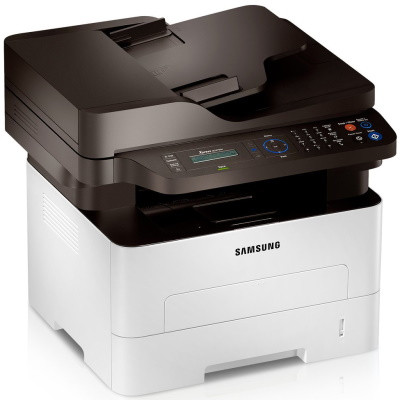
Sharing one printer across a whole office concentrates a month of printing into a single cartridge, and the Xpress M2676 — the networked sibling in its line — is built for exactly that load. It runs MLT-D116L high-yield or standard MLT-D116S toner, with imaging handled separately by the MLT-R116 unit, good for about 9,000 pages. The listings below are the compatible options for keeping a shared machine fed without drama.
A shared machine has a particular social problem: nobody owns the toner warning. The person who sends the forty-page deck is rarely the person who ordered the last cartridge, and the low-toner light blinks at everyone and no one. The practical answers are boring and effective — high-yield cartridges that empty less often, a multi-pack in the cabinet, and consumables cheap enough that keeping stock never needs a budget meeting.
Toner Cartridges for Xpress M2676
| Cartridge | Color | Page Yield |
|---|---|---|
| MLT-D116L High Yield Toner Cartridge | Black | See product page |
| MLT-D116L High Yield Toner Cartridge — 3 Pack | Black | See product page |
| Xpress M2676 High Yield Toner Cartridge | Black | See product page |
| MLT-D116L Premium High Yield Toner Cartridge — 5 Pack | Black | See product page |
| Xpress M2676 High Yield Toner Cartridges — 5 Pack | Black | See product page |
The imaging unit is a separate line item:
- MLT-R116 Drum Unit — about 9,000 pages
Which cartridge should you buy?
For a networked machine, default to the MLT-D116L high-yield cartridge and buy it in a multi-pack. Shared volume is spiky — quiet weeks, then three people printing reports on the same afternoon — and standard cartridges have a way of emptying mid-spike. The high-yield fill lowers cost per page and, just as valuable in an office, lowers the number of times anyone has to think about toner at all. The standard MLT-D116S fits this printer too, but on a machine serving a whole team it is the choice that generates the most replacement orders per year.
Chip, toner and everyday use
Two habits keep a shared M2676 out of trouble. First, whoever changes the cartridge reseats it properly — in until it clicks, contacts clean — because the next user cannot diagnose a half-seated cartridge from their desk. Second, someone owns the spare: keep one sealed cartridge near the machine, stored flat and away from sunlight, and reorder when the spare goes in, not when the fitted one dies. Remember that yields are rated at 5 percent coverage; an office printing dense reports and forms will always see real life come in under the rating.
Frequently Asked Questions
Why does toner run out faster than the rating suggests on our M2676?
Ratings assume a light 5 percent of the page is covered — roughly a short letter. Dense documents, forms and graphics multiply actual consumption, and a shared machine prints a heavier mix than a personal one. Draft and toner-save modes for internal work pull real-world use back toward the rating; persistently heavy output is the signal to standardize on the MLT-D116L rather than cycling standard cartridges.
MLT-D116S or MLT-D116L for a machine the whole office uses?
The high-yield MLT-D116L, almost without exception. Combined volume from several users empties a standard cartridge quickly, and every swap is a small office event. The L cartridge costs less per page and turns toner into a background detail instead of a recurring interruption.
The imaging-unit warning appeared on the M2676. What is it asking for?
A new MLT-R116 imaging unit. That unit forms the image and wears across several toner cartridges; the warning is its end-of-life notice, entirely separate from toner level. Replacing toner will not clear it, and the drum itself is a straightforward swap when the warning appears — budget it as occasional maintenance, not a breakdown.