




Xpress M2675
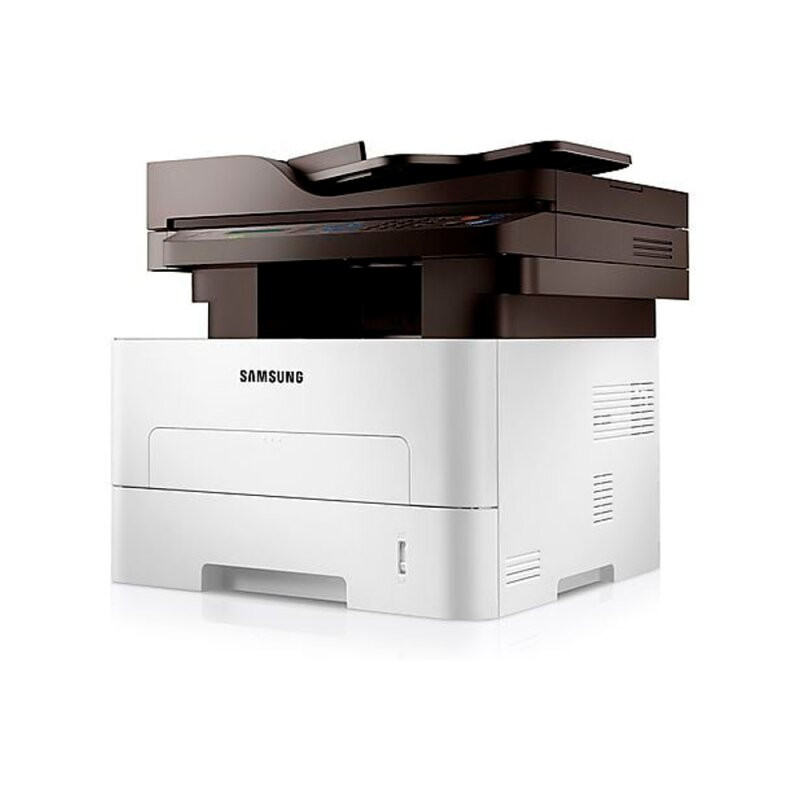
The Xpress M2675 is the step up for offices that have outgrown an entry-level machine: a quicker engine and a broader feature set, still in monochrome and still economical to run. It stays loyal to the MLT-D116 consumable family — MLT-D116L when you want the longest run between swaps, the standard MLT-D116S when you do not — and imaging remains a separate job belonging to the MLT-R116 drum, rated at roughly 9,000 pages.
This is the machine a small firm buys when the old printer starts forming queues: more staff sending jobs, longer documents, less patience. Volume growth changes what matters in a cartridge. The sticker price of a single box fades in importance; pages per swap and cost per page take over, and a compatible high-yield line keeps those numbers under control as the workload climbs.
Toner Cartridges for Xpress M2675
| Cartridge | Color | Page Yield |
|---|---|---|
| Xpress M2675 High Yield Toner Cartridge | Black | Listed on the product page |
| MLT-D116L High Yield Toner Cartridge | Black | Listed on the product page |
| MLT-D116L High Yield Toner Cartridge — 3 Pack | Black | Listed on the product page |
| Xpress M2675 High Yield Toner Cartridges — 5 Pack | Black | Listed on the product page |
| MLT-D116L Premium High Yield Toner Cartridge — 5 Pack | Black | Listed on the product page |
Sold separately and changed far less often:
- MLT-R116 Drum Unit — roughly 9,000 pages per unit
Which cartridge should you buy?
A machine bought for growth should be fed for growth. The MLT-D116L high-yield cartridge is the default recommendation here: it turns a busier engine's appetite into fewer, cheaper pages, and the 3-pack and 5-pack listings above remove reordering from the monthly to-do list entirely. The standard MLT-D116S remains a legitimate fit for the M2675 — same slot, same print quality — but in a machine chosen because volume was rising, the standard fill tends to feel like it empties the week it was installed. Buy capacity ahead of the workload, not behind it.
Chip, toner and everyday use
If a brand-new compatible cartridge is ever refused, work through the simple causes before blaming the box: power the printer down, pull the cartridge, wipe the chip contacts with a dry lint-free cloth, and reseat it firmly until it clicks. Cartridges that traveled through temperature extremes can misread, so let one reach room temperature first. Keep spares sealed, flat and away from sunlight, and near the end of a fill, rock the cartridge gently side to side to level the powder. All compatible cartridges on this page carry a 1-year warranty with 1-year returns.
Frequently Asked Questions
MLT-D116S or MLT-D116L for a team that keeps growing?
Choose the MLT-D116L. Both cartridges fit identically, but the high-yield version holds more toner, costs less per printed page and interrupts a busy office far less often. The standard MLT-D116S makes sense where printing is light or sporadic — conditions a growing team has usually already left behind.
My M2675 will not recognize a new cartridge. What should I try?
Switch the machine off, remove the cartridge and clean the chip contacts with a dry, lint-free cloth, then reseat it firmly until it clicks into place. Let a cartridge that arrived from a cold delivery truck warm to room temperature first — temperature swings cause misreads. If one compatible cartridge is repeatedly refused while others work, the chip itself is the likely fault and a replacement cartridge is the fix.
What does the replace-imaging-unit message mean on the M2675?
It refers to the MLT-R116 imaging unit, not the toner. The drum forms every image and wears gradually across several toner cartridges; when the printer asks for a new one, print quality has reached the point where a drum swap, not another MLT-D116L, restores it. Fitting fresh toner will not clear the message.