




Xpress C430W
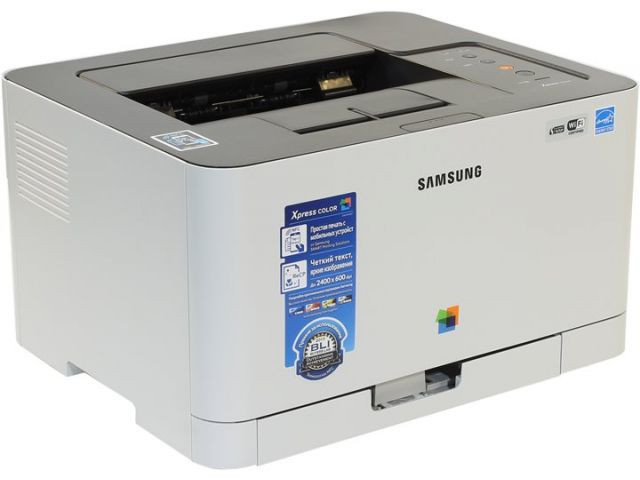
Wireless is what the W buys you, and on the Xpress C430W it arrives on the same compact color chassis Samsung sells across this family. However the badge on the front reads, the toner bay underneath is the standard one: four standard-yield cartridges from the CLT-404S family — CLT-K404S black, CLT-C404S cyan, CLT-M404S magenta and CLT-Y404S yellow. Badge variants never change the cartridge, and neither does the wireless card.
That stability is worth more than it looks. Owners of this chassis reorder from a list of four codes that has not changed across badges, model years or feature packs, and our compatible line covers the whole of it. The buying habit to build is simple: know which of the four your machine eats fastest — on a home or small-office desk it is black, by a distance — and let the other three surprise you slowly.
Toner Cartridges for Xpress C430W
| Toner | Slot | Yield |
|---|---|---|
| CLT-K404S | Black slot | Listed on the product page |
| CLT-C404S | Cyan slot | Listed on the product page |
| CLT-M404S | Magenta slot | Listed on the product page |
| CLT-Y404S | Yellow slot | Listed on the product page |
Set choices on this shelf: an Xpress C430W 4 Color Set and an Xpress C430W Premium Quality 4 Color Set in the model's full Xpress name, the family CLT-404S 4 Color Set, and a CLT-404S 5 Color Set that pairs the four colors with a second black.
Which cartridge should you buy?
Replace individually, and let the printer's own reporting drive the timing. The Xpress C430W tracks each slot separately, so a low yellow says nothing about the cyan beside it. Black will cycle two or three times against each color change on document-led desks; buy black in the five-color set or as a spare single, and take colors one at a time as they flag. A complete four-color set is a setup purchase — sensible on day one, or when a heavy color month has genuinely run several slots down together — not a recurring subscription.
Chip, toner and everyday use
Learn to tell what you are holding. Genuine cartridges arrive in OEM-sealed packaging with holographic security labels; compatibles are marked as compatible with the CLT codes and carry no OEM branding — both fit this machine, and the practical difference shows up in chip behavior and color consistency. Whatever you fit, print one full-color test page before the packaging goes in the trash: a rejected chip or a washed-out color is a two-minute discovery now and a paperwork hunt later. Every compatible cartridge here carries a 1-year warranty and 1-year returns, so that test page is a free inspection.
Frequently Asked Questions
How do I spot a genuine CLT-404S cartridge versus a compatible one?
By the packaging and the label. Genuine units ship OEM-sealed with holographic security marks; compatibles state their compatibility with CLT-K404S, CLT-C404S, CLT-M404S or CLT-Y404S and wear a different brand. The Xpress C430W accepts either kind.
The printer stopped recognizing a cartridge after I moved it across the room. Why?
Moving jogs cartridges. A unit that shifted a fraction in its slot can lose chip contact and read as missing. Open the bay, reseat each cartridge firmly until it clicks, and the phantom fault usually clears without any part being replaced.
Does printing from my phone use more toner than printing from a computer?
The page is the same, but the defaults are not. Phone print dialogs tend to select full-quality color, so a photo or a screenshot can spend color toner a computer driver would have rendered in draft. Check the quality setting in the phone's print options for everyday jobs.
Should I keep a full spare set for a printer this small?
A spare black, yes; a full set, only if the machine is business-critical. The colors decline slowly enough that ordering on the warning is safe, while black is the cartridge that actually ambushes people mid-week.