




ProXpress M3370FW
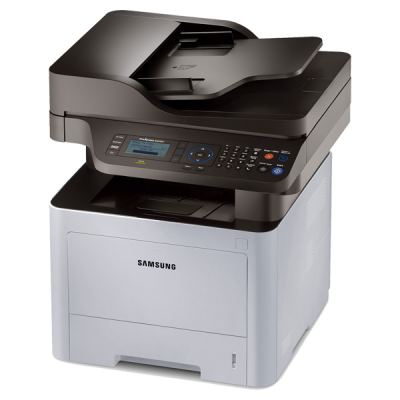
The ProXpress M3370FW pairs fax with wireless networking — the configuration for an office that wants every function reachable from every desk, laptop and phone without a cable in sight. Underneath, it is the same Samsung-engine monochrome platform as the rest of the M3370 line, so its consumables are the familiar MLT-D203 set. This page stocks the three larger sizes as compatibles: the MLT-D203L high-yield at roughly 5,000 pages, the MLT-D203E extra-high-yield at roughly 10,000 pages and the MLT-D203U ultra-high-yield at roughly 15,000 pages.
Wireless placement changes where this printer lives: on a credenza, in a reception corner, wherever the signal is good — often nowhere near the supply cupboard. That distance is an argument in itself for a long-life cartridge, because every changeover becomes a small expedition. It also means more people print casually and more often, so the FW's volume tends to creep upward after installation.
Toner Cartridges for ProXpress M3370FW
| Cartridge | Color | Page Yield |
|---|---|---|
| MLT-D203L High Yield | Black | Rated at about 5,000 pages |
| MLT-D203L High Yield 3 Pack | Black | Rated at about 5,000 pages each |
| MLT-D203E Extra High Yield | Black | Rated at about 10,000 pages |
| MLT-D203U Ultra High Yield | Black | Rated at about 15,000 pages |
| ProXpress M3370FW High Yield Toner | Black | See product page |
| ProXpress M3370FW High Yield 5 Pack | Black | See product page |
| MLT-D203L Premium 5 Pack | Black | See product page |
Which cartridge should you buy?
Should the standard cartridge cycle feel too short — the family's entry size is the MLT-D203S at about 3,000 pages — the ladder steps up through the sizes above. The MLT-D203L suits an FW that mostly handles light daily printing alongside its fax duties. The MLT-D203E halves the number of trips to wherever the spares live. For a wireless machine that a whole team leans on, the MLT-D203U is the fit-and-forget choice, with the lowest cost per page in the family. The five-pack listings in the table restock a busy FW in one order.
Chip, toner and everyday use
Each compatible cartridge's chip reports its level to the printer, and because a wireless machine may sit across the room, checking that level from the printer's status page before a big print day is a useful habit. Fitting is the usual routine: seal off, a gentle rock to distribute the toner, slide home until seated. If output turns faint before the level reads empty, the rock-and-reseat routine usually recovers the remaining toner evenly. Ratings assume 5% coverage per page. Store spare cartridges sealed and away from radiators or sunny windowsills — heat is unkind to toner. All compatibles here include a 1-year warranty and 1-year returns.
Frequently Asked Questions
We are replacing an M3370FD with an M3370FW — does our toner stock transfer?
Yes, completely. Both models run on the same MLT-D203S, L, E and U family, so whatever sizes you have on the shelf move straight over. The FW changes how the machine connects, not what it consumes.
Does printing over Wi-Fi change any toner settings?
No. The connection method has no toner settings attached to it; consumption is driven by pages and coverage. Your MLT-D203 choice behaves identically whether the job arrived by Wi-Fi, network cable or USB.
The FW sits far from our supplies — which size minimizes the trips?
The MLT-D203U. At about 15,000 pages it gives the longest interval between changeovers, and pairing it with a spare kept near the machine removes the cross-office trip from the routine entirely.
Received faxes are printing light — what should we check first?
The cartridge level, then the toner-save setting, since draft-style modes lighten everything by design. If the level is genuinely low, rocking the cartridge side to side redistributes what remains and usually restores solid blacks until the replacement goes in.