




ProXpress M3370FD
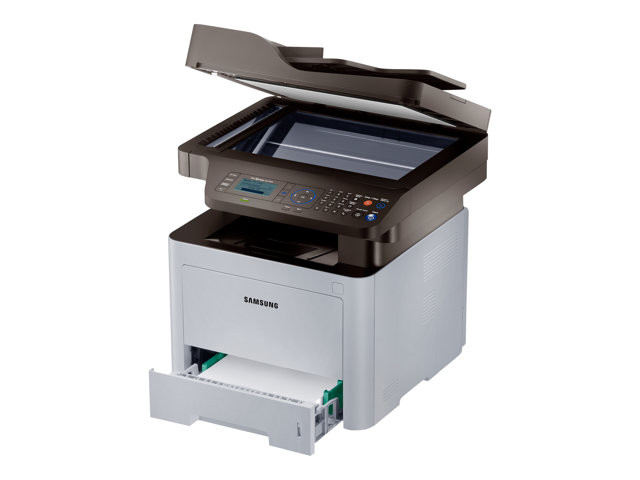
Fax plus duplex defines the ProXpress M3370FD: it answers the phone line, prints what arrives on both sides of the sheet, and keeps a paper trail moving while nobody is standing over it. A machine that works that autonomously has exactly one consumable to keep an eye on, and this page exists to make that easy. The M3370FD takes the Samsung MLT-D203 family; stocked here in compatible form are the MLT-D203L high-yield cartridge at around 5,000 pages, the MLT-D203E extra-high-yield at around 10,000 pages and the MLT-D203U ultra-high-yield at around 15,000 pages.
Duplexing is the FD's quiet economy: long fax runs and double-sided reports use half the paper of a single-sided machine. Paper savings do not reduce toner per page, though, so the FD's cartridge drains at the same rate as any sibling model's — it just does so unattended. The practical consequence is that toner level, checked occasionally and topped up with a sensibly large cartridge, is the whole maintenance routine for this printer.
Toner Cartridges for ProXpress M3370FD
| Cartridge | Color | Page Yield |
|---|---|---|
| MLT-D203E Extra High Yield | Black | ~10,000 pages |
| MLT-D203U Ultra High Yield | Black | ~15,000 pages |
| MLT-D203L High Yield | Black | ~5,000 pages |
| MLT-D203L High Yield 3 Pack | Black | ~5,000 pages each |
| ProXpress M3370FD High Yield Toner | Black | See product page |
| ProXpress M3370FD High Yield 5 Pack | Black | See product page |
| MLT-D203L Premium 5 Pack | Black | See product page |
Which cartridge should you buy?
The family ladder for the M3370FD runs from the standard MLT-D203S (about 3,000 pages) through the three sizes listed above. Faxing is black-only and steady, so keep the high side stocked: the MLT-D203L is the sensible minimum for a faxing office, the MLT-D203E fits when the received-page count climbs week over week, and the MLT-D203U stretches the service interval to its maximum, which matters on a machine nobody watches daily. Incoming faxes do not pause while a toner order is in transit, so fax-intensive sites usually keep one spare cartridge beside the machine as well.
Chip, toner and everyday use
The chip in each compatible cartridge lets the M3370FD report its toner level on the panel, and on an unattended machine that warning is your reorder signal — act on the first low notice rather than the empty one. When fitting a replacement, remove the sealing tape completely, rock the cartridge gently a few times to level the toner inside, and slide it in until it locks. Ratings are measured at 5% coverage; a typical fax page uses less, while dense forms use more. Keep spares in their sealed packaging in a cool spot. Compatible cartridges here are backed by a 1-year warranty and 1-year returns.
Frequently Asked Questions
Do sent faxes use toner on the M3370FD?
No. Sending scans the document and transmits it electronically — nothing is printed, so nothing is consumed. Only received faxes and copies print, and those are the pages that draw on the cartridge.
The M3370FD handles a lot of faxing — which MLT-D203 should I keep on hand?
Keep the high side stocked. An MLT-D203E or MLT-D203U installed, plus one spare on the shelf, means a heavy fax week can never stall the machine waiting for a delivery.
Does duplex printing save toner as well as paper?
It saves paper — the same content spread across both sides — but each printed side uses its normal amount of toner. Think of duplex as a paper saving and the high-yield sizes as the toner saving; the FD gives you both levers.
How far ahead should we reorder for this machine?
Reorder when the panel first reports low, not when output starts to fade. With the U size installed that warning typically leaves weeks of printing in reserve, which is comfortable; with the L it can be days, so fax-heavy offices either size up or keep the spare closer.