




ProXpress M3370
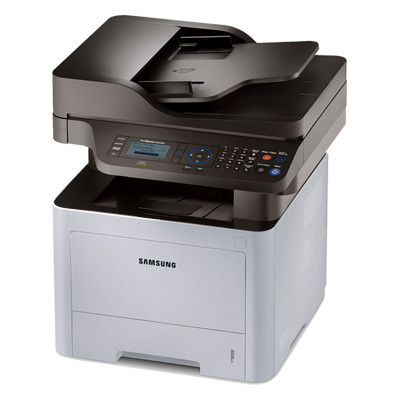
The ProXpress M3370 takes the M3320 formula and adds a faster engine plus built-in fax, which turns the machine into the office's communications hub as well as its printer. That second job has a quiet appetite: every fax that arrives is a page that gets printed, whether anyone asked for it or not. The cartridge family is the Samsung MLT-D203 line, and this page stocks its three larger sizes as compatibles — the MLT-D203L high-yield at roughly 5,000 pages, the MLT-D203E extra-high-yield at roughly 10,000 pages and the MLT-D203U ultra-high-yield at roughly 15,000 pages.
Fax traffic changes the toner math on the M3370. Print volume rises and falls with projects, but inbound faxes arrive on their own schedule — order confirmations, signed forms, junk pages and all — so a fax hub's page count is steadier, and often higher, than its users realize. A cartridge that looks generously sized on paper can be drained by a few busy fax weeks, which is why this model rewards sizing up rather than sizing to the average week.
Toner Cartridges for ProXpress M3370
| Cartridge | Color | Page Yield |
|---|---|---|
| MLT-D203U Ultra High Yield | Black | About 15,000 pages |
| MLT-D203E Extra High Yield | Black | About 10,000 pages |
| MLT-D203L High Yield | Black | About 5,000 pages |
| MLT-D203L High Yield 3 Pack | Black | About 5,000 pages each |
| ProXpress M3370 High Yield Toner | Black | See product page |
| ProXpress M3370 High Yield 5 Pack | Black | See product page |
| MLT-D203L Premium 5 Pack | Black | See product page |
Which cartridge should you buy?
All four D203 sizes fit the M3370, starting from the standard MLT-D203S at about 3,000 pages. For a machine with light fax traffic, the MLT-D203L covers everyday printing and the odd fax day without tying up much budget. The MLT-D203E is the bridge size for offices whose fax line rings steadily through the week. Where faxing is a core workflow, the MLT-D203U earns its place: 15,000 pages between changes and the family's lowest cost per page. Offices that would rather order rarely can take the L size in the three-pack or five-pack listings above and keep the hub supplied in bulk.
Chip, toner and everyday use
A compatible MLT-D203 cartridge reports its level through its chip, exactly as the original does, so the M3370's low-toner warnings keep working. Fit a fresh cartridge with the seal removed and the unit pushed home until it seats; if the panel is slow to register it, opening and closing the front cover usually prompts a fresh read. Yield figures assume about 5% coverage per page, and fax pages — mostly text and white space — are typically lighter than that, so a cartridge often lasts longer on a fax hub than the rating suggests. Store spares sealed, upright and away from heat, and every compatible here carries a 1-year warranty with 1-year returns.
Frequently Asked Questions
Do received faxes really use much toner?
More than most offices expect. Each incoming fax prints in full, so a hundred received pages consume exactly as much toner as a hundred printed pages. On a busy line that background volume is what empties cartridges sooner than the print queue alone would.
We replaced an M3320 with the faster M3370 — will our toner budget change?
Only if your page volume changes. The M3370 runs on the same MLT-D203 family with the same per-page consumption; the faster engine finishes jobs sooner but puts no more toner on each page.
Our M3370 prints gray instead of true black — is the cartridge failing?
Not necessarily. Check the toner-save or draft setting first, since those deliberately lighten output, and look at the remaining level. If pages stay gray with a healthy cartridge installed and normal settings restored, the cartridge itself is the likely cause and a swap settles it.
Which size should a fax hub keep installed?
The busier the line, the higher the size. Most fax-centered offices settle on the MLT-D203U for the long interval, with an MLT-D203E as the shelf spare so a changeover never waits on a delivery.