




ProXpress M3320ND
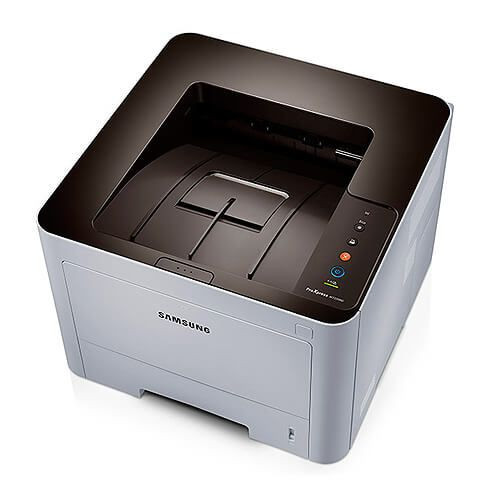
A ProXpress M3320ND usually belongs to a whole corner of the office rather than one person: it joins the network out of the box and spends its day printing, copying and scanning in black and white for whoever sends a job. Shared machines empty their cartridges on other people's schedules, so the size you fit matters. This page covers the three high-capacity sizes of the Samsung D203 line for this printer — the MLT-D203L high-yield cartridge, rated at about 5,000 pages, the MLT-D203E extra-high-yield at about 10,000 pages, and the MLT-D203U ultra-high-yield at about 15,000 pages — all as compatible cartridges that undercut the Samsung originals on price.
Because the M3320ND prints for a group, its monthly page count is the sum of several people's habits, and it tends to be steadier and higher than a personal printer's. Nobody feels personally responsible for its toner either, which is how shared machines end up flashing a low-toner warning in the middle of someone else's deadline. Matching the cartridge size to the group's real volume, and keeping one spare in the cupboard, turns toner from a recurring interruption into a twice-a-year errand.
Toner Cartridges for ProXpress M3320ND
| Cartridge | Color | Page Yield |
|---|---|---|
| MLT-D203L High Yield | Black | Approx. 5,000 pages |
| MLT-D203E Extra High Yield | Black | Approx. 10,000 pages |
| MLT-D203U Ultra High Yield | Black | Approx. 15,000 pages |
| MLT-D203L High Yield 3 Pack | Black | Approx. 5,000 pages each |
| ProXpress M3320ND High Yield Toner | Black | See product page |
| ProXpress M3320ND High Yield 5 Pack | Black | See product page |
| MLT-D203L Premium 5 Pack | Black | See product page |
Which cartridge should you buy?
The D203 family starts with a standard MLT-D203S size of about 3,000 pages, but on a networked machine that size cycles quickly; the three sizes stocked here are the practical shortlist. Pick the MLT-D203L when a small team prints a few hundred pages a week and wants the lowest cost per cartridge. Step up to the MLT-D203E when the queue stays busy most days — for most shared M3320NDs it is the balance point between price and changeover frequency. The MLT-D203U suits machines under near-constant demand and gives the lowest cost per page of the family. If reordering is itself a chore, the multi-packs in the table — three or five high-yield cartridges at a time — keep a shared printer fed for months.
Chip, toner and everyday use
These compatible cartridges carry a chip the printer reads for toner level reporting, and a networked M3320ND shows that level on its status page, so anyone can check what is installed and how much is left. When you swap a cartridge, pull the protective seal fully, seat the unit until it clicks, and give the printer a moment to recognize it before sending a job. Page yields are estimates based on 5% page coverage, so dense documents finish a cartridge sooner than memos do. Near the end of a cartridge's life, rocking it gently side to side redistributes the remaining toner and often restores even printing for a while. Every compatible cartridge on this page is covered by a 1-year warranty and 1-year returns.
Frequently Asked Questions
Is there any toner difference between the M3320ND and the M3320DN?
None at all. The two names simply order the same feature set differently — both are duplex network models, and both take the same MLT-D203S, L, E and U cartridges in the same sizes.
Our M3320ND and M3320DN sit side by side — do we stock two toner types?
One stock serves both machines. A single size of MLT-D203 cartridge can move between the two printers, so most offices standardize on one size, usually the MLT-D203E, and keep a shared spare.
When is it worth stepping up from the L to the E size?
When the L is running out more often than your team wants to think about it — roughly, when a cartridge lasts only a few weeks. The E roughly doubles the interval and lowers the cost per page, so a busy shared machine usually pays the small premium back quickly.
Does copying and scanning use toner the same way printing does?
Copying prints a page, so it uses toner exactly like a print job. Scanning a document to a file prints nothing and uses no toner at all, which is why scan-heavy days are easier on the cartridge than copy-heavy ones.