




ProXpress M3320
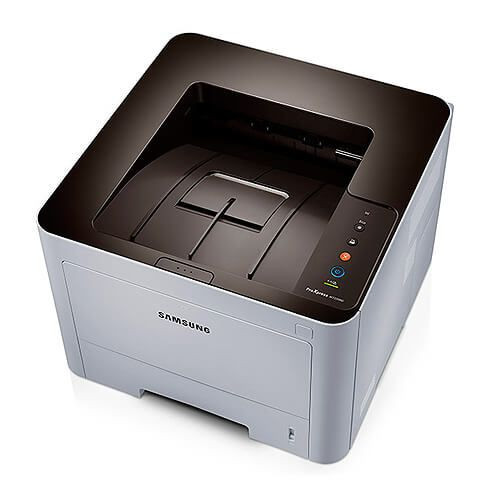
The ProXpress M3320 is the entry point of Samsung's ProXpress mono laser MFP line, built for small offices that need print, copy, scan and fax without a color machine's running costs. It takes the MLT-D203 cartridge series, and the smart move is matching the yield to your volume. Stocked on this page: the high-yield MLT-D203L at 5,000 pages, the extra-high MLT-D203E at 10,000 and the ultra-high MLT-D203U at 15,000, plus a cartridge listed under the M3320's own name. The family's standard MLT-D203S covers 3,000 pages for the lightest use.
An entry-point MFP usually becomes the office's only printer, and its four-size cartridge range is genuinely useful in that role: start on a smaller cartridge while volumes are unknown, then step up as the office learns its real appetite. Nothing about the machine changes — only the size of the cartridge you drop into it.
Toner Cartridges for ProXpress M3320
| Cartridge | Color | Page Yield |
|---|---|---|
| MLT-D203L High Yield | Black | 5,000 pages |
| MLT-D203L High Yield — 3 Pack | Black | 5,000 pages |
| MLT-D203L Premium High Yield — 5 Pack | Black | 5,000 pages |
| MLT-D203E Extra High Yield | Black | 10,000 pages |
| MLT-D203U Ultra High Yield | Black | 15,000 pages |
| ProXpress M3320 High Yield | Black | See product page |
| ProXpress M3320 High Yield — 5 Pack | Black | See product page |
Which cartridge should you buy?
Work the ladder by volume. Light, occasional printing is honestly served by the smaller sizes, and there is no prize for toner that sits aging in a quiet machine. A small office printing every day belongs on the MLT-D203L at minimum. If the ProXpress M3320 runs most of the day — reception printing, a billing desk, a classroom — the MLT-D203E halves the changeovers again, and the MLT-D203U at 15,000 pages is there for machines that never rest. Each step up also lowers the cost per page, so volume you are sure about should always be bought at the largest size it justifies.
Chip, toner and everyday use
The chip on each compatible cartridge lets the ProXpress M3320 identify it and track its level like an original. A useful habit with a first cartridge: note roughly when it went in and which size it was — that single data point tells you which rung of the ladder your office actually lives on. Yields are rated at 5% coverage, so a month of dense invoices will underperform the headline figure while plain correspondence tracks it closely. If pages lighten late in a cartridge's life, rocking it gently from side to side redistributes the toner and evens things out. Keep spares sealed, flat and out of direct sunlight.
Frequently Asked Questions
The ProXpress M3320 accepts four different MLT-D203 cartridges — how do I choose?
They form a yield ladder: MLT-D203S (standard, 3,000 pages), MLT-D203L (high, 5,000), MLT-D203E (extra-high, 10,000) and MLT-D203U (ultra-high, 15,000). Pick the rung that matches your monthly volume — bigger cartridges cost less per page but only earn their keep if you actually print the pages.
Is the MLT-D203U worth it for a small office?
Only if the machine prints daily and in quantity. For a two-person office with bursty printing, the MLT-D203L or E usually balances price and interval better; the U's advantage is real but it is an advantage measured in changeovers avoided, which quiet offices do not have.
Will a bigger cartridge overload or damage the printer?
No. All four sizes are made for this machine and share the same fit and chip — the difference is simply how much toner is inside. The printer treats an MLT-D203U exactly as it treats the standard size, just for much longer.
Does the ProXpress M3320 need a separate drum unit?
No separate drum is listed for this model on this page — the MLT-D203 cartridges are the consumable you replace. When output quality drops and a fresh, properly seated cartridge does not restore it, that is a service question rather than a supplies one.